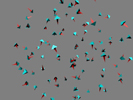
 Bees, wasps, fish, butterflies - these are just a few of the things that you can animate with this nifty little script. Swarm Script by Macouno at AlienHelpDesk has recently updated his script that takes a series of objects and animates them within a defined space and makes them act like swarms each avoiding the other and surrounding objects.
This experimental script is written in Python and requires the math and random modules so it will probably need the full Python install to work. It is compatible with Blender 2.42 and the tests ran by BlenderNation proved that it was a very suitable script for generating large swarms of objects.
To start with you want to create one object for your swarm. For instance an object called "Cube". Then copy that object however many times you want. This will create a group of objects with names like:Â Cube, Cube.001, Cube.002 and so forth.
This will be the swarm! So remember that the swarm exists of objects with a certain word in their name! It has nothing to do with parenting or the like.
The script will create IPO curves for each animated object.

You can read more about it on AlienHelpDesk and more on BlenderArtists. You can find short examples of this script here. Download the script and example files below:

9 Comments
awesome!
nice i love these little script thingies.
yeah, rather nice. Good job on this one.
Wow! Great script ! very interesting.
I will try to animate fire or clouds with it, or butterflies around a lamp...
Philippe.
Good job!
I attempted something similar at one time but was foiled by errors in Blender's Vector data type (First iteration on Mathutils). I was so frustraited by my failure that I went off and wrote an entire steering behavior library in Python! So far I have only tested it with Tkinter, Pygame, and VPython as front ends. I have plans of eventually writing a Blender front end once the library is a little more mature. Your script should be a great help when that time comes :)
Buahaha so much fun, behavior is impresive, looks like they are alive!
Great script!
...and also very usefull!
I've tried the example.blend , but the swarm actually get outside of the cube, and from what I understand the swarm is supposed to stay inside the cube... o_O
but its pretty nice, sure the guys over at Plumiferos will like it to animate bird flocks
the swarm go outside the cube...i flipped normals, tried different shapes.. the superbees can trespass it...