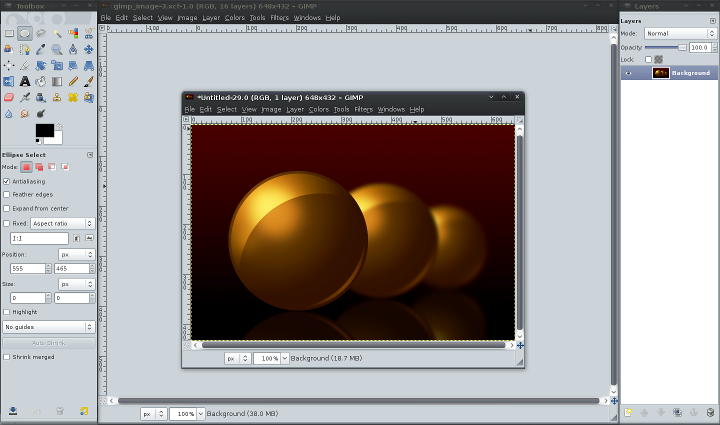
 This in-depth tutorial by Reynante Martinez does a good job of explaining some key concepts of the Gimp. While not directly Blender-related, I think the Gimp is in many Blender artists' toolbox and I thought a little detour would be worth while.
From the tutorial:
In this two part article series by Reynante Martinez, we will learn how to digitally sketch/draw your scenes, give them subtle color shifts, add fake lighting, and apply filter effects to further emulate how 3D does its job in a step by step process. We will start off from scratch and move on to create a realistic 3D scene with just some 2D tools.
We will discuss:
- creating an appropriate canvas
- layering
- layer modes
- layers as backups
- selection tools
- color transition and theory
- gradients
- filters
- faking Depth of Field
- faking reflections
- simple post processing
Link


5 Comments
Haha, that bonus at the end is a very nice touch :), it certainly deserves the mention
Great tutorial! Lol yeah monkey in the ball, funny...
Nice idea to post a Gimp tutorial here. Ich really have to improve my Gimp knowledge ;).
Thanks Bart!
it would be muich easier to use a vector graphic program to do this,,, fe. inkscape. this tutorial is'nt anything special or difficult
Thanks so much for publishing a news post on my article, Bart, I really appreciate it.
Jarred: Hahaha! Yeah! I just can't take it not to even mention a bit of Blender with it.
BLADE: It would be very subjective to say the other one (vector gfx program) is easier since we have varied skillsets and experience. While I do agree that this is nothing special or difficult (which is not what I really aimed at), I wanted to give something to the community to let them get started since many were a bit lost with journeying the tutorial world. I could, however, have made the article revolve around Inkscape and have exactly the same results but since GIMP is a more appropriate tool for the general artist and for painting tasks, I chose not to do it in Inkscape (or any other vector graphics program for that matter).
Bart: Hi. I just noticed the bulleted "simple post processing" phrase was a bit off from the list. Thanks again. =)
Thanks.
^_^
-Reyn