
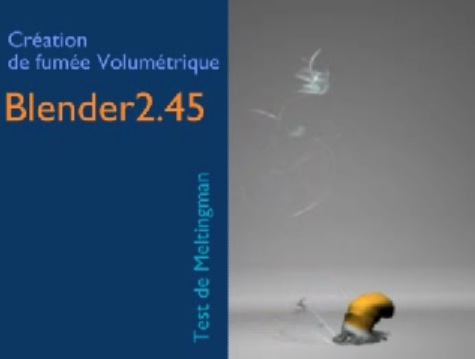
 Here's a short tutorial that'll explain how to create some rather realistic twirling smoke.
Meltingman writes:
Hello, you can find my last tutorial "twirl of smoke" made with Blender and Soft-bodys. The blenderclan.org made the translate in English and there it is at your disposal.
Here's a sample of the final result:
Link

36 Comments
Great effect!!!
The twirl is realistic in the beginning but later on it looks like it's just moving around a bit, which twirling smoke should not unless something plays with the air.
Whoaaa... this is really cool!
Nice tutorial, but I think there is one error in the material settings:
"decrease the Gloss to 0 in order to skip some useless computation"
I'm using 245.15 and the smaller the gloss the slower it gets.
Took me a while until I realized that was a cigarette butt and not some sort of snail. :)
I thought the smoke was rising out of an elf hat.
BTW- Does Blender particles have self-shadowing yet?
softbodies for smoke cool~
i hope some devoplorers are watching this and thinking of some python code for some wizards lol
blender particles can self-shadow if you use a mesh as the visualization, with trashadow on.
Suspended by moderators?
I don't speak French but guess it says there that the file was removed. I cannot download that tutorial.
Same here. Mirror please? :)
Link is dead! Did anyone download before the link went dead and can mirror please?
I really like the video and recognized the cigarette butt right away. It could work in lots of situations like a hot beverage as well. Unfortunately, I am too late and it is off line for the tutorial. I hope it returns, as it seems like a great technique. Thanks for the post.
"This website is suspended by the moderator team of personnal website
If you are the "owner", you have received a mail who explain to you the reasons of this suspension. If you want to restart your website, please contact us."
(Sorry I'm french and pretty bad in translation french > english)
that is too bad that the site is down ...
anybody could send me the pdf?
[email protected]
thx
claas
HERE IS THE MIRRORED FILE : http://blenderclan.tuxfamily.org/perso/twirlsmoktuto.pdf
Please apologize :)
Merci! ;)
lien vers le tuto/link for tutorial:
http://blenderclan.tuxfamily.org/perso/twirlsmoktuto.pdf
thank you for comments and to thank you for the Mirrored link Ebrain :-).
Here is the FRENCH mirrored link : http://blenderclan.tuxfamily.org/perso/tutfumee-fr.pdf
Links updated. Thanks guys!
Thanks Bart ;)
Great melti ;)
The video is still there. You just need to go to the URL directly.
http://www.youtube.com/watch?v=csKRETgZIGI
its wonderful & great
thanks
Wow. Not bad at all. That would be perfectly convincing withing a more complex scene (which I think is a definition of 'correct' in CG).
realy awesome
Hmm.... Interesting.
pretty nice. that may be useful. thanks. God bless
btw. there's a LOT of interesting stuff on that site. Too bad it's all in French, which is a language i don't master. :(
Not the best swirling smoke that I've ever seen, but pretty good.
NathanKP - Inkweaver Review
Could you post a blend please ? For some reason I can't reproduce the effect from the tutorial.
TonyB: I'm with you on this one. I followed this tutorial step-by-step and I am still getting this problem:
- The pink colour of the material is still showing in the renders and so are the shadows.
I am trying different options to not show the colour, etc. but have had no luck yet.
If anyone has an idea on this solution, could you please post it?
Thank you.
ah yes, sorry
for rendering ray of the shadow requires:
Enable material in the florl> trace shadow.
and of course> activate Ray panel render.
I post a blend within 2 days ahead (I'm busy with my music).
+ +
hello
juste the blend :
[url=http://hostit.warrenberberd.org/dl.php?file=775f07f5dfa5d5a7eb4ae9b37d85ee9d][img]http://imghost.warrenberberd.org/2008/05/24/Thumbs/775f07f5dfa5d5a7eb4ae9b37d85ee9d-M.blend[/img][/url]
[url=http://hostit.warrenberberd.org/dl.php?file=775f07f5dfa5d5a7eb4ae9b37d85ee9d]twirleofsmok.blend[/url]
the tutorial is just the method. the blend is a little more complete.
Merci monsieur. tres bon technique. (at least I hope that's French!).