
OptiX Temporal Denoising Support Added to Blender 3.1 alpha

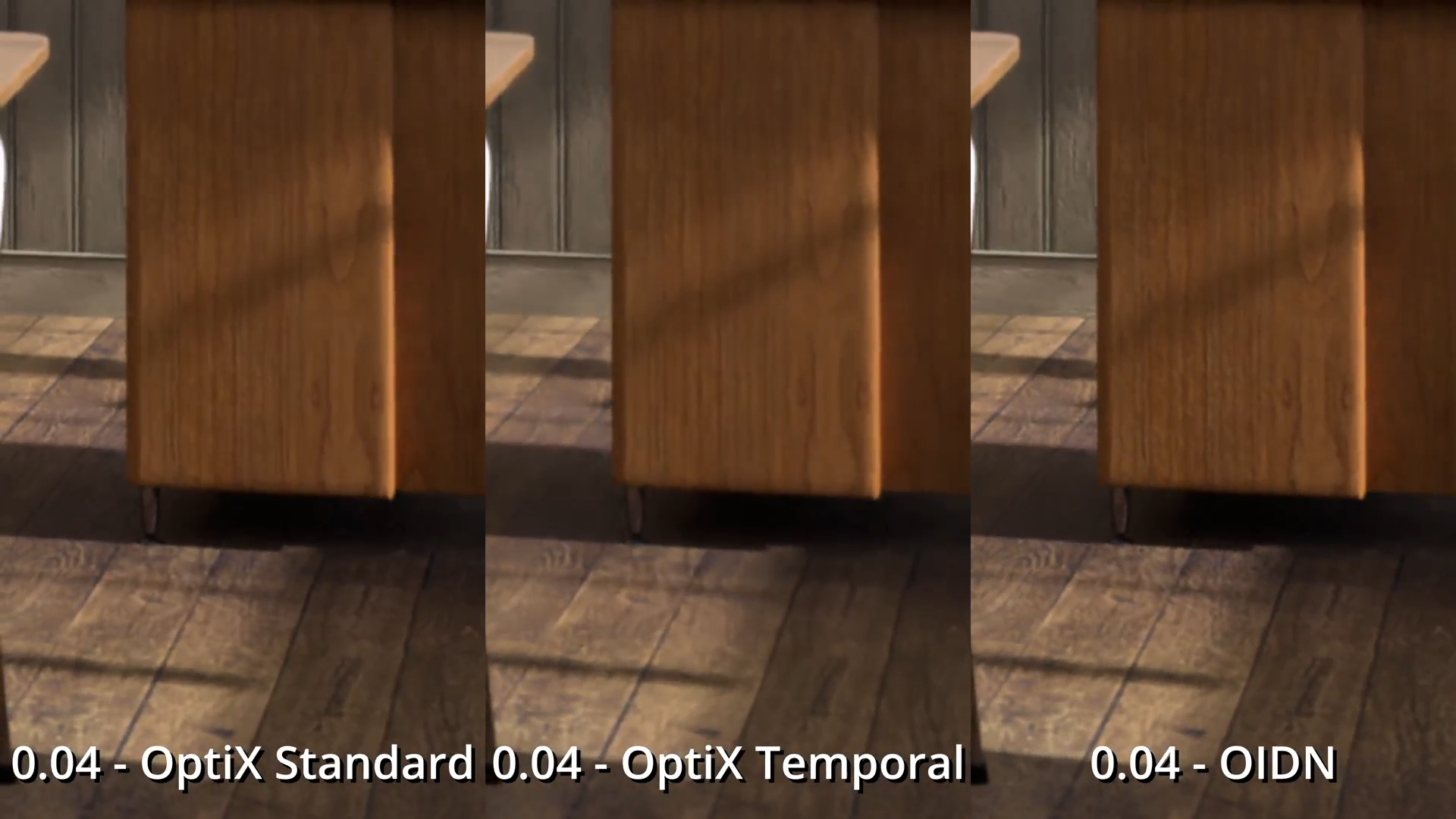
Blender’s rendering toolset has been seeing exponential growth as of late, and this latest addition is bound to make the renderheads among the Blenderheads very happy: Temporal denoising via the Optix denoiser.
“Traditional” spatial denoising techniques are great for single frame renders, with the more recent AI denoisers such as Nvidia’s Optix Denoiser and Intel’s Open Image Denoise doing wonders, even at very low sample rates. These great results however break down in animation, with the apparition of flickering denoising artifacts from one frame to the next, a symptom of the temporal instability of the algorithms: each frame is denoised without taking into consideration previous and next frames, causing the aforementioned flickering.
This is where temporal denoising comes in: typically making use of motion vector passes to relate pixels in different frames to one another, temporal denoising results in smoother denoising results over animations. The now-defunct NLM denoiser had temporal denoising functionality, which as of this commit has been replaced by the Optix denoiser’s temporal implementation.
For now, the temporal denoising operator is not exposed in the UI and is only accessible via a python command. Here is how to use it according to Patrick Mours, the committer of this patch:
- Change Output File Format to OpenEXR MultiLayer
- Check the “Denoising Data” pass in the render layer settings
- Render Animation
- Afterwards, run bpy.ops.cycles.denoise_animation() in the Python console
- Done (the EXR images now contain the denoised image sequence)
Check out this feature’s feedback thread on Devtalk for more information and tests courtesy of Cycles expert Alaska on the link below:



– Do a squat
– Jump up three times
– Grab your right ear with your left hand
– Spit over your left shoulder
…
– Denoising done!
Awesome!
To be completely honest, with lower sample count this looks equally unusable as non-temporal ones, just gives different flavor of visual glitches. On the other hand, with descent amount of samples, OIDN looks superior to both optix methods.
Maybe it’s just an early stage, and also not sure to what level devs could enhance that, and where are limitations on Optix level. Idea sounds great, and has potential, but based on promo video, I would still use OIDN and increase sample count to minimize flickering.
Nice, that is wonderful. Now i can use both of OptiX Nvidia and Intel Denoiser. Thank you. OptiX so fast and beautiful for Denoiser. Intel Denosier so Light and Easy + Cool.
yes that’s right
I felt OIDN is quite impressive in that promo