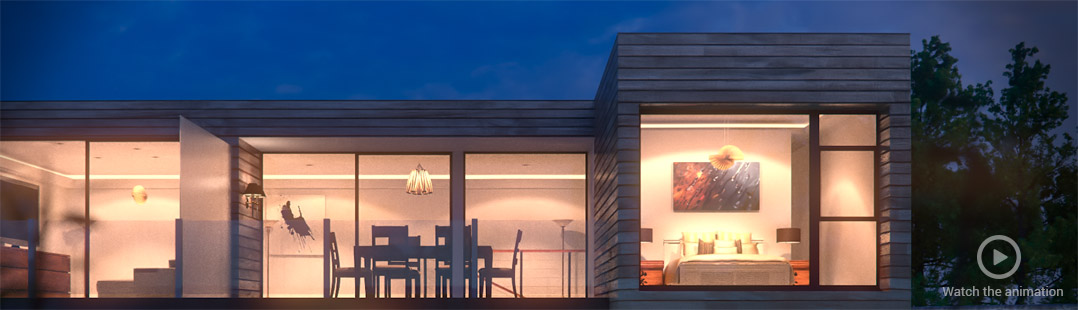
Blender GreenScreen Keying Concepts

Sebastian König presents a new videotutorial for cmiVFX.
Sebastian writes:I would like to announce a new Blendervideo in the cmiVFX store:
Blender Greenscreen Keying Concepts.
After integrating CGI into camera-tracked footage in my last “Blender 3D Compositing” video this time it’s all about integrating greenscreen footage into CGI or other footage. It’s a cmiDirect, which means it is shorter (almost 2 hours) and covers keying, custom-keyers, channel-operations, lightwraps and some other compositing techniques.
Standard Keying Tools
There are various keying nodes available in Blender’s node-editor. Often people try to use the color- or chroma-key, which surely are useful in some situations. The best key however is the channel-key, which is able to create decent mattes with fine edges. In this video you will learn how to use the channel-key to get a solid alpha-channel instantly, but also how to enhance and preprocess your footage to improve your key and create a smooth edge with lots of detail.Custom Keyer
When the standard keying-nodes are not enough, you can still build your own keyer to fit your needs. Separating an image into different channels gives you a lot of control over each color and with some pixelmath and rewiring you can come up with your own selfmade keys that sometimes work better and give more detail than the off-the-shelf solutions. Combined with garbage-mattes and rotoscoping you can solve even difficult shots with motion-blur, reflections and unevenly lit greenscreen.Enhancements
But even the best alpha-channel will not help if your image suffers from color spill and doesn’t integrate well into the background. This video will show you how to enhance DV-footage to improve your key, how to get rid of color-spill and how to apply techniques like lightwraps to really integrate your keyed footage into the background.Compositing
Once your key is ready you can either work with that directly in the compositor or save your keyed footage and use it in another composite. In the last chapter you will learn how to do that and how to apply some little post-processing tricks.The price is 19.95$. More information at the cmiVFX site.
http://www.vimeo.com/19257549



Wow Sebastian! I use After Effects every day, exclusively because of the keylight plugin. I had no idea that such nice results were possible in Blender. You kept the transparency of her wrap perfectly.
Thanks 3dementia! That’s nice to hear! :-)
But I know what you feel, Blender keeps surprising me every other day – since 7 years now!
Hey, Very interesting indeed…nice!
@ cmivfx site is it possible to pay with iDeal ?
Shes a big lady.
Good result.
Why the dress has changed color (blue -> green)? a technical problem or a choice?
Thanks
@joeri67 indeed, she is! :D
in fact, she’s a goddess, because of her great key. that’s why she is so tall. ;)
hey luca!
thanks!
well, that was just for fun & demonstration
Wow this is great, thankyou
@valentijn no not possible. But……you can connect your bank account to your Pay-pal account, no credit card needed. Problem solved. ;)
Absolutely brilliant! Shows the power of a flexible tool in the hands of a skilled person :-)
Great tutorial, I’m just getting started with blender and love all that I see thus far.
Bad use for Blender: http://www.illusionmage.com/
Once again, Sebastian, YOU ROCK! This is perfect timing for me, I was just trying to greenscreen my head model for an animated backdrop. Perfect timing and the price is really reasonable. Guess I will pop over to CMIvfx and get it! Thank you!
Glad to see such a professional Blender tutorial!
@Maxwell: Ugh… not again… BTW: what are the other bundled products? One of the screens bear the resemblence of Krita, I think…
http://www.illusionmage.com/orderform.htm
Thanks everyone for the nice comments!
:)
@Maxwell and JimmyVolatile: You do realize that you are helping increase his Google-ranking by linking his website here, right? It’s free advertising for him. Just a thought…
This is awesome! Sebastian’s tutorials are the best ones i’ve ever seen so its always great to have more of them.
@Maxwell, JimmyVolatile: I noticed this one a few weeks ago. Decided not to pay any attention to it.
Looks the same character to me. Exactly the same lay-out and design of the site, same text afa i can see, same images (some of witch are actually made in 3dsmax), same style of music in the video. Only this new one is more expensive: $47,- in stead of $27-.
And why do i feel that the name Seth Avery is an insult to Tex Avery?
@sebastian_k: Ugh… sorry! I didn’t use my brain. Anyone in charge, here? Please delete my previous comment linking to that horrible site…(Can’t do it myself, it seems)
Looks great!
As good as this is it would be very annoying to have to use external software to do your chroma work and then render it into your editing software.
Also, I’m not sure how blender stands with audio since 2.5 but I remember using it for colour grading in older versions and the splitting off of the audio was a major headache.
Wow, great job, Sebastian! I’ll definitely check that out!
Would LOVE to see this video!! I recognize the green screen video footage with that beautiful model from the “Hollywood Camera Work Visual Effects for Directors” 7 DVD set, which I purchased 2 years ago.
The cmiVFX site isn’t very good about giving information. So I have to guess.
I’m guessing this is an online only video subscription service, so for $19.95 I get to see the video online only.
But for how long? Is there an expiration date? Can I download it? Why don’t you have this information on your site (or why is it so difficult to find)?
And why is the release date 12/31/1969??
I would much rather watch on DVD instead. Can I get this video on DVD? I refuse to buy if I don’t have a DVD or as a download that I can watch offline.
—Raf
@rorkimaru
well, sure, if you don’t work with blender in the first place it would not make that much sense to use it, when you have other tools that do the job. But for everybody who uses primarily Blender it is easier to stay within the Blender pipeline as long as possible. That’s why I love Blender’s compositor so much, cause it gives you everything you need without having to use third-party tools to get the job done.
About the audio, I remember it worked pretty fine, but didn’t use the VSE recently, so I’m not sure about that.
@Rafster:
Yes, this is an online video service, and you can watch it as often as you like. It will not be removed, nor will the site go down. At the moment there is no official download available, but I hear there are plugins, tools and certain browsers that will save any stream to disk, although the video will have an anti-piracy algorithm encoded.
There are also rumors that downloads will be enabled in the future, but I don’t know about that.
The release date must be a bug. :D
Btw, what did you think about the VFX for Directors DVD set? It looks very interesting and I thought about purchasing that.
Why is everyone who do these videos, tutorials, books etc always shooting themselves in the foot? We have posts about books that teach lighting that are in black and white. Video tutorials that are far too expensive, and now a decently priced tutorial that is online viewing only. I don’t understand it. You guys should be giving your customers (or future customers) many more options so you can make more cash. Like going to a decent publisher that produces colour photos in their books, cheaper video tutorials so more people have the chance to purchase them, and options to download tutorials, get them on DVD or view online.
This look very interesting.
I was just about to buy the David Weese tutorial Greenscreen Nightmare
http://www.blendedplanet.com/?Blender_Training:Greenscreen_Nightmare
But this looks very similar (at a similar price).
Does anyone know which is better, ie is there anything covered in one that’s not in the other?
Or do should I shell out for both?
It seems quite interesting, can we do that using a video background instead of a still Picture?
PS: I see people posting the link to those places selling Blender. This in the first place increases ranking for them, secondarily it will not provide any help here, people coming here already knows Blender.
that guy is an expert of cg but his pronunciation is VERY german…
Armando, sure, you can put what ever you like behind greenscreen footage. Though you’d either have to have a very stable and fixed camera, or use camera-tracking software like Voodoo or Syntheyes for a good match. There are great examples with good tracking markers here: http://www.hollywoodcamerawork.us/greenscreenplates.html
Heho, well, I can’t deny it. :) But I am doing my best to make it as understandable as possible. And when it comes to english with german accent, it seems you ain’t seen nothing yet: http://www.youtube.com/watch?v=-RrEQ8Ovw-Q
:)
Great tutorial, bought this yesterday, as by chance I was trying to green screen and key it out with Blender. This helped tons. :3
Amazing tutorial IT WORTH THE MONEY!
It’s about time CmiVFX had a new blender tutorial. Sebastiens stuff with the mammoth was top notch, I might re-watch that sometime
@Paul The tuts can be downloaded with ‘Download Helper’ on Firefox. It downloads as an .OGG file.
@Heho, I find him very clear and understandable.
Off topic, is BlenderArtists down?
Ugh, Blenderartists is down here in the US at least. Again.
@Armando, yes you can do it with video just the same.
@ Heho, what is the purpose of pointing that out? I like Mr. K’s voice.
@ All, I think we should rise up and roust that b@st*%d selling Blender, for me it’s more than just the software and images he’s stealing, it’s also the false hopes and BS on his website. Newbs are gonna read that stuff and think “Oh this is so easy”. It’s a discredit to our entire industry. I wonder if Pixar or Dreamworks knows he’s using their name, and making those claims…
@sebastian_k
“Btw, what did you think about the VFX for Directors DVD set?”
I thought it was okay. It’s comprehensive, but at the same time very general. By that I mean that it is NOT a tutorial, which would require focus on a particular software(s). It really is for directors and not so much for working artists that want to do/follow or have a walk through of all the specific settings and tweaks, so as to get the perfect matte.
For example, I downloaded one of the hi-res green screen shots (a dolly shot) and tried keying them in blender but could not get it to work because I would need to reset the green color “sample” every 60 frames or so (keying the key-color?? I thought everything was supposed to be animate-able in Blender?? How do you do this?).
They present the entire work-flow for several shots, step by step, but still in a general way, skipping over the real-life pitfalls that come up when you actually try to do it on your own on your computer. Macro steps vs. Micro steps, I guess.
I wasn’t overly impressed with the quality of the footage of the background plates and overall art direction of the shots; too CG-ish, not enough photo-realism, except for one which was very photo real and beautiful to watch.
I absolutely LOVED the model. Hate to admit it but she might have been the tipping point that made me go ahead and make the purchase. I got it for $200 in the pre-sale.
The narrator’s voice was very monotonous!! That was the only really bad thing. If your heart isn’t into VFX you will probably fall asleep and not finish watching the entire 7 DVDs.
Here is their link:
http://www.hollywoodcamerawork.us/vfx_index.html
Hope this answers your question.
BTW, Does anyone know when project Mango is supposed to start?? I CANNOT WAIT FOR THAT!!
Thanks everybody!
And thanks Rafster to take the time to give us a short review of VFX for Directors!
I watched their sample clips and really liked what I saw there. Someday I guess I’ll purchase it, even though it might be general and monotonous.
About Mango, as far as I know it will start in September. I am super excited about that! I don’t even dare to think of all the goodies it will bring! No, that would be a lie, I am constantly thinking about all the good stuff it will bring us! :)
Having purchased both compositing tutorials I can only say the following two words: wow!
Highly recommend both.
The only problem used to be online streaming only which can be resolved if one uses firefox and one of the many media download plugins available (grabbed mine using Donwload Helper).
I couldn’t watch the video after I tried a lot of times without success, hope I can finally watch it or download it :-(