
Tutorial: Creating a vase in Blender

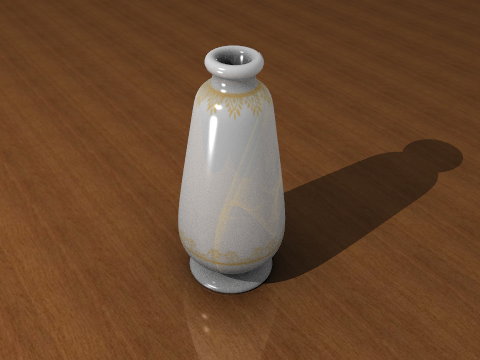 If you’re new to Blender and you would like a kickstart introduction to modeling, check out this tutorial by Gaurav Nawani.
This tutorial is not too recent, but it looks like all the operations are still valid. I think it’s a great entry level tutorial that is accessible even for people with NO Blender knowledge at all.



There is never tutorials regardless of what level they are for, thank you very much for your effort interest and time given to provide the community with yet one more helpful tutorial
that is an oold tutorial..
iirc i have seen it before but still it is useful as i am looking for quick easy to model objects for a scene i am making
where are the textures ?
Sorry ignore me – found the blender file and then worked out how to unpack the texture – very cool
not quite as clever as you……..were are the .jpg texture files???
oh!!! i see!!!
for others who are as slow as me:
1) Click on ‘Downloads’ on the authers website.
2) Click on the picture of the varses and download the zip file
sorry for being so slow *blushes*
GREAT tutorials for begginers like me :-)
Hey I really want to finish off my vase, i’ve got the modeling and lighting right, i just don’t have the textures! Where can I get them? I downloaded the zipped file off the author’s website (used the ‘download now’ link and clicked the picture, but both just have the .blend file! Please, how do i get the textures
Here’s how to get the textures from the .blend file:
1. download the zip file as described above
2. open the UV/Image editor (it’s a window type)
3. click on the icon that looks like an up arrow on top of a down arrow, directly to the left of an opened lock icon
4. select a file from the list (there are 4)
5. select “image” –> “save as”
6. repeat until you have saved all images to your hard disk.
Links are dead.
@xyz: links updated, thanks for reporting!