

LuxRender 0.8 Released: More Power, Less Noise !

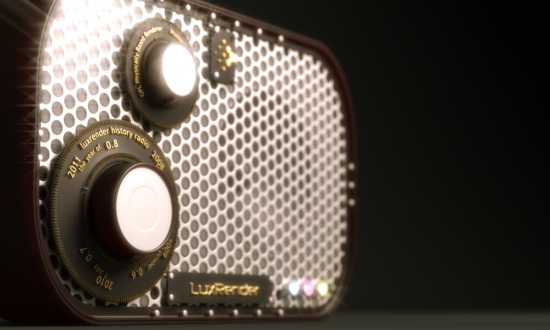
After 4 release candidates, the new stable version of LuxRender (GPL, unbiased, physically based rendering engine) is finally out : Luxrender v0.8 !
Among many improvements and new features :- GPU rendering acceleration for path tracing (when sampling one light at a time)
- Outlier rejections (significantly reducing the noise level)
- GUI improvements
- New materials
- New volume rendering features
- Film response curves
Check out the many other features/fixes, or download your copy from their website along with the LuxBlend exporters for 2.49 and 2.57.
Development goes on to bring this even further in future 0.9. Many thanks to the LuxRender team !
In the meantime, have fun with 0.8 !
Many thanks to Jean-Gabriel Loquet for writing this guest post!

so cooool!! Downloading :-)
Nice! Thanks guys!
Nice! Downloading now..
You’re welcome Bart, it was my pleasure : I’m a big fan of LuxRender ;)
I may add that GPU acceleration here means that rendering
uses both CPU *and* GPU power for pathtracing, and that
should really cut down render times …
Really looking forward to trying this in production !
Cheers,
______
JG
I first got interested in SmallLuxGPU. It was the only open source GPU renderer that I knew of and it was very cool to play with. But I still don’t understand the distinction between Luxrender, SmallLuxGPU, and LuxRays. Can someone please elaborate?
@Ian: LuxRender is the main app, it’s a production-grade raytracing engine. SmallLuxGPU is a development testbed for LuxRender, it’s meant as a small, minimalistic renderer the Lux devs can use to test out new features (GPU acceleration, SPPM, etc). LuxRays is a library for offloading raytracing calculations to the GPU, SLG and Lux both use it.
LuxRender is a fully features spectral unbiased physically based rendering engine.
SmallLuxGPU (SLG) is a GPU rendering proof-of-concept and a testing framework developed by Dade from the Lux dev team. It is an unbiased rendering engine, but not completely physically based and not spectral (works only with RGB). It wasn’t intended as a replacement or a counterpart for LuxRender, but just a fun toy and an implementation of some GPGPU rendering approaches.
LuxRays is a library which is a core for SLG and LuxRender GPU rendering functions.
LuxRender is a fully featured spectral unbiased physically based rendering engine.
SmallLuxGPU (SLG) is a GPU rendering proof-of-concept and a testing framework developed by Dade from the Lux dev team. It is an unbiased rendering engine, but not completely physically based and not spectral (works only with RGB). It wasn’t intended as a replacement or a counterpart for LuxRender, but just a fun toy and an implementation of some GPGPU rendering approaches.
LuxRays is a library which is a core for SLG and LuxRender GPU rendering functions.
LuxRender is a fully featured spectral unbiased physically based rendering engine.
SmallLuxGPU (SLG) is a GPU rendering proof-of-concept and a testing framework developed by Dade from the Lux dev team. It is an unbiased rendering engine, but not completely physically based and not spectral (works only with RGB). It wasn’t intended as a replacement or a counterpart for LuxRender, but just a fun toy and an implementation of some GPGPU rendering approaches.
LuxRays is a library which is a core for SLG and LuxRender GPU rendering functions.
I will always have a warm spot in my heart for lux, these guys rock:)
Thanks SATtva. It’s weird I get such great fast results with SLG, but I can’t get internal rendering or gpu to work in Luxrender. It’s probably user error though, I never read the manuals I just try to get stuff working on my own.
SSS?
@alexsander. Present and accounted for. See here:
http://www.luxrender.net/wiki/LuxRender_Volumes
@alexsander. Please keep in mind that the SSS in LuxRender is a true scattering effect below the surface of the mesh, so it will take longer to render than if it were faked like most other SSS effects. Actually, I can’t think of any other renderer that does true scattering under the surface of the mesh, but then again I don’t know everything about every other renderer out there. :) But it is worth the time. http://www.luxrender.net/forum/viewtopic.php?f=14&t=5234&start=10#p55544