
UVPackmaster – Auto Repacking, New UV Grouping Method and Much More


A lot of powerful new features have been added to UVPackmaster since our last post on BlenderNation. Here’s a quick summary of the highlights.
- A powerful new feature: Auto Repacking! With a single click, you can now repack all configured UV maps in your blend file. By using option sets, the user can define packing options individually per object or UV map. The feature automatically detects changes made to UVs or packing options since the last repack—and only repacks when necessary.
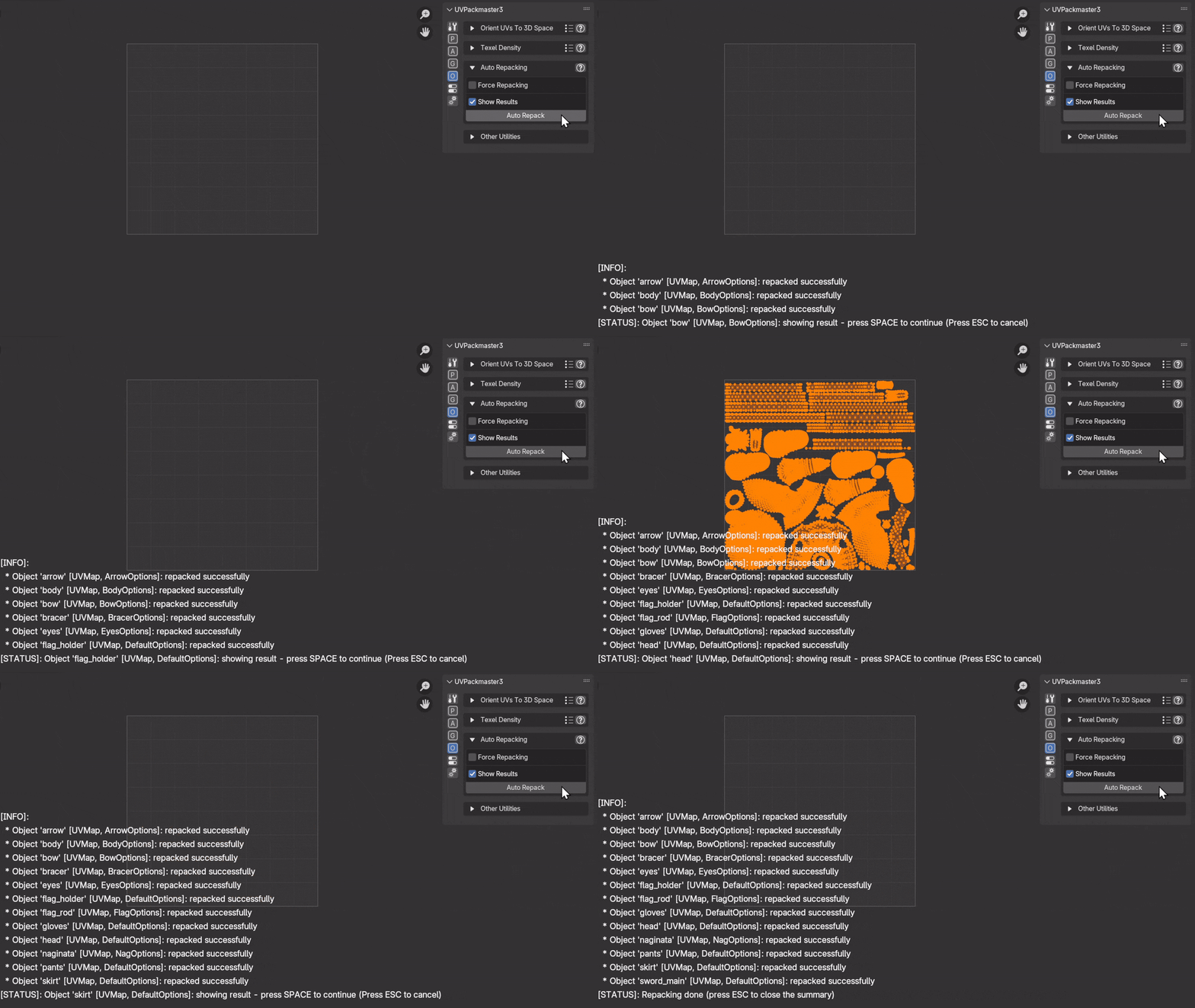
Watch our new tutorial about the Auto Repacking feature here:
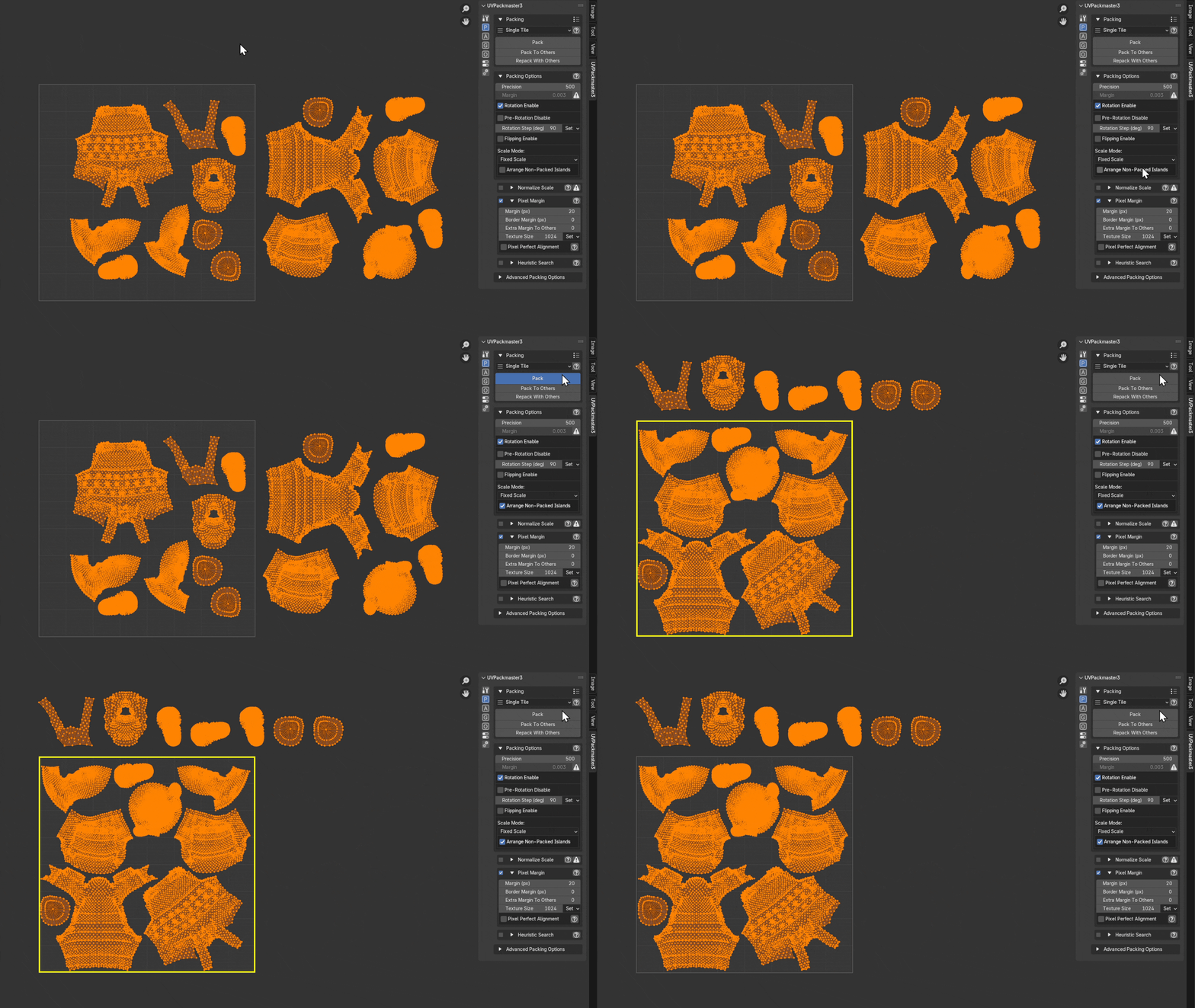
- New option Arrange Non-Packed Islands: when packing with fixed scale, arrange the islands that cannot be packed due to a lack of space in a line above the target UV area:
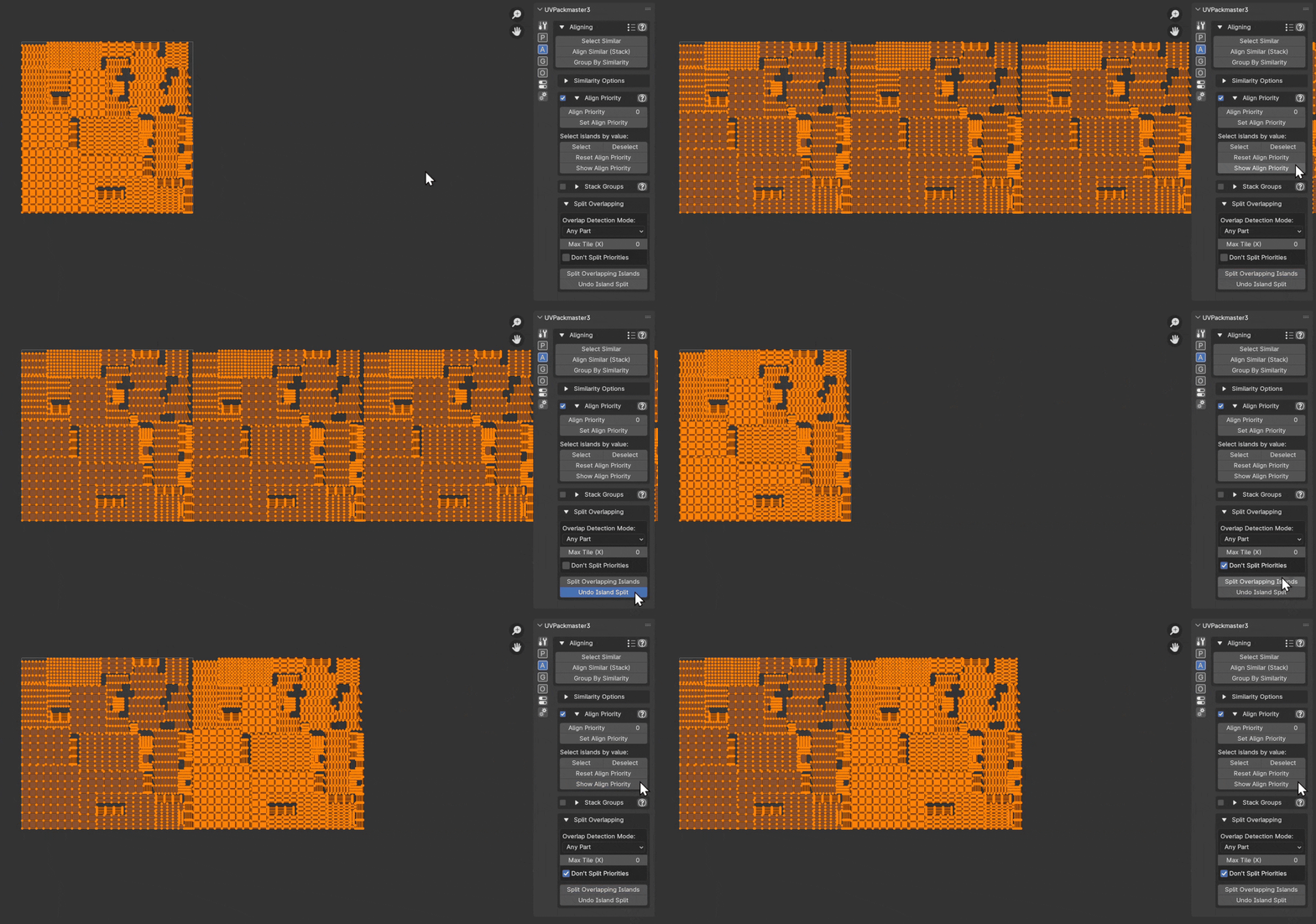
- New option for the Split Overlapping feature – Don’t Split Priorities: when enabled, the packer doesn’t split islands sharing the same Align Priority value:
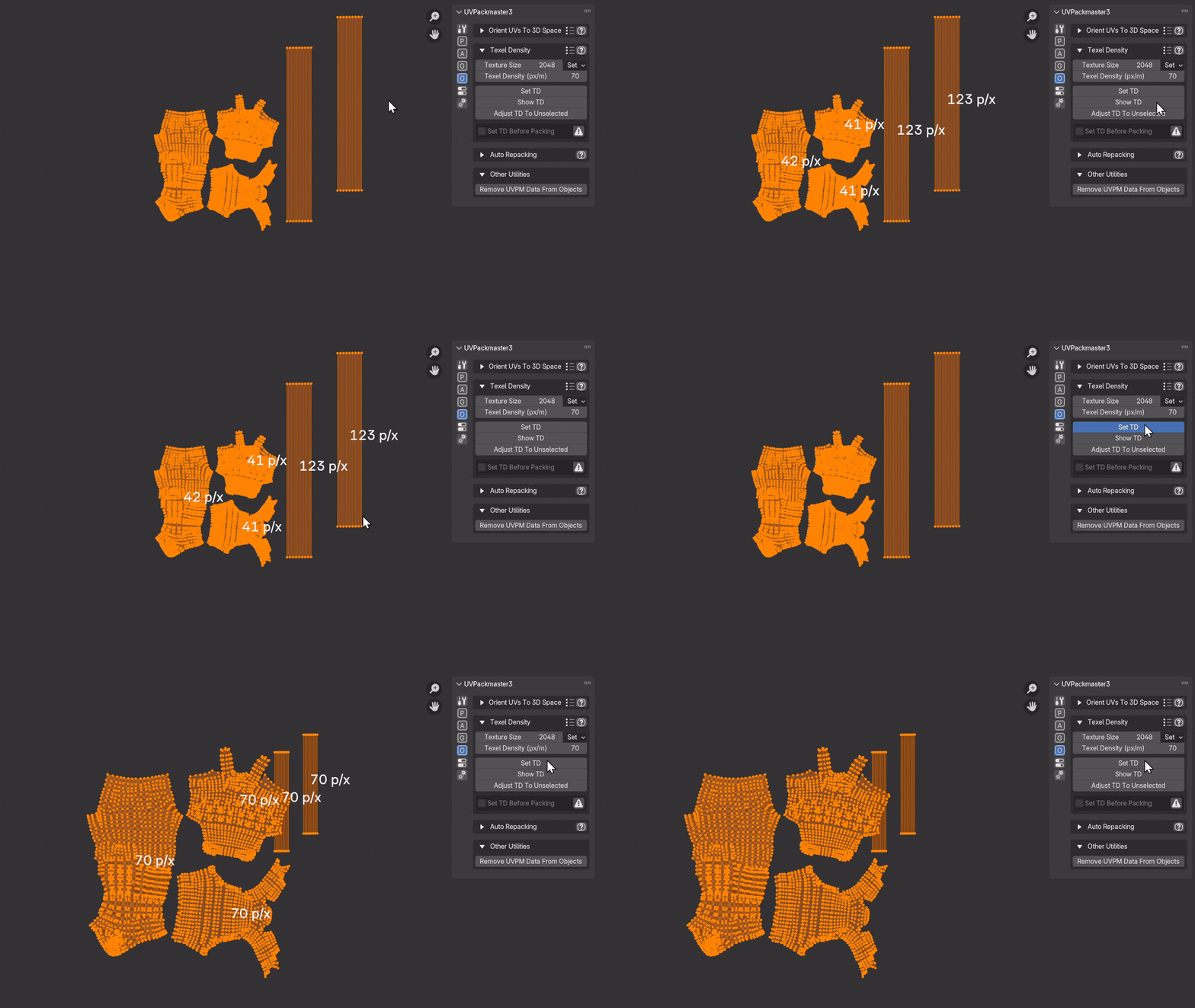
- Display or assign texel density on a per-island basis, with visual feedback:
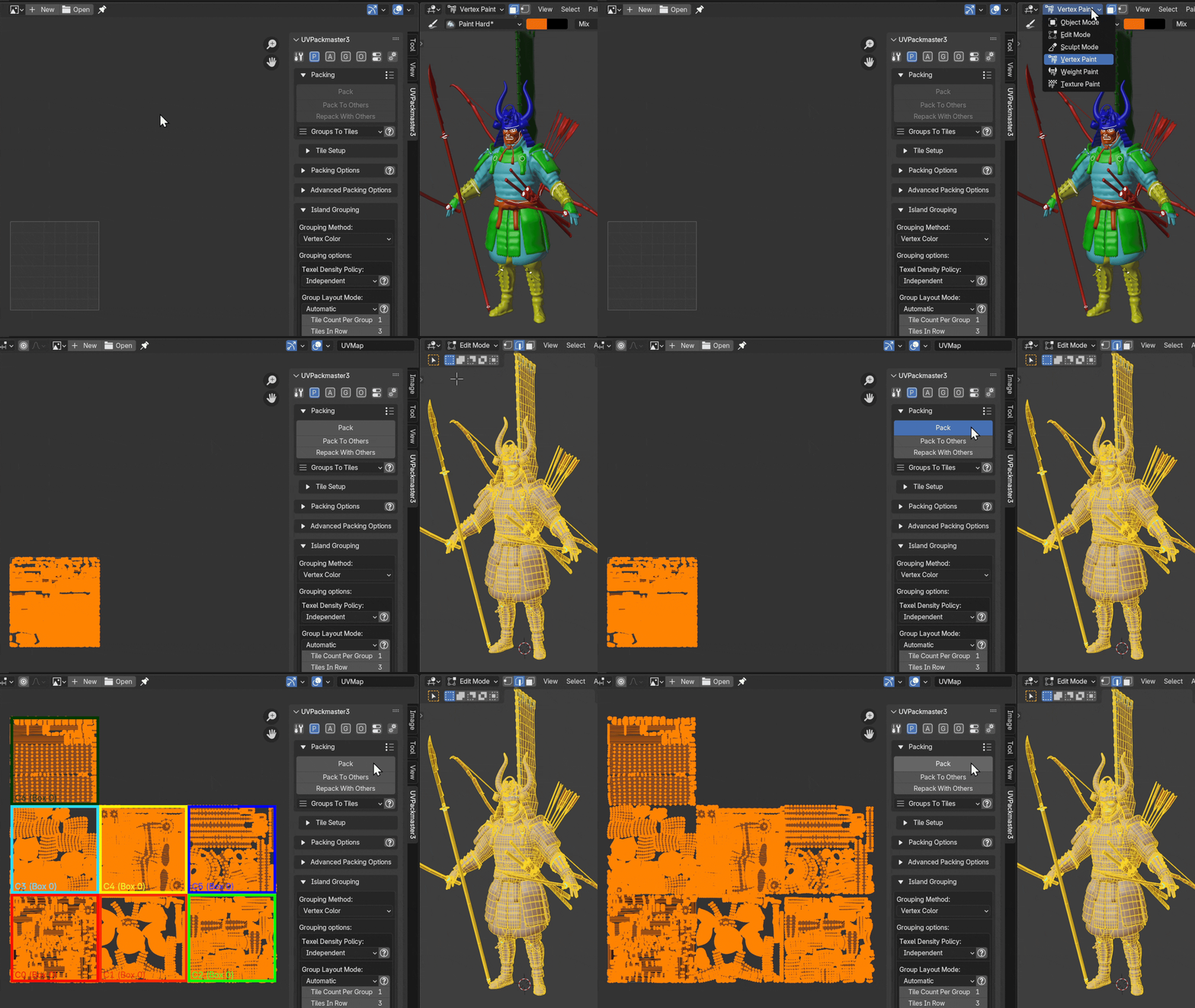
- New grouping method – group UVs by Vertex Color:
But there is much more! Refer to our site for detailed release notes.
Best regards,
UVPackmaster team