
Moji Episode 5: Crimson (+Breakdown)


Coin has recently released another episode in their Moji series, which strongly evokes a Zelda-like atmosphere. Don’t miss the video and accompanying write-up. For further insights into this project, refer to our Behind the Scenes piece from last year.
After chipping away at this animation during weekends for like 4 months (lol) it’s finally done. Another goofy ass animation.
The whole animation is 6 work files, way more than usual but as efficient as I try to make things my poor old RTX 2060 just can’t keep up once the scene gets big enough. In particular having lots of keyframes on multiple moving characters lags and the animation is close to 9000 frames.

The first scene is just a simple box, I use baked shadows for this one and a whole lot of wacky texture painting. For the subtitles I made placeholders that are just text objects very close to the camera.

I Ended up liking them and 90% of the subtitles are actually physical objects in the scene (DON’T DO THIS IT’S VERY DUMB).

I ended up making a simple rig for the bags because I couldn’t figure out a better way to deform them without it causing a lot of lag.
The next work file has the first version of the industrial place. There’s nothing special going on with it yet, it was just a pain to put together.

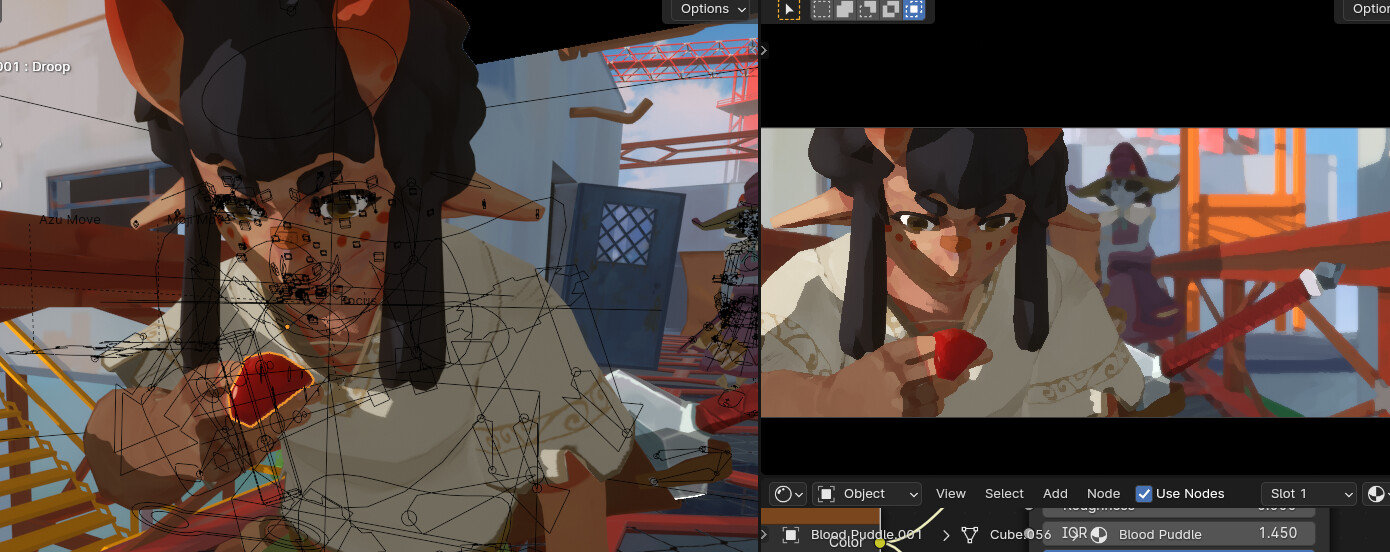
For the part where Moji lifts up some bloody goop, I spent some time flexing my brain coming up with a clever way to do it and at the end just went fuck it. It’s just a UV sphere smooshed around that’s not even attached with a constraint or anything. I knew the animation is gonna be really long and decided to cut every corner possible.
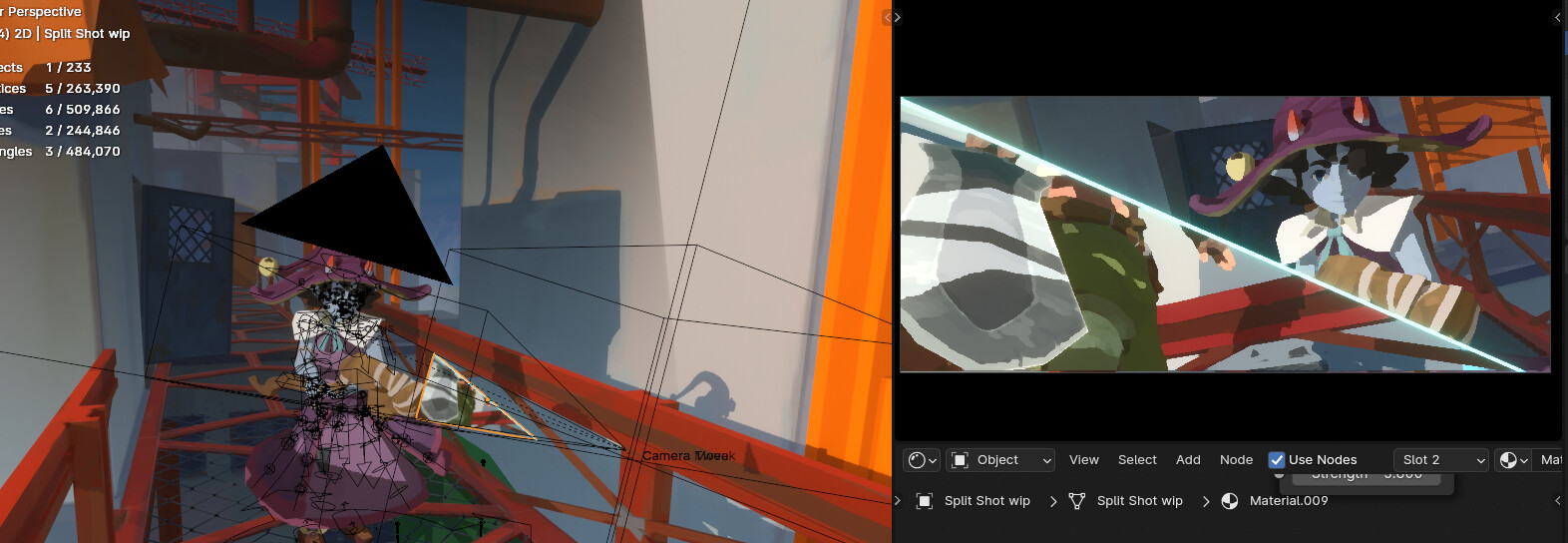
For the split shot while working on this I had a placeholder pop up so that I can easily visualize the effect. The texture on it is just a screen grab from the previous shot. For the final I did it in the video editor.
For any sort of breaking or bending bit’s I model the object whole, I slice off a chuck that I think would be enough, separate the objects and when the bend happens it’s just shape keys changing the geometry.

For the splat shot a couple of things happen at the same time, I swap the model to the whole edit, the metal pole bit also changes so that it can have some blood on it and the blood splat is just a texture. Also Azu’s (blue one) model is slightly different for every single work file because I keep finding stuff that needs fixing.

Sword breaking is… you guessed it, swapping the model and shape keys. If someone knows a more efficient way of doing this stuff hit me up.

The 3rd work file is the black void bit. Funny thing even though this is the most empty file it’s by far the largest at 831mb while the others are around 200mb. This is because I couldn’t figure out a clever solution to the birds flying at the camera so it’s actually just 30 bird models with rigs animated flapping and moving up. Each one is on it’s own empty and they all share the same animation I just change the path the empty moves on. Some “Tweak Birds” are manually animated the whole time, while the majority are just repeating the same cycle over and over. The repetition is pretty obvious and in general looks kinda shit but I was just too tired to make this whole sequence look better.

Work file 4. For the red stink lines I did my flipbook style animation workflow. I talked in detail about it on my last post so check that out but in short: Lots of planes that are overlapping, I use shape keys to control which one is visible, each plane has it’s own UV. I know the “correct” workflow for doing this but with this method I can preview it in real time in blender and you can still export the effect (Game I’m working on “Munch” has some effect that I did for it and it’s the same workflow)
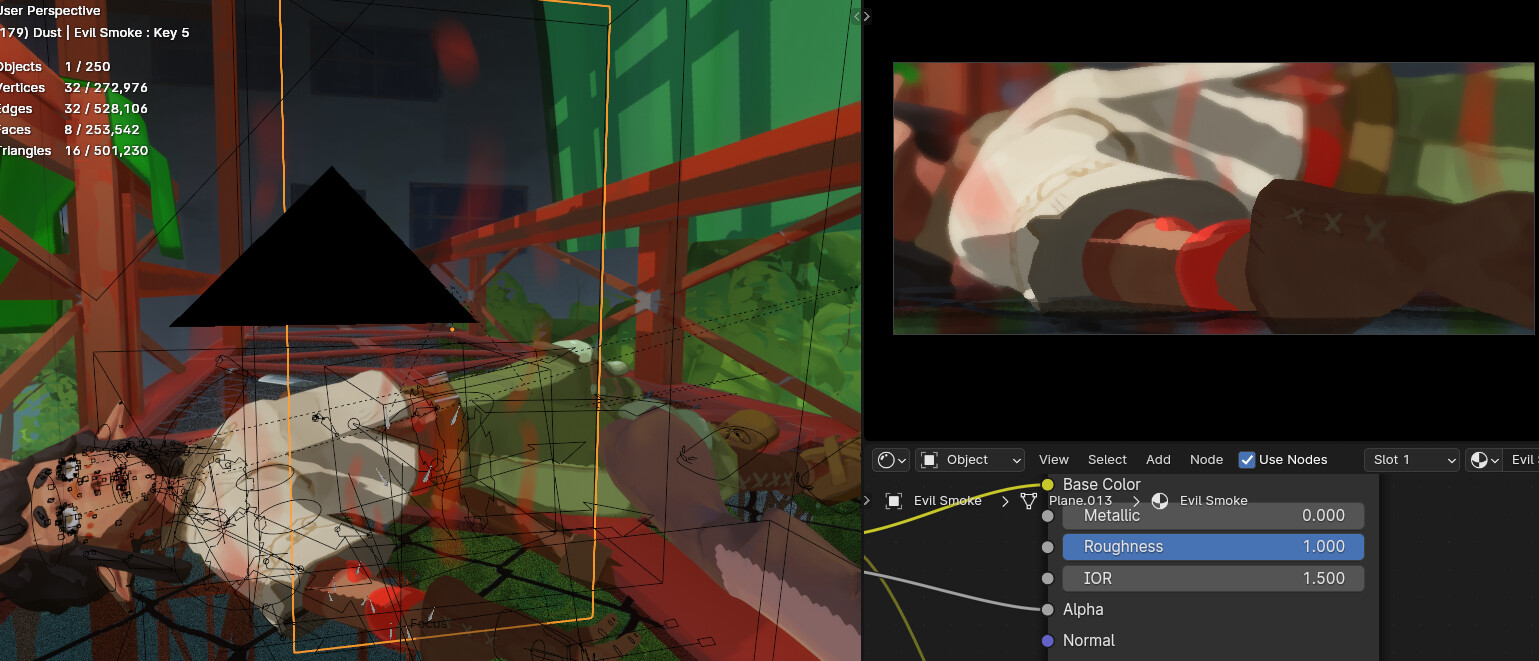
This red thing is pretty weird. Shader is pretty simple just added a moving noise node which is responsible for the transparent bits on it. I couldn’t figure out a shader solution for the inside looking more dense so it’s actually just the model duplicated and shrunk on it’s normals. Wobble is a displace modifier with a voronoi texture which has a driver on it’s size value. Nothing about this is a very clever solution but I’m not the smartest guy when it comes to this technical stuff so if someone has better ideas on how to achieve this look feel free to share, I’d appreciate it.
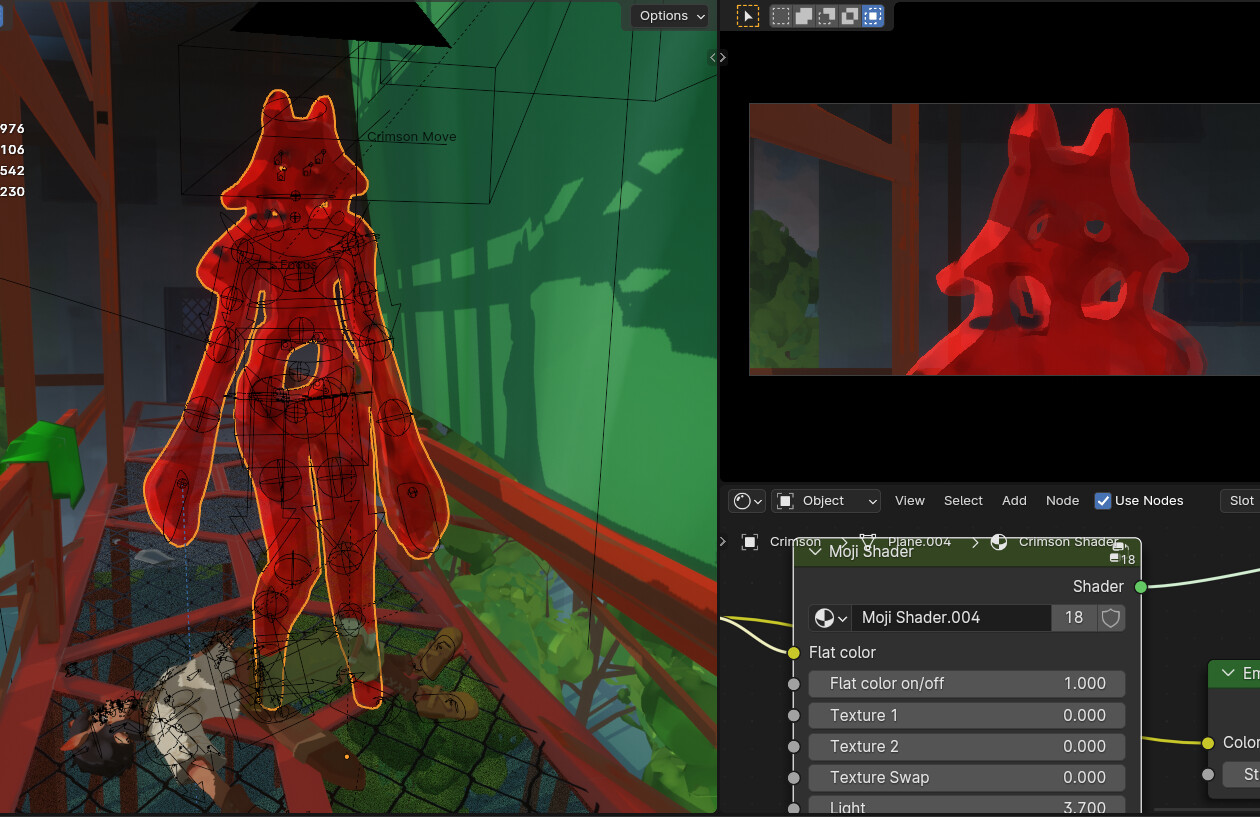
Wobbly slashy bit is just grease pencil animation.
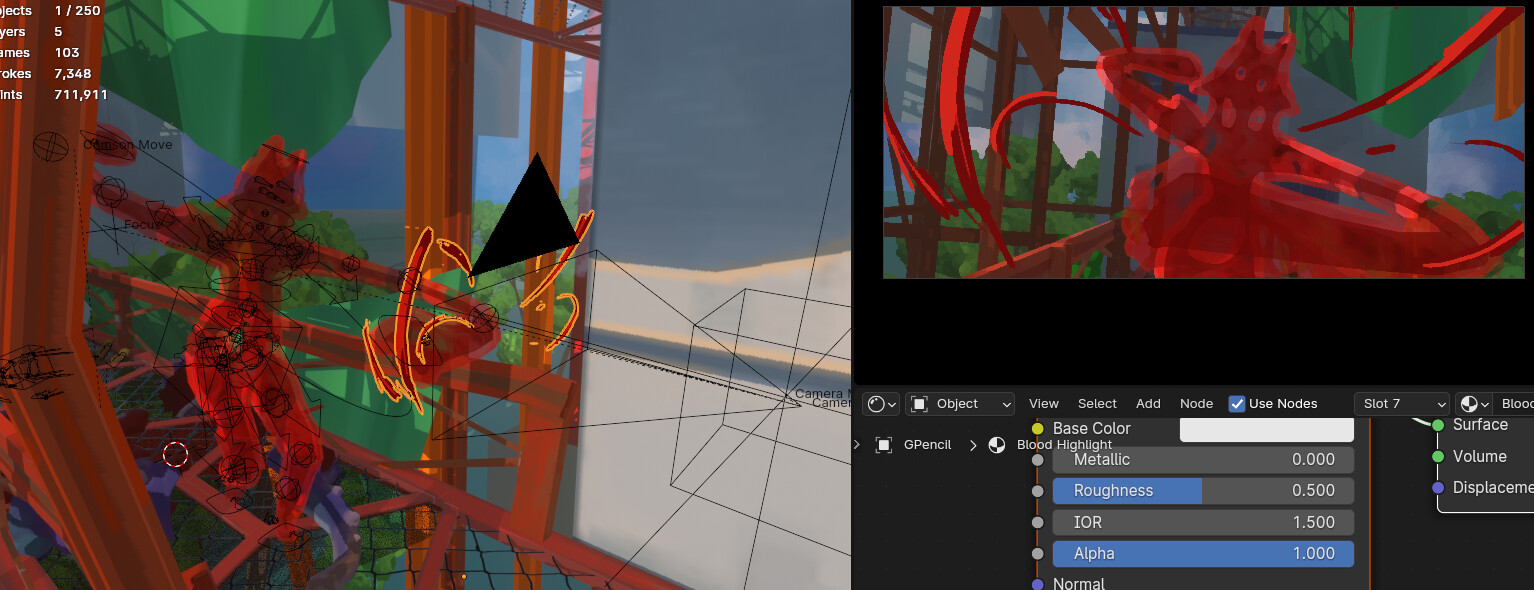
Destruction bits are just alternative version of the models, and their movements are as always just shape keys.
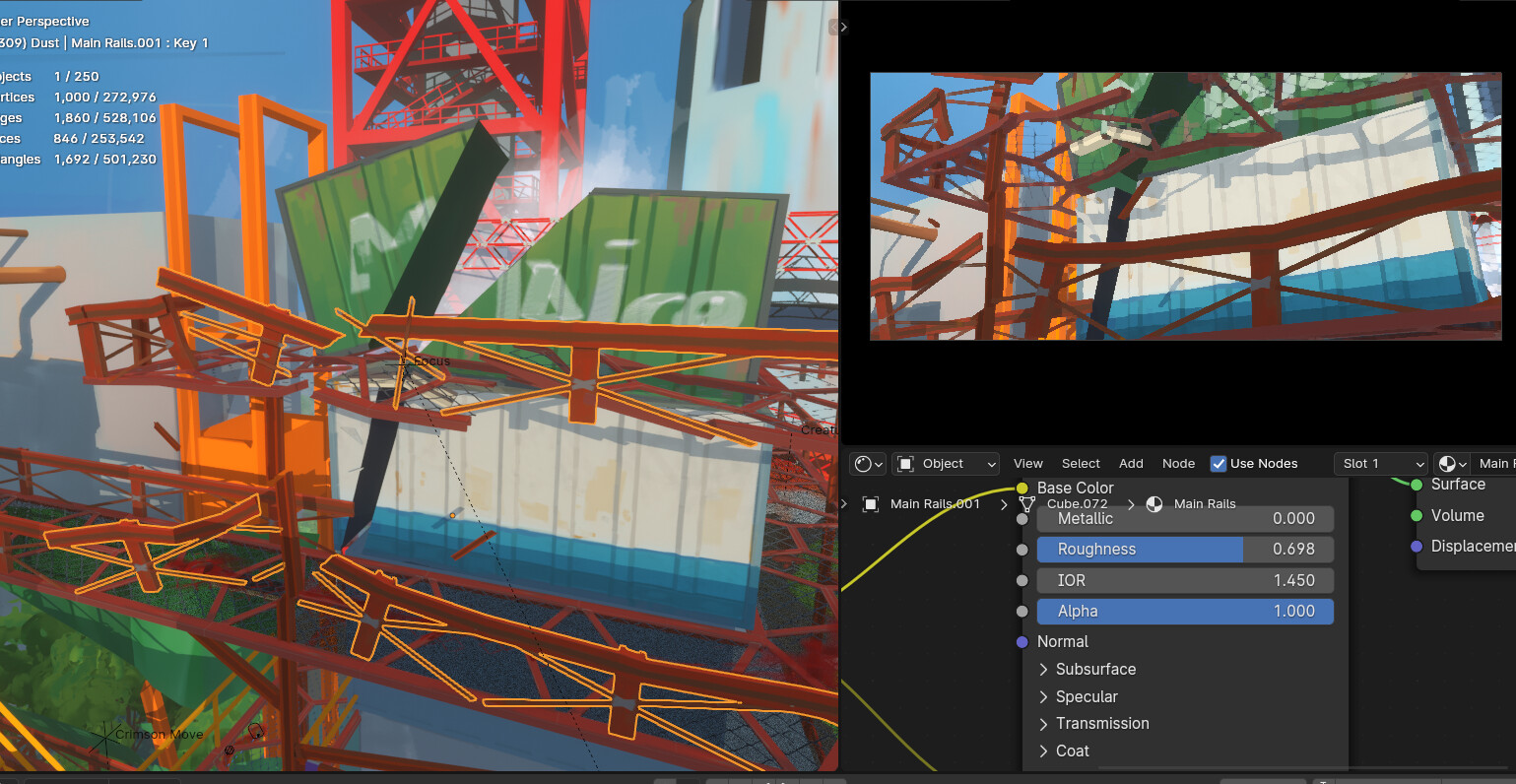
Work file 5 has all the stuff breaking. Smoke and slashing effect is grease pencil. The walkway breaking towards the camera is just lots of models manually animated.
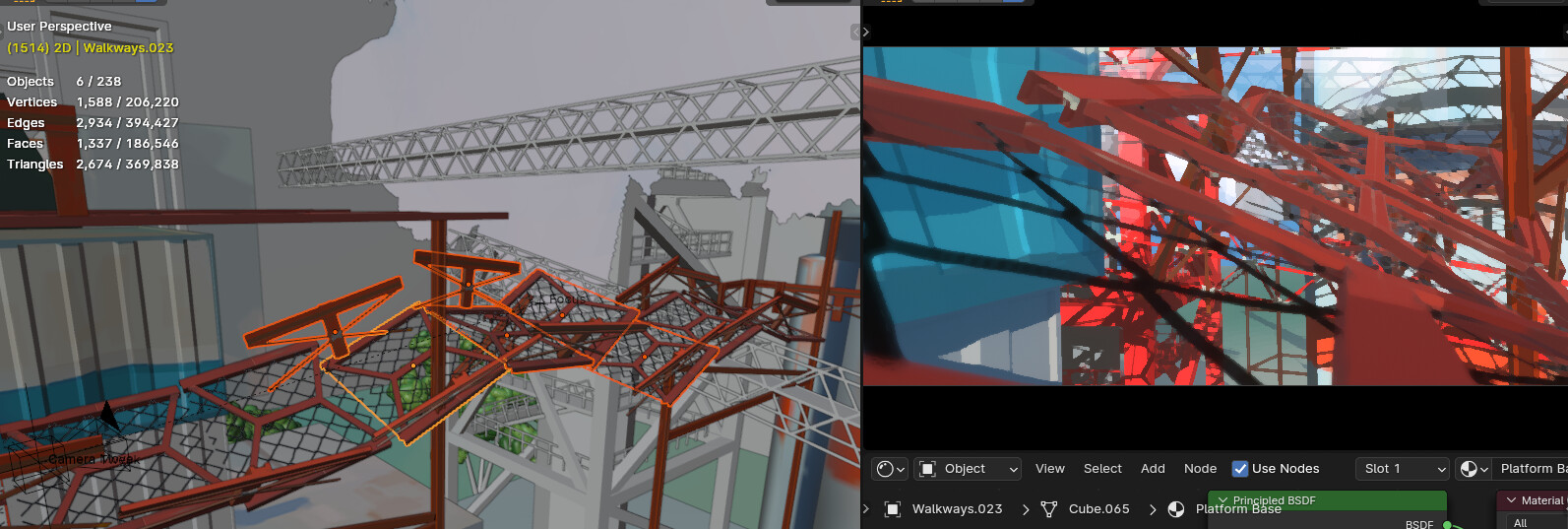
Work file 6 is mostly new assets I made for each shot. The whole scene was animated with basic untextured boxes and later on I made and added all the assets. Not my usual workflow but I’ll probably stick to it in the future as it’s easier to keep the framerate high.
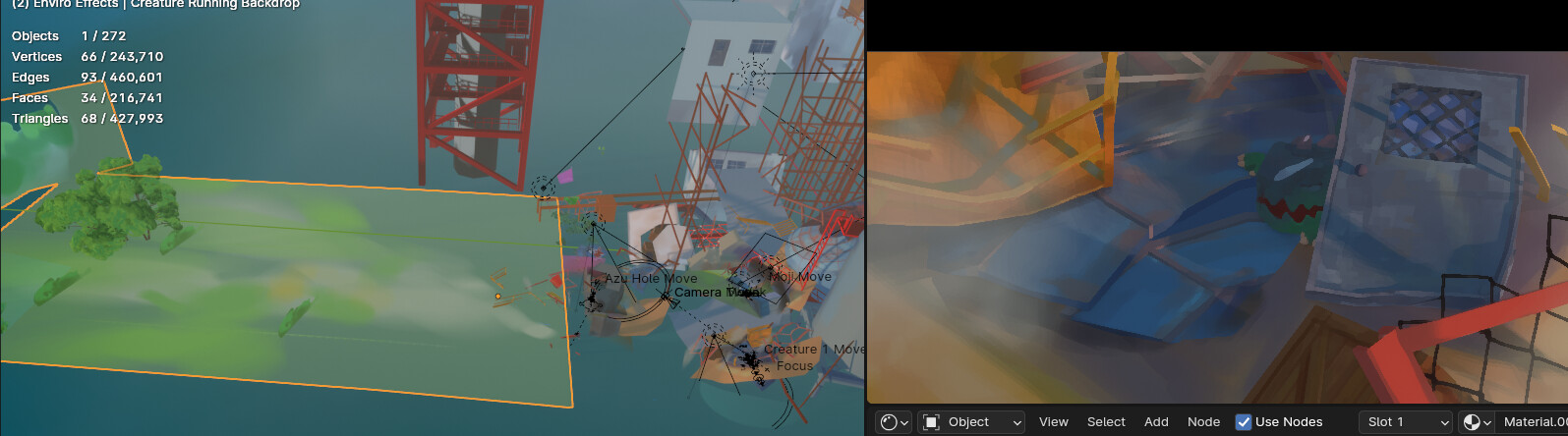
Time of day changing bit is just mixing the texture with another color and the sun light moving and changing value.

Outline on the hat and various other bits is just planes with an emission shader on them
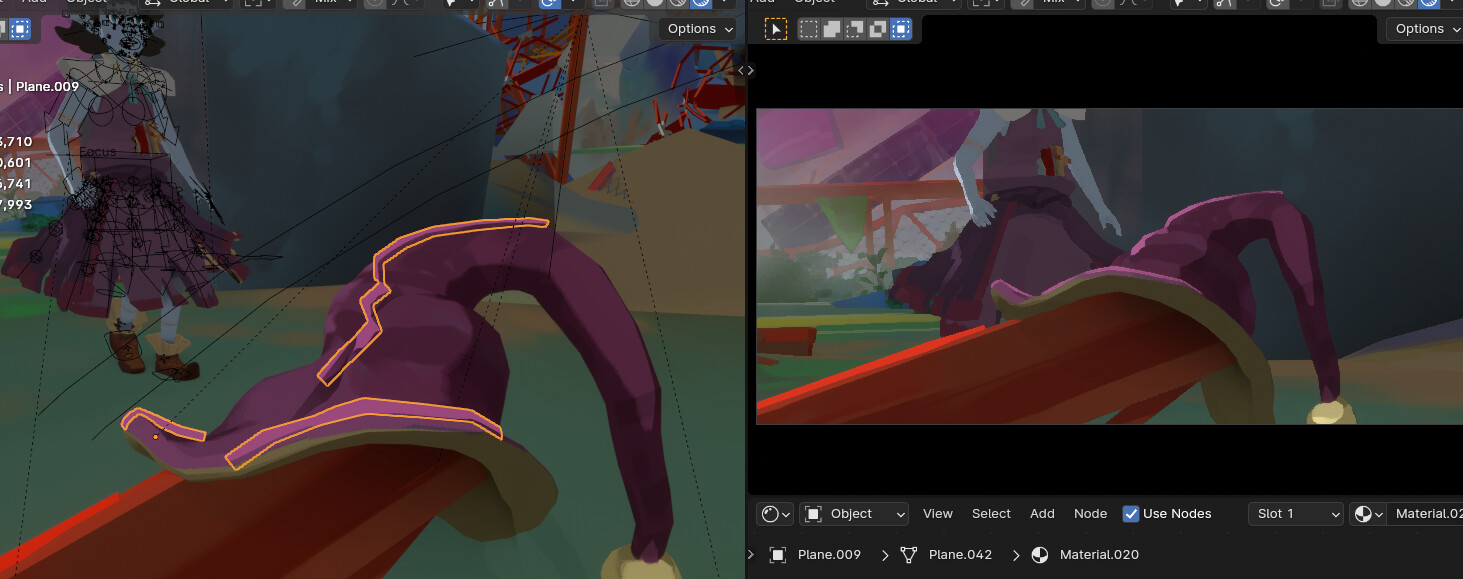
The whole animation I have these light and dark planes moving around to get the lighting I want.

Last shot if painted from the camera perspective and the characters attach with constraints


great vid