• Home
  • Art
    • Behind the Scenes
    • Images
    • Video
    • Games
    • Models & Rigs
    • Headers
    • Repositories
  • Development
    • Blender Development
    • Add-ons
    • Python Scripts
  • Education
    • Books
    • Tutorials
    • Videotutorials
    • Training Videos
  • Community
    • Conferences
    • Contests
    • People
  • Contribute
    • Contact
    • Submit News
    • Submit Header Graphic
    • Supporting BlenderNation
  • Home
  • Art
    • Behind the Scenes
    • Images
    • Video
    • Games
    • Models & Rigs
    • Headers
    • Repositories
  • Development
    • Blender Development
    • Add-ons
    • Python Scripts
  • Education
    • Books
    • Tutorials
    • Videotutorials
    • Training Videos
  • Community
    • Conferences
    • Contests
    • People
  • Contribute
    • Contact
    • Submit News
    • Submit Header Graphic
    • Supporting BlenderNation
True Terrain 4.0
Add-ons

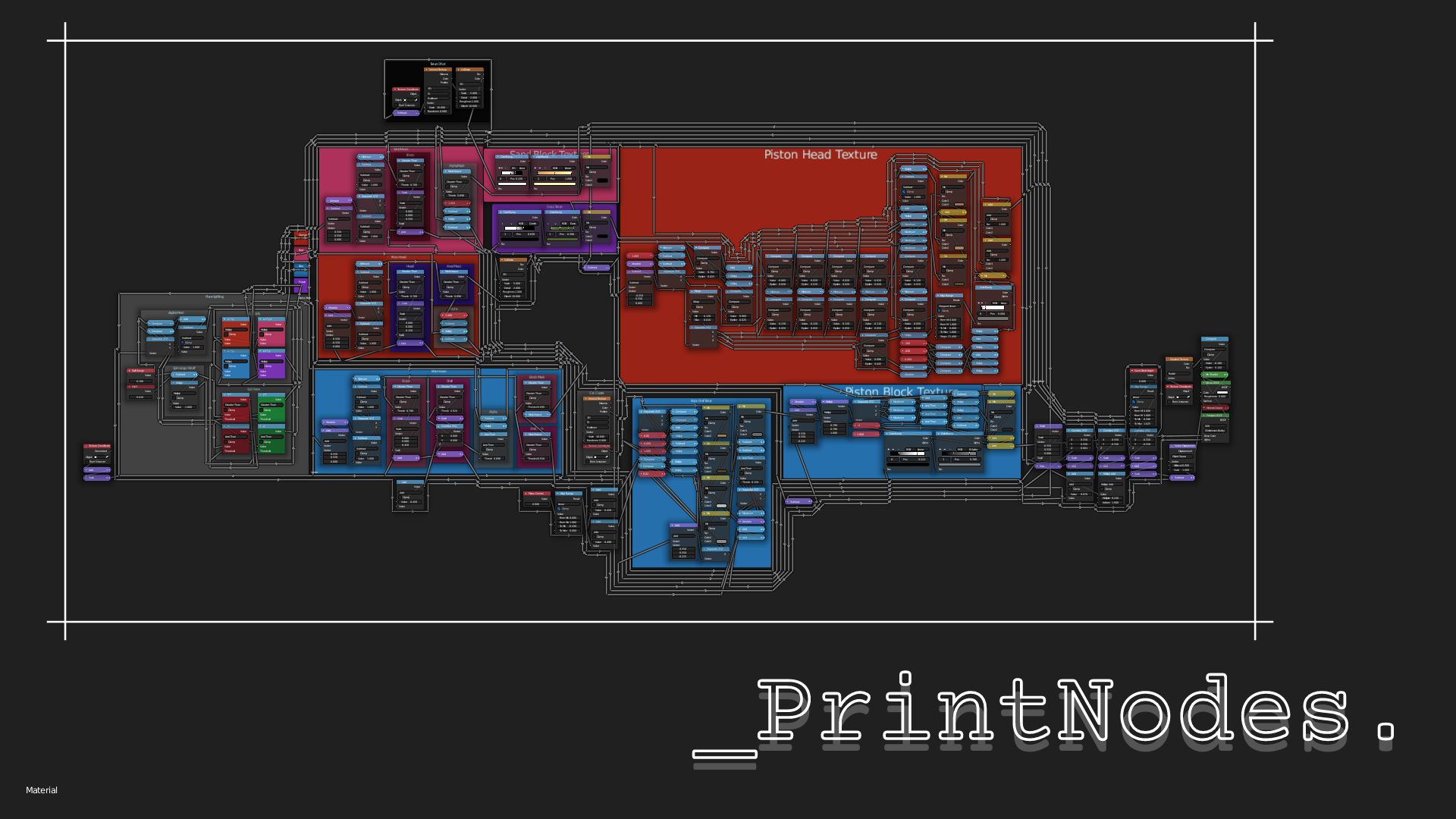
PrintNodes – HQ NodeTree Screenshots

Yeetus · May 2, 2021

Yeetus writes:

FREE Blender add-on to take high-quality screenshots of node trees irrespective of the display resolution.

Link

  • Download PrintNodes from Gumroad for free

Author Yeetus
A 3D artist and programmer who loves technology in general.
Advertisement
Ads help pay for running BlenderNation. Please consider adding us to your allow list.

4 responses

  1. riemenschneider
    2 May 2021 at 14:22

    Great job! Thanks a lot!

    Reply
  2. Blender Defender
    2 May 2021 at 20:01

    Instant Download, thank you!

    Reply
  3. MFletcher
    3 May 2021 at 17:06

    Hm. Using Blender 2.93, I tried with the default cube shader.
    It added an input dot to the top-left corner of the principled shader (?).
    It creates a screenshot that’s two screens in width, second one is empty.
    It cuts off the principled shader if I’m zoomed too far in.
    It doesn’t seem to want to crop.

    Potentially critical information: I use an ultra wide monitor.

    Reply
    1. Yeetus
      3 May 2021 at 17:19

      The input dot on the top left corner of the Principled BSDF is not an input, a reroute node that is necessary for the script to work.
      Cutting off the Principled BSDF can happen, but easily fixed by adding a reroute node in the bottom left corner of your tree.
      And not cropping could be due to various reasons… not going to fullscreen area mode, the scroll bars being still visible, the cropping function turned off from preferences and so…

      I suggest you make sure that all the desired rules are followed, as in the Usage section of Readme or description. And it’s also because the addon is meant for bigger trees, and causes some issues with very small ones (where regular screenshot is just a better option).

      Reply

Leave a reply Cancel

Your email address will not be published. Required fields are marked *

Featured posts

  • Best of Blender Artists: 2026-28
  • Overgrown: a Feature Film Project by Blender Studio
  • Blender 5.2 LTS: Physics Just Got Insane!
  • Best of Blender Artists: 2026-27
  • Behind the Scenes: Somnus

Support BlenderNation

Keep independent Blender coverage alive

BlenderNation is run by a small passionate team. Your support makes continued independent coverage possible.

Support on Patreon →
Related articles
Add-ons

Render Control – Remote Blender Addon

Community Reporter · July 7, 2026
Add-ons

Free Download: Blend Project Packer

Community Reporter · July 3, 2026
Add-ons

Stop Wasting Days Rendering in Blender

Community Reporter · June 2, 2026

About BlenderNation

BlenderNation collects the best free and paid resources for the Blender 3D community.

Support BlenderNation

Become a supporter Advertise

Contact

Contact us Submit news

Follow us

LinkedIn Mastodon
© 2026 BlenderNation — Part of the vrotvrot.com network
View full size ↗