• Home
  • Art
    • Behind the Scenes
    • Images
    • Video
    • Games
    • Models & Rigs
    • Headers
    • Repositories
  • Development
    • Blender Development
    • Add-ons
    • Python Scripts
  • Education
    • Books
    • Tutorials
    • Videotutorials
    • Training Videos
  • Community
    • Conferences
    • Contests
    • People
  • Contribute
    • Contact
    • Submit News
    • Submit Header Graphic
    • Supporting BlenderNation
  • Home
  • Art
    • Behind the Scenes
    • Images
    • Video
    • Games
    • Models & Rigs
    • Headers
    • Repositories
  • Development
    • Blender Development
    • Add-ons
    • Python Scripts
  • Education
    • Books
    • Tutorials
    • Videotutorials
    • Training Videos
  • Community
    • Conferences
    • Contests
    • People
  • Contribute
    • Contact
    • Submit News
    • Submit Header Graphic
    • Supporting BlenderNation
Miss Loan Villa - Kitchen
BlenderNation
Miss Loan Villa - Kitchen
Add-ons

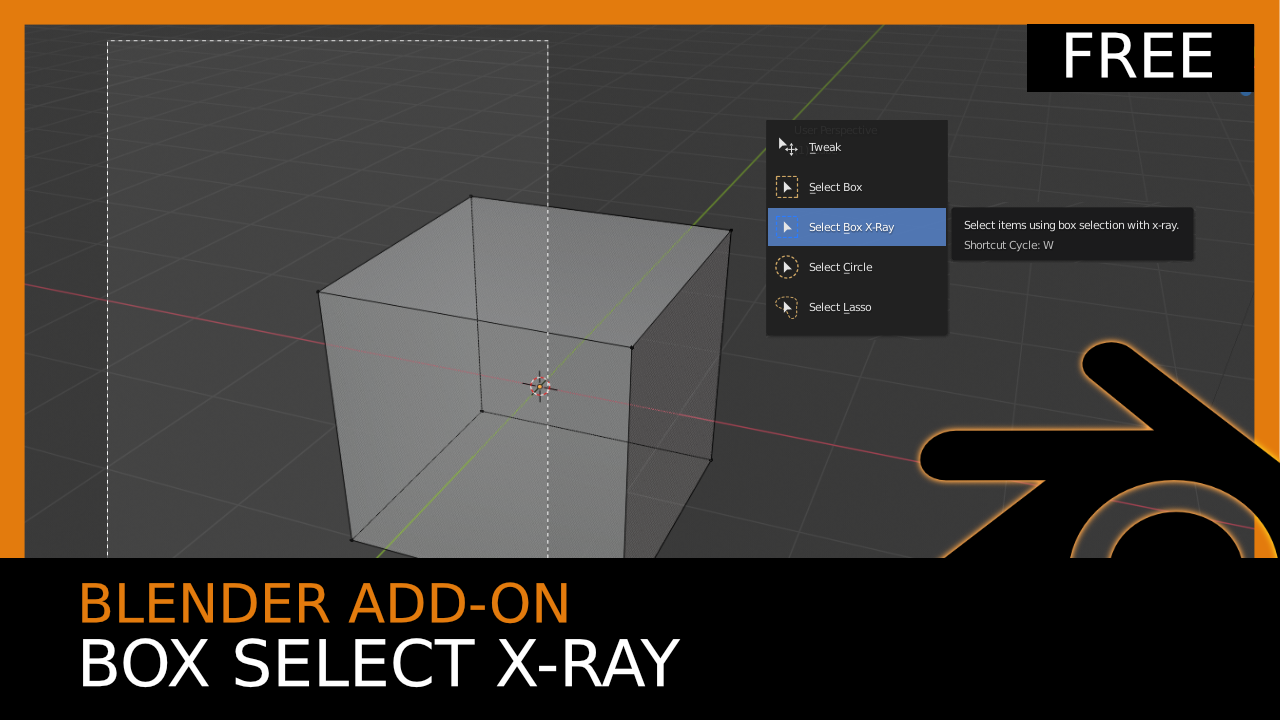
Blender 2.8 Add-on Overview: Box Select X-Ray (Free)

OnlineRender · March 14, 2020

OnlineRender writes:

A great little tool that automatically switches into wireframe mode when using box select enabling you to select back facing topology.


Links

  • Follow me on Twitter
  • Blender Artists Thread
  • Developers Download Link

Author OnlineRender
Advertisement
Ads help pay for running BlenderNation. Please consider adding us to your allow list.

2 responses

  1. Rajendra Meena
    22 September 2020 at 19:52

    What if we enable this functionality in “Box Select” by default. In this way if I have to select front faces only then I will simply click and drag. but if I have to select back faces the I can press “B” key for select and that will select back faces too.

    Reply
    1. Rajendra Meena
      22 September 2020 at 19:54

      What if we enable this functionality in “Box Select” by default or add an option in preferences. In this way if I have to select front faces only then I will simply click and drag. but if I have to select back faces the I can press “B” key for select and that will select back faces too.

      Reply

Leave a reply Cancel

Your email address will not be published. Required fields are marked *

Featured posts

  • Best of Blender Artists: 2026-28
  • Overgrown: a Feature Film Project by Blender Studio
  • Blender 5.2 LTS: Physics Just Got Insane!
  • Best of Blender Artists: 2026-27
  • Behind the Scenes: Somnus

Support BlenderNation

Keep independent Blender coverage alive

BlenderNation is run by a small passionate team. Your support makes continued independent coverage possible.

Support on Patreon →
Related articles
Add-ons

Render Control – Remote Blender Addon

Community Reporter · July 7, 2026
Add-ons

Free Download: Blend Project Packer

Community Reporter · July 3, 2026
Add-ons

Stop Wasting Days Rendering in Blender

Community Reporter · June 2, 2026

About BlenderNation

BlenderNation collects the best free and paid resources for the Blender 3D community.

Support BlenderNation

Become a supporter Advertise

Contact

Contact us Submit news

Follow us

LinkedIn Mastodon
© 2026 BlenderNation — Part of the vrotvrot.com network
View full size ↗