
Neltulz Symmetry – Quickly Slice, Cut, or Mirror any mesh object


Neltulz writes:
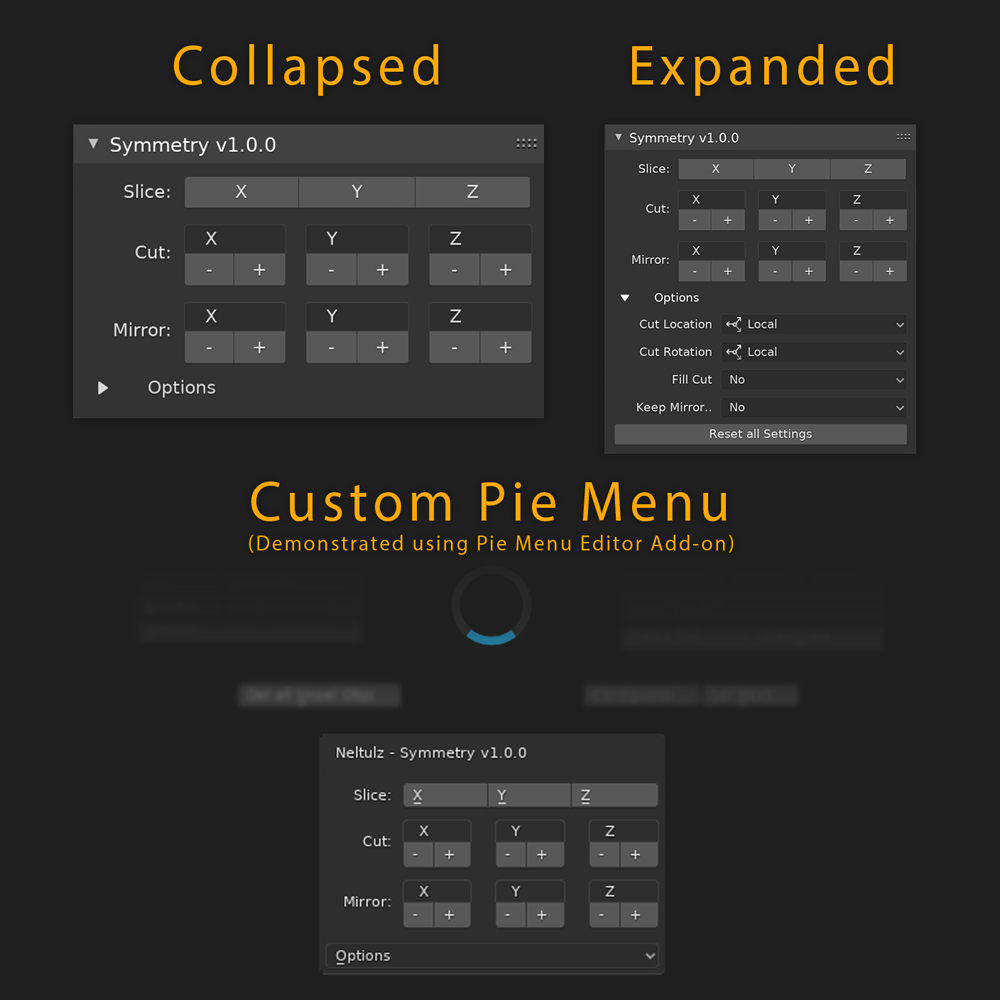
This free add-on allows you to quickly slice any object, cut in half, or cut & mirror the object. Unlike other add-ons, the positive and negative buttons are visible so that you do not have to change any options after you have applied symmetry (unless you want to). This is truly a 1 click wonder add-on.
Symmetry Panel:
How to use:
- Select a mesh object. The add-on works in both “Object Mode” and “Edit Mode”
- Open the 3D Viewport Sidebar, go the “Neltulz” Category
- Access all of the “Slice”, “Cut”, and “Mirror” options from this sidebar panel
Bonus:
- If you are a fan of Pie Menu Editor addon, try adding the panel to a custom pie menu as a “draw panel”
Please report any bugs or feature requests in the official blender artists forum thread.