Automatic Coloring for Grease Pencil

revereche writes:
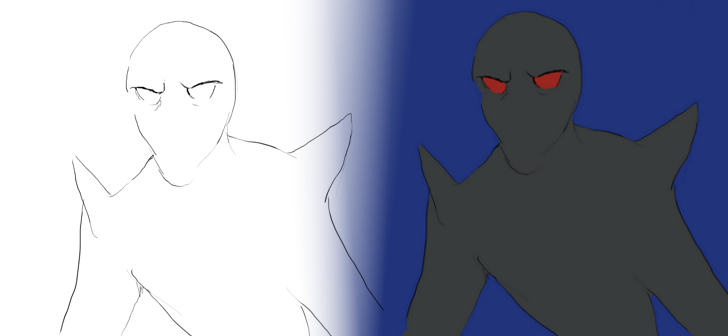
I wanted a way to quickly color loose lineart without needing to close any lines, so I juryrigged a setup with G’MIC’s existing automatic colorize method (which you may have used in GIMP or Krita). Hopefully, it’ll help someone else out!
- Be sure to install G’MIC for the command line (NOT the plug-in!) from the official site here, or the script won’t work.
- The script itself can be found on my GitHub.
How to Use:
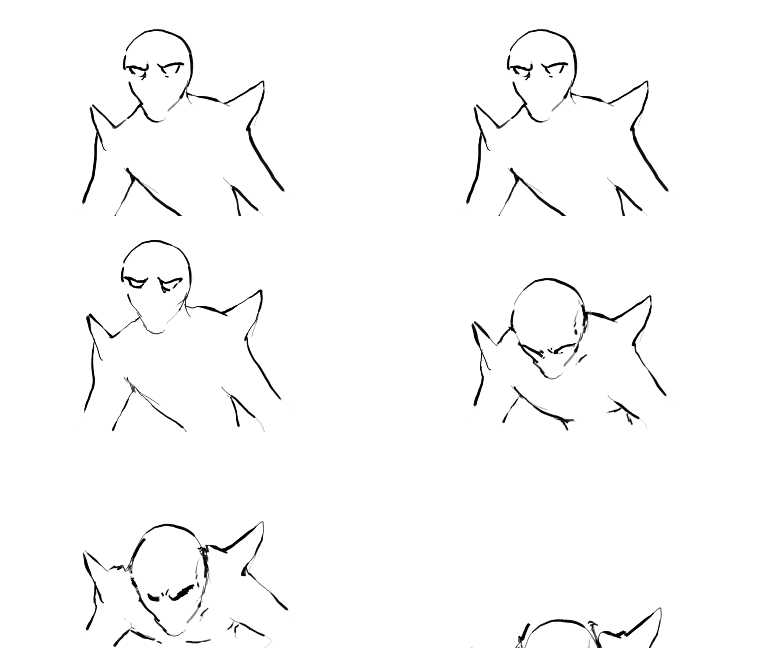
Save your lineart as a transparent .png sequence to its own folder, in 0000.png etc. format. Here’s a gif of my lineart as an example.
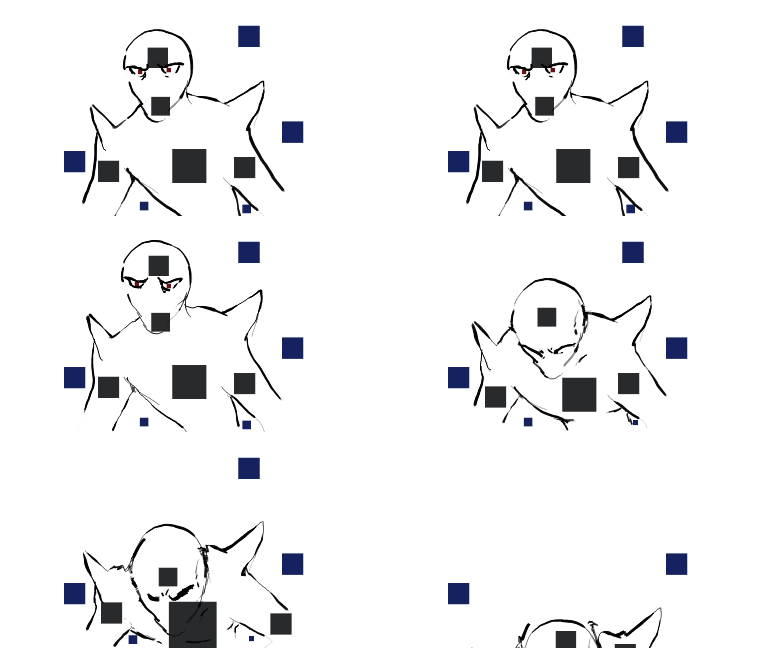
Go into Object mode and use a bunch of small cubes to mark regions of color (not Grease Pencil–OpenGL has weird issues with antialiasing that mess colorize up), being sure to work in the Blender Render engine and setting the material to “Shadeless.” Move the cubes accordingly with the lineart in each frame. Don’t forget to add a color for the background, or it won’t work! Here, I chose blue.
Then, export this as a sequence to its own folder–again, transparent.
Now, go into the script and change the appropriate variables to reflect the folders you’re using. Make sure both lineart and color have the same dimensions and duration. Run the script, and voila! Instant coloring!
When I lay the lineart over, however, I can see it isn’t perfect.
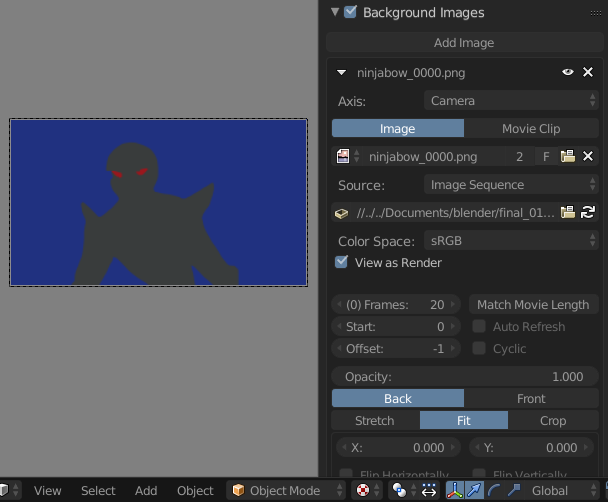
So, I bring the sequence back into Blender as a background image (toward the bottom of the properties panel).
Now, I turn on fill in grease pencil and edit the areas accordingly.
Composite it all together while replacing the background color with transparency, and that’s it! Feel free to integrate it with other things, and let me know if you have any suggestions :)





if you want to create a videotutorial,you will help further the newbies like me. Anyway,thanks for the idea,I was searching for something similar from a long time.
Hello
How can I install GMIC for command line on Windows?
I got stuck on this stage and no instructions were found
I haven’t tried anything but I looked at the script and it just calls “gmic.exe” which means you should download “G’MIC for Windows (64bit or 32bit) – Command-line interface (CLI)”, then unzip it to a folder and add that to Windows’ PATH so the script can find it. There’s no installation per se. I hope this helps.
We are working in something similar for grease pencil branch already. We are still in design stage, but is something we are going to implement in some way.
The idea is create real filling strokes, not only an image.
Hi Antonio, when will it be available at least in builder version?
good, For my animacion do it picture to picture :(
Hello @revereche. Since I have a project in my mind that I want to working with,your addon is crucial for me..so I need to understand well how it works. You have already explained it,but I prefer if you explain it in a video tutorial,since I’m again almost a newbie and I want to go faster. I can give you the money that you need to do it. Let me know if you are interested. very thanks.
Uh sure!! How much were you thinking? DM me on Twitter, @reverecherecher
my version with synfig
http://4232.cf/es/2018/01/02/quinema-render-painted-in-synfig/
Mi versión con synfig
http://4232.cf/es/2018/01/02/quinema-render-painted-in-synfig/