• Home
  • Art
    • Behind the Scenes
    • Images
    • Video
    • Games
    • Models & Rigs
    • Headers
    • Repositories
  • Development
    • Blender Development
    • Add-ons
    • Python Scripts
  • Education
    • Books
    • Tutorials
    • Videotutorials
    • Training Videos
  • Community
    • Conferences
    • Contests
    • People
  • Contribute
    • Contact
    • Submit News
    • Submit Header Graphic
    • Supporting BlenderNation
  • Home
  • Art
    • Behind the Scenes
    • Images
    • Video
    • Games
    • Models & Rigs
    • Headers
    • Repositories
  • Development
    • Blender Development
    • Add-ons
    • Python Scripts
  • Education
    • Books
    • Tutorials
    • Videotutorials
    • Training Videos
  • Community
    • Conferences
    • Contests
    • People
  • Contribute
    • Contact
    • Submit News
    • Submit Header Graphic
    • Supporting BlenderNation
Procedural Apple texture
BlenderNation
Procedural Apple texture
Images

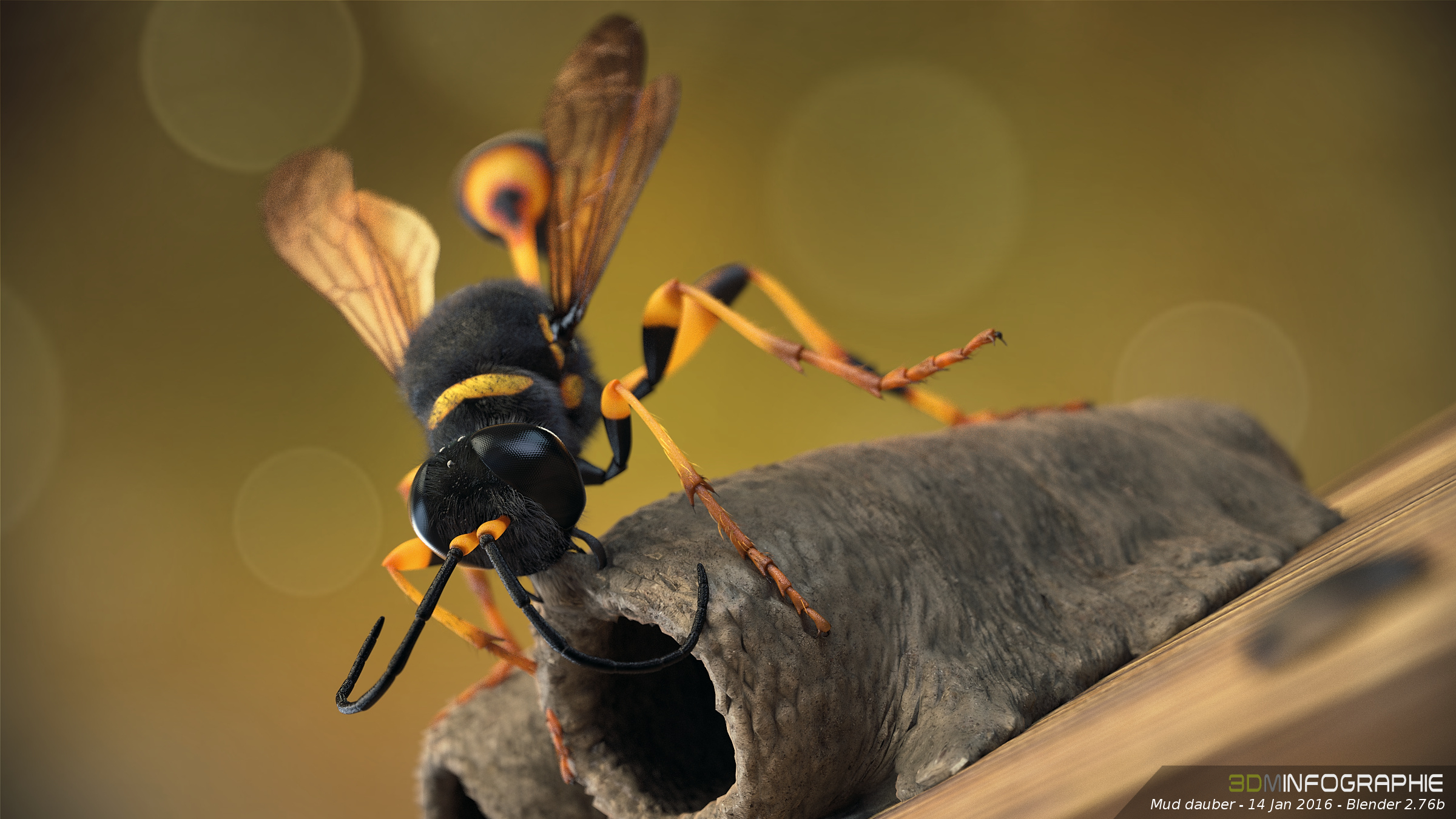
Image: Mud dauber (+ time lapse)

Community Reporter · January 16, 2016

Damien Monteillard created this asesome wasp and shares his time lapse.

Hello

I modeled this mud dauber.
Made with Blender and Darktable.

Here’s also a making of.

Author Community Reporter
Advertisement
Ads help pay for running BlenderNation. Please consider adding us to your allow list.

4 responses

  1. 118
    18 January 2016 at 07:59

    nice work

    Reply
  2. Alexander Weide
    18 January 2016 at 10:50

    Good work, and very nice to see that someone is using Darktable. I see that you use Darktable 1.4 . When you go to the Darktable website you got a tutorial how to get the current ppa to install the latest version of darktable 2.0

    ;) Install from http://www.darktable.org/install/ and the ppa Launchpad link of the site: for Darktable 2.0
    use this lines in your terminal.

    sudo add-apt-repository ppa:pmjdebruijn/darktable-release
    sudo apt-get update
    sudo apt-get install darktable

    hope it helps you;)

    Reply
    1. Damien Monteillard
      18 January 2016 at 23:57

      Thank you.

      Does this method with ppa work on debian jessie 8 ?

      Reply
      1. Alexander Weide
        19 January 2016 at 08:56

        Hmm i think you can try it. Because my linux mint is based on ubuntu and ubuntu is based in debian so i think it could be possible. Try it and you will see if it works or not

        Reply

Leave a reply Cancel

Your email address will not be published. Required fields are marked *

Featured posts

  • Best of Blender Artists: 2026-30
  • Best of Blender Artists: 2026-29
  • Best of Blender Artists: 2026-28
  • Overgrown: a Feature Film Project by Blender Studio
  • Blender 5.2 LTS: Physics Just Got Insane!

Support BlenderNation

Keep independent Blender coverage alive

BlenderNation is run by a small passionate team. Your support makes continued independent coverage possible.

Support on Patreon →
Related articles
Images

Best of Blender Artists: 2026-30

Bart · July 24, 2026
Images

Best of Blender Artists: 2026-29

Bart · July 17, 2026
Images

Best of Blender Artists: 2026-28

Bart · July 10, 2026

About BlenderNation

BlenderNation collects the best free and paid resources for the Blender 3D community.

Support BlenderNation

Become a supporter Advertise

Contact

Contact us Submit news

Follow us

LinkedIn Mastodon
© 2026 BlenderNation — Part of the vrotvrot.com network
View full size ↗