

Quick Tip: Shader Node Group

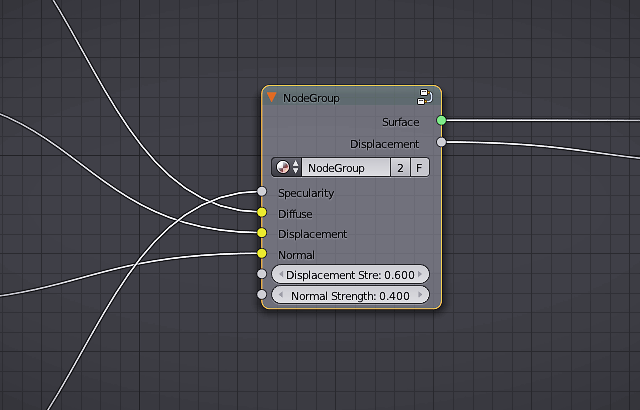
CG Cookie shared this quick tip on Facebook:
Are you taking advantage of Blender’s shader group node? Grouping consolidates complex networks into a single node which can be reused, tweaked, or added to other projects. Taking the time to setup intuitive input sockets is well worth the additional effort! How can you create a shader group? Select the desired nodes in your network and press CTRL + G.



I find it a bit amusing to find this here, because I just took a lot of time to work on an answer explaining node groups on blenderstack exchange :)
That’s okay. At least you represent the community as helpful. And maybe you’ll show some examples in action.
Good Guy Tardis Maker.
Thanks.
I’m not in any way complaining about it. I’m happy to do it. I just find it amusing that I find this on Blendernation after working hard on an answer about it.
Leave your link here Tardis, and we will help to spread it. =D
Okay, I purposely didn’t do that becuase I didn’t want my comment to be a promotion, but here it is:
http://blender.stackexchange.com/questions/32984/is-there-a-way-to-save-composite-node-presets/32989#32989