
How to get your work featured on BlenderNation

BlenderNation features the Blender community’s top stories every day and you might wonder how you could get yours to be included.
The BlenderNation sourcing process is pretty straightforward: part of it is me looking over forums and social media. However, as BlenderNation is not my main job there will be days when I just don’t have the time to look around and find the best stories.
Therefore the best way to get your work noticed is submitting it directly to the site using my news submission pages. They’re pretty straightforward to use, but there are some guidelines to keep in mind to help you get your story accepted.
News Articles
You can find the main news submission page in the website navigation under ‘Contribute’.
There are two options on this form: one for sending a message (for example for inquiries or if there’s a problem on the website), and one for submitting news. The news submission form is more extensive and allows you to attach a graphic to your story etc. When you use this form, a new article is automatically created in WordPress, making the editing and publishing process a lot easier for me.
Here are some helpful tips to get your story on the site:
- Think about your project. Do you think it’s the ‘Best of Blender’ or something that the community will be excited about? If it’s your first render or the result of following a tutorial, your changes of it getting accepted are slim. If you created stunning art, created a new high quality tutorial or coded some nifty new function, then you might just get selected :)
- Don’t just post a link to your graphic, video or other project, but include a little background information. If this is your first article on BlenderNation tell us a bit about yourself. Add a short introduction about the project you’re publishing.
- If you’d like to include multiple graphics, just add links to them to your text.
- The header graphic will be auto-cropped to 728×336 pixels. If you’d like to have full control over which part is displayed, crop it yourself.
- I can’t host video files, so please just include links to your work on YouTube or Vimeo.
After sending in your story, you will see a confirmation page and I’ll send you an automatic confirmation email. If you didn’t get these, your story wasn’t submitted properly. Just try again!
Note on crowdfunding campaigns:
I receive a LOT of PR for crowdfunding projects, and I have decided to feature only projects that:
- Are made by people who have been active in the Blender community for some time and who have a good reputation.
- Have something to show already, like a cool trailer.
- Have a realistic financial goal.
Note on App Store or Google Play products:
I won’t feature your game here on BlenderNation only because you used Blender to create some assets – there really needs to be more to the story. For example, I’d be looking for truly high-quality game design, high profile games or a strong story about the production process.
Header Graphics
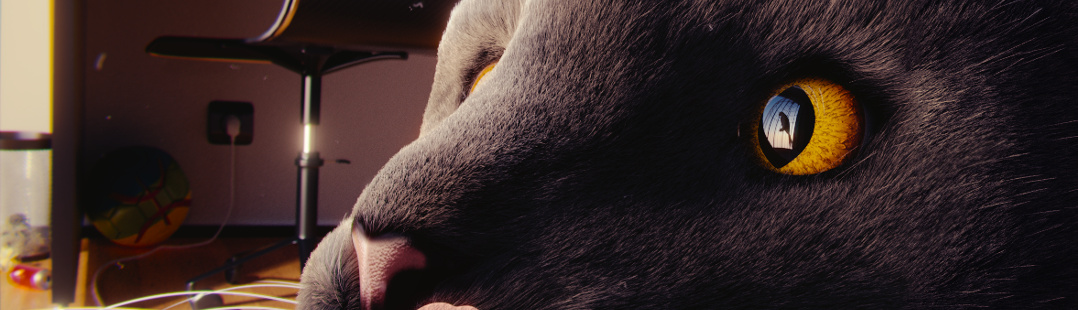
The other way to get featured is through a header graphic – they have their own dedicated submission form. I select a different one every day, and I’m looking for eye-catching ‘best of Blender’ images.
There are a few things to keep in mind:
- Resolution! The images need to be 1078×310 pixels in size. Anything that’s not in the right resolution will be rejected immediately.
- Please don’t add any credits or watermarks to your image, I’ll take care of proper crediting.
- Remember that these images feature on every page on BlenderNation, so keep the file size under 400kb.
Community Events
If you have a meetup, workshop or other kind of event to share that’s relevant to the Blender community, you can put it on the Community Calendar. Use the ‘Submit a Community Event‘ page to share your story.
To use this page, you’ll have to be signed in. The added advantage of this is that you’ll be able to manage your events afterwards, keeping them updated as they approach.


I did all this for the header graphic… We’ll see if my gun gets accepted :D
Yea, I wish I could post some of my stuff on here, but I’m hated by Bart for saying that homosexuality is bad. It is, BTW.
O.O
WTHeck!? Seriously? O.o Yes, it’s HORRIBLE! :O
1. Your feeling on the matter is completely irrelevant here. What does that have ANYTHING to do with Blender news, man?
2. You’re trying to start a flame war, on an irrelevant matter, all to no avail. This is a dishonest and void thing to do.
3. Bart doesn’t “hate” you. He’s moderating you. Because, you know, it’s his site, and he wants his site free from such trouble-making nonsense?
4. Nobody cares about what you think on the matter, because, again, it’s completely irrelevant, it’s a fallacious action, and it’s instigating strife.
5. In all likelihood, you’ll speak on behalf of a lot of people who wouldn’t want the likes of you representing them.
6. If you have nothing relevant and constructive to say, keep silent and don’t embarrass yourself.
Hi there… If you’re talking to me (which I don’t think you are, but just in case)… I misread his comment, and thought he was was saying something 100% different! XD LOL! I apologize…
I have nothing against gays, as long as they don’t shove it in my face… :) I’m sure they feel the same… So no harm done :)
If you were talking to him, I’m sorry I made you read that :P
@Joey:
Oh, no, I wasn’t replying to you. I was replying to Caleb Huizenga there.
What it has to do with Blender news is that I am entirely unable to submit Blender news to this site! And I concur; my comment was absolutely relevant and never embarrassed me. It would be helpful if you stopped assuming things.
Now before you think I’m just being a pr**k, I actually did send an apology to Bart. The email he sent back was totally un-forgiving. That is why I am mad at Bart.
Hey Caleb, like Brian said, I don’t ‘hate’. I just don’t allow such homophobic comments here on BlenderNation. You’re entitled to have your own views (even if I strongly disagree with them), but this is my house and I won’t have it here. In addition your personal emails to me were pretty aggressive and I choose not to deal with people like you, period.
Bart’s reaction: https://www.youtube.com/watch?v=QCxBpBnogDs :D
@Bart, Oh, you must be talking about that email where I APOLOGIZED. @Brian Lockett, I was not trying to start a flame war, but it seems one was already started. This also does not embarrass me, or the “group” that you think I represent. I am angry that because I stated my beliefs I have been banned from posting relevant and noteworthy news to this site. I’m sure there are many BlendHeads out there that would love to see the projects I have to offer. Thankfully BlenderArtists has a better mod, or maybe just one who wouldn’t ignore me for stating what I believe. @Joey Blendhead, What did you think I was talking about.
You’ve made your point, and now I’m closing down this discussion. Back to being on-topic.
I’m afraid I should give another apology. My actions were totally unprecedented. I am truly sorry. I hope this site gets everything it needs, and sorry for my outburst. My opinions should be kept to myself. Also, thank you all for teaching me this lesson. Apologies,
Caleb Huizenga
AKA John Kalvin Smuckers
I like how organized and structured you keep the place, Bart!
* * * *
I tell you, I want to do something special this summer, just for BlenderNation. I’m not sure what yet, but I’ll be sure to formally let you know. ;)
Ooh, cool :-)
“eye catching best of Blender” – this is kindof amusing because literally a simulation of shit was featured recently, and uninteresting material studies are way too frequent – come on blendies! up the stuff!
Hey, the shit tutorial was a goddamn Blender milestone!
Hi there, can anyone tell me how to upload my video on blendnation. Thnaks
You can’t; upload it to a service like YouTube and submit an article with the link.