
Videotutorial: Groundhog Day

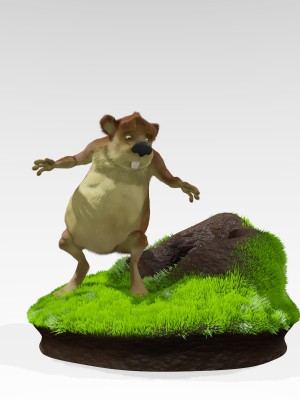 In this 4-part Blender Cookie videotutorial, David Ward shows you the entire creation process of a cartoon ground hog character.
This character modeling tutorial series is on modeling a cartoon, ground hog character in Blender 2.6. In this tutorial David Ward takes you through the complete process of creating a cartoon character model, including all the steps, hotkeys, tools and more. A few topics and tools covered include: box modeling, mesh editing, proportional editing tool, mirror modifier, extrude, particle fur, and much more.
Note: This tutorial is in 4 parts, follow the links at the bottom of each page to go to the next one!
Link

wow those turds are HUGE!!!
Pardon?
I guess he means the mound next to the groundhog which looks a bit like fresh poop.
Very plasticlike. And / Or “waxy”…
Is this some sort of in-joke?
But yeah, the mound looks a bit too moist or plasticlike. Apart from that it is really nice work.
I’ve seen the whole tutorial series. It is always entertaining and informative to watch Dave’s tutorials.
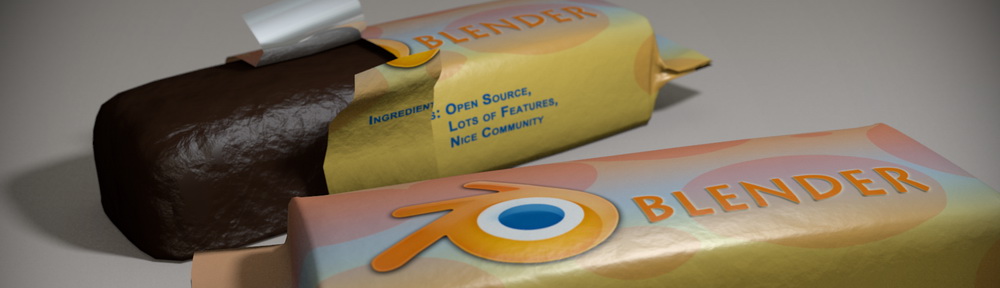
besides that, there are currently 2 more in the header :))) wrapped supposedly as chocolate
(For the ones in the Chocolate header) — Those two don’t look like either. They do resemble oversize stale tootsie roll candies. Change the wrapper and zoom the camera out, and I suspect it will be very close.
David Ward FTW! The most helpful and thorough introductory blender tutorials I have found are his Johnny Blender series!
(Insert obligatory jaw-drop reference here)
Thanks ,David Ward your tutorial series have help me solved some modeling issues.
[delete — wrong location in thread]