
Creating 3D Printed Models with Blender and Shapeways

 While working on the pre-production phase of Lunatics, a Blender-animated series, Terry Hancock he needed some accurate models of the vehicles they use. He decided to give Shapeways a try and documented the entire process.
One of the most exciting technological trends in recent years has been the rise of “3D printing” technologies for rapid prototyping of arbitrary shapes. I’ve written about this before for Free Software Magazine, but this month I finally got to try the technology out for myself — in order to create “study models” (a fancy name for “toys”) for my video project, Lunatics. In this column, I’m going to walk through the complete process, from creating 3D models to receiving the final product in the mail.
The main reason for doing this project is simply that I wanted to test out the capabilities of the 3D printing services provided by Shapeways. Shapeways has combined 3D printing services with an online community design that makes for a vibrant and fun environment for creating and ordering models, driven by the community they’ve created. It’s a very easy-to-use service, and the printing services are apparently of very high quality. They also provide a wide variety of printing materials, including fused ceramics, metals, and plastics.
The secondary reason is that we’d like to have something a little more tangible for planning Lunatics. I love working on computers, but sometimes you want to have something to hold and manipulate with your hands when you’re trying to block out scenes or plan scripts. So we’re going to build a model of the lunar colony in which most of the action takes place. This is mostly an affair of foam-core with printed floor plans — a bit like a game board. And like a game board, we’d like to have “pieces” representing our characters. We could co-opt some “Clue” pieces or use color-coded Chess pawns or Parcheesi pieces, but it’d be much cooler if we had pieces that actually looked a bit like our characters — even if we only have the silhouette designs I made myself so far.
Full disclosure: I work for Shapeways (and I’m having an awesome time doing it! ;-)
Link

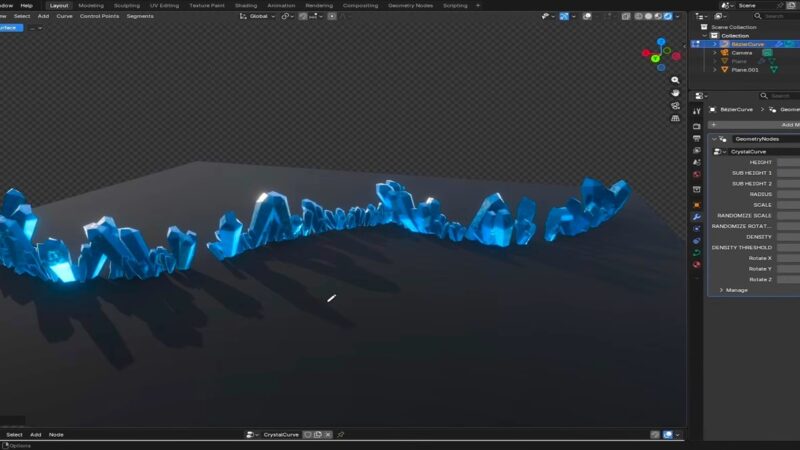


http://vimeo.com/8078523
This is a printing service feature for Max as specified by video but i think it will work for blender or any !
I wonder how much one can earn by opening his own shop on shapeways and if it is viable way for living or only a small pocketmoney:)
Or you could go for some printed underware.
http://www.reghardware.com/2011/06/07/3d_printer_prints_bikini/
Oh my, working with study models must be stressfull. The amount of work you have to invest with them everyday, I can see you spent many restless nights working with them. I respect you for all your hard work. Not many can work with study models all day.
;)