

Videotutorial: Layered 2D Snowflakes

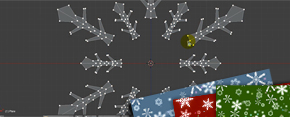 Kernon Dillon, author of BlenderNewbies.com and publisher of the Blender Newbies Video Tutorial DVD, has published a 41 minute videotutorial on creating layered 2D snowflakes.
It covers:
Â
- Creating the snowflake pattern using simple poly-modeling techniques along with Blender’s Mirror modifier and Spin tool
- Arranging the snowflakes using the Scatter and Drop script along with some manual tweaking
- Setting up render layers for compositing
- Using Blender’s nodes to composite the render layers with added FX
- Adding colorful stars to the composited layers
- Adding a background image to the snowflake patter




And covers
“# Creating the snowflake pattern using simple poly-modeling techniques along with Blender’s Mirror modifier and Spin tool
# Arranging the snowflakes using the Scatter and Drop script along with some manual tweaking
# Setting up render layers for compositing
# Using Blender’s nodes to composite the render layers with added FX
# Adding colorful stars to the composited layers
# Adding a background image to the snowflake pattern”
And I learnt what the Move object centres only button does.
Hi,
Visited the tutorial & paid for the download by Paypal but didn’t receive any key by E-Mail.
Seems that the Server is not correctly connected with Paypal or the E-Mail notification is not functioning properly. Meanwhile the link to Paypal has been closed not allowing me to note the transaction number either.
What a mess !
Tried to inform Kernon Dillon about the unsuccessful Paypal event, but my mail to [email protected] bumped. I got the error message:
“unrouteable mail domain “cgookie.com””
So I think it is advisable NOT to pay for the download in advance until this event has been explained & settled :-( ….
@wolfram: I’ve emailed Kernon and asked him to look in to this.
Thanks for the write-up!
The PayPal payment isn’t something that I’ve set up, but I’ve contacted the owner of the CG Cookie site about the problems and I’m sure that he’ll get things straightened out asap. Sorry for the troubles, though.
Hey guys,
I just received Kernons note, and am looking into this immediately. I am not out to deceive any artist for the download. @wolfram I noticed the e-mail above was incorrect and is missing the “c” in cookie. [email protected] is the correct e-mail address. I will also be e-mailing you directly.
I will post more as I have it.
W
Thank you again for the notification guys, I have e-mailed wolfram with download instructions and have completed a test successful download of the source files with the author Kernon.
Please let me know if there are any questions and appreciate the support!
W
Very nice video! The compositing part is a must see for anyone who wants to try out Blender’s nodes.
@Wes Burke:
As of Jan 26th,2009 16.13 (central European/Greenwich time) I haven´t received any download instructions from you. I would have contacted you directly by E-mail, but a click on your name above leads me only to your webpage. If you would give me an internet address I’ll send you my E-Mail address directly as I won’t disclose it publicly (to avoid getting EVEN MORE Spam ;-(….)
@wolfram – Sure thing, please shoot me an e-mail at [email protected], or use the contact form here at cgcookie. http://www.cgcookie.com/articles/contact
Just downloaded the Snowflake.zip file successfully. Seems that an outdated E-Mail address of mine caused the trouble.
Thanx to Bart, Kernon & Wes for the prompt response(s) in the spirit of the Blender community ! I really appreciate it.
I’m glad everything worked out for you.
Sweet – sounds cool (after the modeling (mirror and spin) part, since that is simple enough.) Anyhow, I may check into this. Thanks Kernon!
thx for the tut.