
Video tutorial: How to make a car wheel

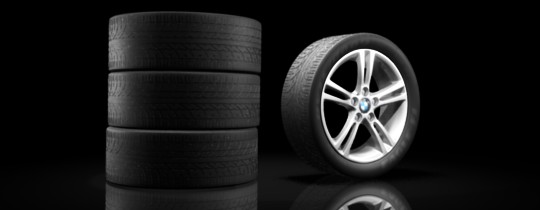 A car wheel is a difficult thing to model. In this two part, 50 minute videotutorial, Andrew Price shows how its done.
I’ve just finished a video tutorial on how to model a car wheel. There are two parts, with each going for around 20 minutes. Part 1 teaches how to model the tire, and Part 2 is all about the rims.
Plus a bonus finished animation:
Thanks! :)
Regards,
Andrew Price
Link




This is a great tutorial for showing the power of modifiers, specifically the array modifier. Very easy to follow without dumbing things down too much. Looking forward to more tutorials in the future!
This is what I needed, thanks!
Nice ‘promo’ video.
nice tutorial!
but doesn’t S+M Wheels have a another tire pattern?
Thanks for the post Bart!
I’m very interested in critiques on my ‘teaching style’. It’s my first video tutorial, so I’m not sure whether to speed things up or go slower. So everyone please let me know what you think!
Thanks! :D
Cool. :) When I need to know how to model a tire (or want to more,) I can check out your tutorial. Thanks!!!
Thanks for using my tire sidewall:D
Hi rx911ns,
You made that?!? My apologies for not asking!! :S
I wasn’t deliberately trying to steal, it’s just that the link on the cg-cars website was broken for some reason so I decided the smart thing to do was mirror it :S
If you’d like me to take it down I’d be happy to do so. Do you know why the link on that website is broken?
Anyway, let me know what you’d like me to do.
Cheers! And thanks for making the texture! It’s really good ;)
Hi, yeah I made it(you can see the rx911ns signature somewhere in the image).
No probs!It’s not a steal , someone posted it over cg-cars but forgot to include the license alongside. It’s free for non-commercial use, so enjoy guys.
Regards
Great Tutorial , the animation is also amazing!
i have a little Question if you please,
how to sharpen an Edge when i’m using the subsurfe as u did
i tried “Shift+A” but it doesn’t work, and i’m using Blender 2.49 by the way
thanks in advance :)