
Tutorial: Lighting Rigs

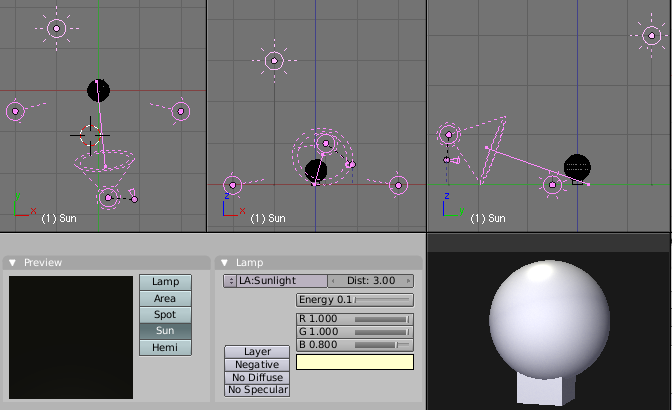 Lighting out a scene is an art on its own. If you’re struggling with it, check this out: Roger Wickes has posted an article in the Blender Documentation Wiki explaining several standard lighting setups. The rigs contain from one to four lights and for each of them, he explains what they’re best used for.
Ever wondered how to light your scene? Confused as to why some stuff is dark, or too bright? Ever felt left out as your friends discussed three point lighting techniques, while you just sat there stupid with your diet coke, and they got all the babes coming over to them and … well, anyway, I signed up to write the VSE section of the wiki, but when I looked at it, there’s NOTHING there, and so I procrastinated, and instead wrote down everything I know about lighting, and added it to the wiki.
As a bonus, just cause I love y’all, I included a .blend file that has the rigs already set up for you. Enjoy!
Great stuff, we could use more hands-on documentation like that.



i guess i better start learning some techniques, now where did i put my diet coke ^_^ kidden i pefer coke ^_^
Thanx Roger, i have always been in trouble with lightning my scene, therefore i love all kind of tutorials about lightning. I just love to set my scene so every little detail to be visible. Thanx again!
That’s really great! =D
We often see many tuts on modeling, texturing and animating, but (besides being an extreme important subject) lighting are a bit overlooked.
Thanks to Roger for writing this cool stuff, and for Bart for putting it under the spotlight! ;)
Cheers
Great TuT!!
Lightning is one of the important parts of an scene, simple scenes can looking great with the right light and
a complexe mesh and big scene looks poor with incorrect light!
Pretty good!
As long as nobody ever posts their thesis on 3 point lighting I will be very happy!
Is it just me, or is the photo of the pretty blonde on the right distracting (in a ‘good’ way)?
I’m not complaining, just pointing out the obvious.
This inspired me to take a look at options for “rigging” a light to make it more friendly. Lighting in Blender just usually seems too elusive.
http://blenderartists.org/forum/showthread.php?t=87832
I’m really happy to see someone taking the time to write a nice tutorial and examples for lighting in Blender. I need to disagree with the definition and layout of Three Point Lighting though. You might do better to reference Wikipedia for this. http://en.wikipedia.org/wiki/Three-point_lighting Three Point Lighting is, almost universally, defined as a Key Light, Fill Light, and a Back (or hair, or rim) Light. The Back Light is designed to be behind the subject and create a lit edge on the subject to separate it from the background.
Great addition to the Wiki!
But I think there needs to be a change to the 3 point setup.
All the 3 point lighting I have seen has the third light behind the subject.
This helps to separate the subject from the background.
just my 2 cents.
Like Bart Robinson I have to disagree with your 3-points light rig definition and setup.
Check this link to experiment with a more academic definition. http://www.mediacollege.com/lighting/three-point/simulator.html
Since these where not posted here yet, I’ll just post the rest of the
lighting-related wiki pages:
mediawiki.blender.org/index.php/Manual/Lighting
mediawiki.blender.org/index.php/Manual/PartV/Three_Point_Light
mediawiki.blender.org/index.php/Manual/PartV/Pseudo_Area_Light
mediawiki.blender.org/index.php/Manual/Ambient_Light
mediawiki.blender.org/index.php/Manual/Ambient_Occlusion
mediawiki.blender.org/index.php/BSoD/Introduction_to_Lighting/Light_Concepts
mediawiki.blender.org/index.php/BSoD/Introduction_to_Lighting/Spots_vs_Ambient_Occlusion
Werner
PS: Dammit, I hope this try (the 5. so far) to post it will finally work. sorry for the missing http:// in front of the links
Thanks for the feedback everyone! I apologize for stilting the backlight in the three point rig, and have added it to the wiki article. I was too wrapped up in studio green-screen/backdrop and stage lighting, but thanks for pointing out my oversight.
Hohrer: are those PartV pages going to be converted and integrated into the wiki table of contents, as well as the BSOD pages?
It would be a shame to remove/ignore them, but they need some clean-up and a clean integration into the manual .. as the rest of them. Some sort of “lighting” overview page listing all existing lighting info would be a nice thigh :) Dunno about the BSOD stuff … it’s more of an self-contained book. I’m sure some of it can be referred to or even included in the manual as well. I think we should discuss this in the wiki/forum though.
Werner
A very useful tutorial! Thanks.
Good job, i agree that too many artists don’t pay enough attention to lighting.
There’s a whole section in the wiki user manual on lighting http://mediawiki.blender.org/index.php/Manual/Manual between modeling and materials, which is where it is best introduced during the animation workflow. (It is revisited after texturing as part of rendering as well).
There are also lighting tutorials http://mediawiki.blender.org/index.php/Tutorials. All links provided by Hohrer above have been included. Enjoy!
Also, I should note that in the .blend file, the camera is constrained to look at an empty, which is in the center. Together with the path, which is on the unselected layer, animating frames 1-100 provides a turntable walkaround of the model in the center,
Great Stuff! Thanks!
Is there a rig for lighting large exterior scenes (e.g. architecture viz)?