
Tutorial: Creating a Software Box

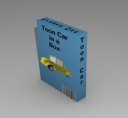 Raive Studios have published a short but sweet tutorial on creating a model of a software box.
I like this kind of tutorial a lot: it teaches you one thing only but it teaches you well, and you can use this knowledge everywhere. My only suggestion for improvement: add a bit of beveling to the edges to make the result look a bit more realistic.
You can read it here.



Slow day for real news, huh? :)
Still, keep up the good work on the site. It’s usually my first read every day.
My other suggestion for improvement: use a light-source that doesn’t throw a hard drop-shadow right at the edge of the box.
Don’t despise the power of… box modelling…modelling box?! ;)
@Eric, yeah :) Actually we have some exciting articles being prepared right now, but we also have *heaps* of other interesting stuff waiting that’s not really time-sensitive, but probably interesting for Blender users nonetheless.
Posts like these are very much welcomed and appreciated. Thank you.
it’s a box-modeling for a…. Box! really?
hey look they have tutorials just for blender! nice.
i’m waiting for more! thanks.
yeah, UV mapping a cube can be tricky.
yeahyeahyeah I know – it’s a box :) This one is for beginners, people! I’ll post about that master-level full-body character modeling tutorial soon and see how you do with that one %^)
(Cire = “Eric” of the first post . . . decided to use BlenderArtists user name)
Bart, this is a good tutorial for beginners. Some of us just couldn’t resist :)
I think we can now expect the quality of most future newbie renders to improve because of this tutorial. The end of the “Reflective Sphere” era is upon us . . . the “Beautifully UV-mapped (and Reflective) Cube” has arrived!
For newbies this tutorial is really good, as UV-mapping can be tricky at first.
Hey friends, I have to weigh in here. I am what I would call a beginning/intermediate Blender user. Thank you for posting this tute. When I first learned UV-mapping I thought it was really cool, and still do. A happy, non-frustrated noob who has been shown how to do something simple, but get nice results is just the kind of user the community needs. As with ANY software, we quickly forget just how frustrating it can be your first few months. Patience with beginners is paramount to a growing user base. Soapbox put away now.
Joe
Remember…
Everyone at one time was a noob. Its always good to see tutorials like this, regardless of your skill level. Thanks for the tutorial.
M
Nice practical beginners tutorial.
My only suggestion ( other than the ones mentioned above ) would be to add in a faded-off reflection of the box to the floor, to give it that really cool and professional looking OS/X Aqua / Windows Vista style.
Mal
Mal Duffin:
Can you explain how to do it?
I just found a free action script that creates some really great software boxes, and it only requires to have Adobe Photoshop installed.
Check it out here: http://www.absolutecovers.com/blog/2008/10/22/free-software-box-creator