
Tutorial: CGuy’s 2.42 Splash Screen Entry

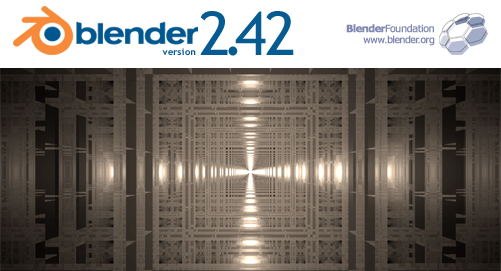 Clayton Sandham (CGuy) has made a tutorial for us to show how he produced his 2.42 splash screen contest entry. Not only is the image geometrically stunning, but it uses the array modifier and YafRay to make it happen.
You can find the tutorial here.



cool, thanks would be cool if most splash screen entrants posted the process as a tutorial maybe it should be a prerequisite
The great thing about the array modifier is, that if even if you screw it up, it’ll still be pretty ^_^
Strange error!
tutorial time = 30 minutes? maybe for a monkey randomly banging the keys, but really it only takes 10 at the most, even for a hardcore n00b. great tut though!
yeah i wish there was a tut for the current splash screen. that orange has some great materials on it!
the blade
you can get the orange material from here http://tellim.com/texture_cd/html/menu2.html
One question. Even though I don’t consider myself a noob anymore I couldn’t figure out what he meant by ‘Add an empty’ before adding the array modifier. An empty what??? An empty vertex? Any help would be appreciated.
@marko
An Empty is a null object in Blender that can be added like any other object. You can get one by using Spacebar>Add>Empty in the 3D window.
@ Filip:cool! how *did* you do that??? lol
@ FStopDigital: 30 Mins included Rendertime. I’ll fix that shortly.
Thanks,
CGuy
Site seems to be down, is there a mirror anywhere we could use? Am really looking forward to this :)
Help! My figure 07 looks like a jumble of cubes and not the neat repetition that you have. Definitely not taking me the 10 mins of hardcore noob… The array modifier step seems to really be throwing me off although I believe I’m executing correctly. When you say ‘Select all of the cubes and join then together’, are you joining just the 8 outer cubes or literally all the cubes? Not that it matters (since I get a jumble either way), but its something that I thought wasn’t clear.
@Marko
I think I might know what the deal is. It has to do with the orientation of your Empty. The short answer is that your Empty needs to have it’s axis match the view. You can do this by selecting the Empty and then using ALT+R to clear the rotation of the Empty.
P.S., you need to CTRL+J (Join) *all* the cubes after they are moved into position
Additional mirror: http://cguyproductions.googlepages.com/cguy%27ssplashtutorial
@ Marko
Eugene is right. you need to pay extra attention to the orientation of your view when adding objects.
you need to join “all” the cubes together to get the same effect as I got, but I encourage you to play around with different setups and different configuration of cubes/spheres/cones/monkeys Etc..
Blend On!
CGuy
Clear Rotation (ALT+R) worked! I just can’t understand why the empty wouldn’t have the correct orientation since I added it when in Front view as instructed. Is there some setting that I don’t have in my configuration (since I’m only using the default configuration at present) that would pertain to this?.