

Toon Style Motion Blur Technique

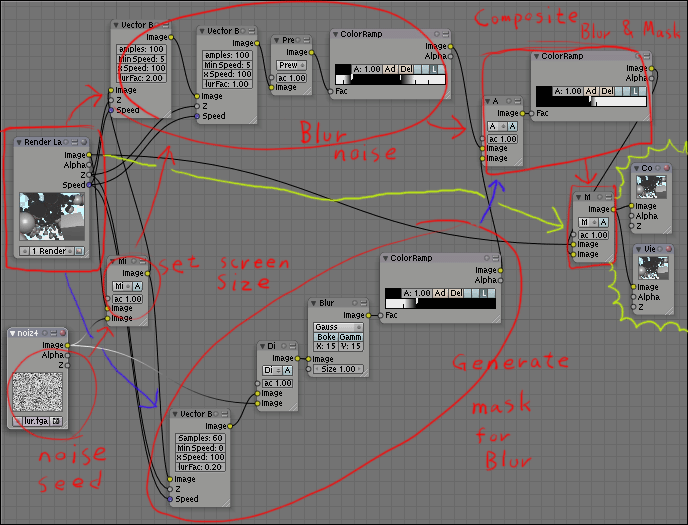 Some of you may remember Ekakiya from our previous article about his technique for illustration style rendering. Now he has come up with another excellent compositing technique for toon-style motion blur. And an example file has even been provided!
Find the example file here. (right click and save as please.)
And a BlenderArtist thread discussing the technique, along with an example animated .gif demonstrating the effect here.


Very nice i will try it out
Man, is there nothing you can’t do with the node compositor?
Yes … Yes. Sir!
Thank You … and may you (and all other sentient beings while at that) alleviate from surfering :)
Amen
Nope. Nothing you can’t do with Blender!
ã™ã”ã„ã„
Hmm. It’s great that blender can do this stuff. For ease of use though, if techniques are going to come in this form, the node system needs support for groupable/collapsable components, so that you can merge a network of nodes into a single node with just a few inputs and outputs. If you could just download a node description file that said “toon style motion blur”, load it up, and connect the appropriate ins/outs without hugely complicating your node list, it’d be much easier.
@Lee You can. Its the group command.
I think it would be really neat if you could export/import node networks to some sort of xml.
Am I overlooking something?