 Have you ever tried tiling a texture, only to find that the lighting in the texture image is not uniform? Dark and light areas shows like a pattern throughout the tiles, ruining your image even though your edges might be seamless enough?
Painting these kind of unwanted effects out of textures by hand is a tedious and almost impossible task. This tutorial will show you how to deal with this in a whole different way, easily replicated in most 2D image editors. This method is quite effective and works in a lot of cases.
Go on and read the tutorial.

Author
MathiasPedersen Read more about Mathias Pedersen (The M.h.p.e.) at www.mathiaspedersen.com



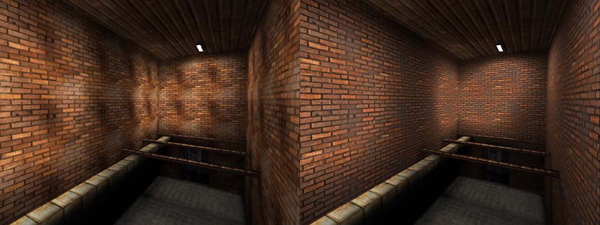 Have you ever tried tiling a texture, only to find that the lighting in the texture image is not uniform? Dark and light areas shows like a pattern throughout the tiles, ruining your image even though your edges might be seamless enough?


Hi,
Heres a simple highpass script for the gimp 2.2, I use it a lot when texturing.
http://members.optusnet.com.au/cjbarton/highpass.scm
I once made a node setup for this technique, for Blender 2.43 RC3 64bit:
http://tinyurl.com/278bpv
I didn’t get much replies, though. I dun’t know if it wasn’t interesting enough, or nobody reads the stickies ;). In any case, have a look, if you want.
Please beware of the blend file. It is made with a 64bit Blender and may not be compatible with a 32bit version.
Sanne
@ Ideasman42
could You please give some hints how to use such a script with Gimp?
got it now…
info for others:
just copy the file (*.scm extention) to Gimp’s /filters folder. The filter can be found under following menu:
Filters->Enhance->High Pass
thanks for this guys, life saver :)
oh, yeah, about peter hajba…his “my and my kaikal” song from the tracker scene ages is awesome, i used to lisen it on my 486 a lot…did not know he does 3d as well, but i guess he is not the only multi talented person on the world :)
sweet memories awake.
ah, man, im talking again wrong stories, after looing it up on the net (dont trust your memories) the song is “me and my kaikal”, and its made by muffler/haujobb and dcs. but who cares :P
Ideasman42,
I just tested the Gimp script, it is really good, thanks for the link.
Sanne
Thanks for the script ideasman42… if you ever make a version with a preview, could you please let me know? Thanks.
wen u say to put it into the filters folder, do you mean plugins?
And by copy do you mean save the webpage with a .scm extension?
thanks.
on windaz machines :
C:\Program Files\GIMP-2.0\share\gimp\2.0\scripts
“And by copy do you mean save the webpage with a .scm extension?”
no.
just left click on ideasman42`s link, and choose save target as.
Sanne :
Nice technique! I love porting gimp and photoshop methods to the compositor! Thanks :)
oh, thankyou very much gaalgergely!
EXCELLENT tutorial! Thanks man! I’ve been doing graphics for years, have accomplished alot but this little tweak really helps with alot of things. Thanks also to Ideasman42 for the GImp script, as that is what I’m teaching myself to use, and Sanne, for the node setup. All three of you have contributed greatly to an indispensable topic.
Thanks! It works in paint shop pro 9 too, just do the steps the high pass does manuly. It also took quite alot of work to get it looking nice, I sorta forgot about the Fade Correction tool under Color Balence.
Sanne,
Excellent work! :D The file works on 32 bit Blender as well. Thanks so much for sharing this. :D
Thats a Great Tutorial. Well explained.
I like the GiMP Filter too, Thanks.
Very cool.
Thanks!
I love gimp…. but i’m having thoughts that blender will have it’s functionality too in the near future.
Thanks for the script, makes the task even simpler.
my chipmunk is drunk!