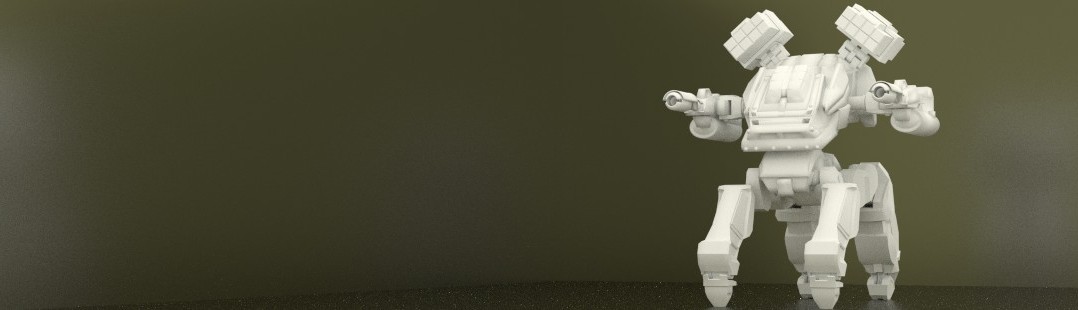

Metaballs as Digital Clay

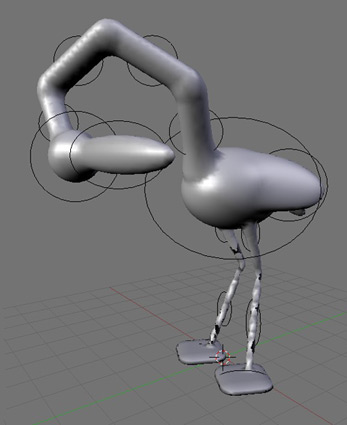 From joe’s Secret Lab comes this interesting tutorial on how to create models in Blender using a “digital clay” method. Those of you interested in alternative methods of modeling will certainly not want to miss this!
First, metaballs are used to create a crude 3-D “outline” of the desired model. The resulting mesh is then decimated, and finally details are added using the Sculpt tool on a Multires layer.
Thank-you to Joe Daniels for this excellent resource.



Love the idea! I’ll have to try this later when I have some spare time.
This sounds very interesting- I have always been looking for new modeling methods.
Its a nice idea, but i think the basemesh will be not good for animation purposes.
Yeah, but it would make a uniformly dense mesh; good for sculpting.
This has been on my mind before. With the new normal map baking, this would be nice for anyone trying to rapidly prototype a model and then build the nice polys around it.
If you export the mesh as an OBJ, import it into smoothteddy, save it, and bring it back in to blender, you’ll effectively use takeo igarashi’s triangle beautify mesh algorithm. :D
http://www-ui.is.s.u-tokyo.ac.jp/~takeo/papers/i3dg2003.pdf
*cough* Google summer of code? *cough!*
@Bmud: that would be cool :-)
One thing I know Joe has thought of is using the retopo tool to layout the proper edgeloops for animation once the character is roughed out using this method. This method is really fantastic for getting the idea from the brain to the 3d form.
I dont see what this adds on sculpting with sculpt directly and the go the repo tool route?
decimate always makes very bad geometry, thats why I asked for a repo tool in the first place! I knew that sculpted meshes would be near to useless due to theire imensely large number of vertices. Using the sculpted mesh as a 3d canvas for drawing your own faces on is great, you now no longer have to guess where in space you put your points.
Bmud: IF smoothTeddy supported importing or exporting obj…..
thanks blendernation for the plug!
@ysvry: i agree with you about the topology problems of decimating, but with this workflow i find that what you get when you convert a metaball to polys is so terribly laid out that the decimate modifier actually makes it subdivide better than just leaving it alone.
The ideal way to sculpt is still on a well-looped base model, unless someone has an idea for implementing metaball-ish objects that keep quaded out nicely?
Why not just make a base square model from simple extrudes.
Glancing at the title I thought it read:
Meatballs as Digital Clay
Trippy, huh? :]
This didn’t work too well. I followed all the instructions and when I got to the sculpting phase I still had a complicated mess of mesh.The metaball phase was fun. The rest of it sucked.
I am going to try using this workflow when introducing blender in my next workshop. Awesome.