
Blender Gamekit 2

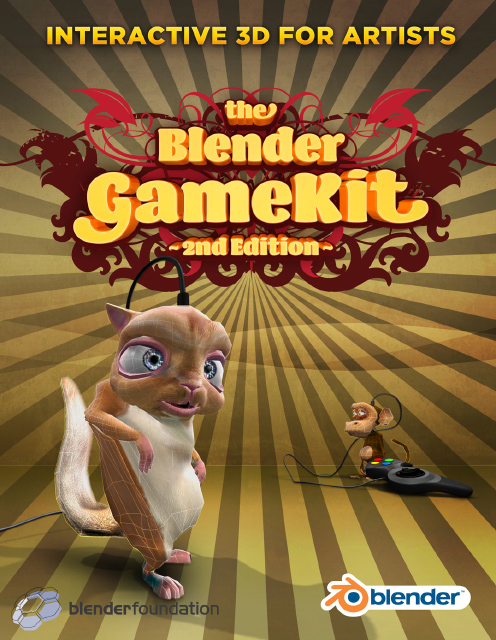 Second edition, Full Color!
Playing with 3D games technology
Blender is the first of the 3D packages to integrate a game engine as well as tools for editing game-logic and creating interactive animation. This book is the ultimate guide for artists interested in exploring this part of Blender.
This fully revised and updated second edition has been written with Blender 2.48, and covers all improvements for game creation thanks to the Open Game Yo Frankie! project.
The Blender GameKit starts with an extensive section for people who are new to 3D – explaining all basic concepts – or new to Blender; with a full introduction to the interface. Then it shows in step-by-step tutorials the fun of creating models, adding motion to them, and how to turn them into simple games. Experienced 3D artists will appreciate the more complex game demos, the character animation tutorials, the introduction to Python, a tutorial with the Frankie character, and the advanced reference section.
The CDROM contains several playable and editable Blender game demos, created by renowned artists from the Blender community. It also contains all the files needed for the tutorials and Blender V2.48, for all platforms.
Special discount for early orders! Book expected to ship December 15, 2008.
- Full Color printed, 320 pages
- Edited and updated by Carsten Wartmann
- Design and DTP by Samo Korosec
- Produced by Ton Roosendaal, Blender Foundation
- Book revenues will be fully used to support Blender projects.

Howcome does the blender software be not used for Playstation Games e.g PS3. I head that some games are made with 3dmax or Cinema 4d and Maya
Howcome ne le logiciel Blender sera pas utilisé pour les jeux Playstation PS3 par exemple. J'ai la tête que certains jeux sont faits avec 3dmax ou Cinema 4D et Maya
I love blender. I am becoming addicted to it, I spend 8 hrs a day.Can You please Publish and Market It to the whole world so that it can become popular like 3Dmax and Maya. It would benefit it to have more users and more ambosoders like me.
J'aime mixer. Je deviens accro à elle, je passe 8 heures par day.Can Vous S'il vous plaît publier et de marché pour le monde entier afin qu'il puisse devenir populaire, comme 3Dmax et Maya. Il serait avantageux d'avoir plus d'utilisateurs et plus ambosoders comme moi.
What????????????? Are you mad, or are you thinking 1110 0001 1010 0001……
Blender is famous!!!!!!!!!! ………..
Sorry for you, but I make games with java.
At least I’m a computer scientist and you are not……….
endl;
Qu'est-ce ????????????? Êtes-vous fou, ou pensez-vous 1110 0001 1010 0001 …… Blender est célèbre !!!!!!!!!! ……….. Désolé pour vous, mais je fais des jeux avec java. Au moins, je suis un chercheur en informatique et vous n'êtes pas ………. endl;
I would buy this if it were updated to 2.5.
I know that most of the things could be figured out from descriptions in 2.49, but having it redone to fit 2.5 (Once it’s done, hopefully) would make this worth buying.
Je voudrais acheter ce jour si elle était à 2,5. Je sais que la plupart des choses pourrait être compris à partir des descriptions de 2,49, mais l'avoir refait pour s'adapter 2.5 (Une fois que c'est fait, espérons-le) ferait de cette peine d'acheter.
To Kai Geffen :
I think blender 2.5x (and the new, at this time of writing:2.56) uses the new python. It is a fairly simple language to learn. there are a few people already working on the networking scripts for the output .blend files.
To NanoHacker:
Java? Really?
To Dumisani:
I don’t believe that “3dmax or Cinema 4d and Maya” can create games. I might be wrong on the newr versions (as of the time of writing this). They CAN however export files that can be used in game creation software such as Unreal and Dark Basic.
In my opinion:
To compair popularity; Blender DOES have more users than the other commercial software that can cost up to (if not over) $4,000 U.S. And it can do so much more that those other 3d products at the base line.
Also, Why couldn’t you create a playstation or wii product with it?
The game engine Is sooooo much easier to create games with than unreal and dark basic. And the physics actually work right without your computer sonding like it’s about to have an aneurysm
as with the physx software.
The thing about the other game creation software that got me on the “blender” path was :
Dark Basic: Seriously there was just soo many things wrong from the start I wouldn’t know where to begin.
Unreal: cloth doesn’t work the way I wont it to, water doesn’t work right the way I want it too, ect, ect… Thaught my computer was going to pass out from exhastion in RDK3 on a basic scene.
Cloth was the main thing for me I wanted to create clothing that worked like clothing and blender was powerfull enough to do that.
But these are only my opinions
Pour Kai Geffen: Je pense que Blender 2.5x (et le nouveau, à ce moment de la rédaction: 2,56) utilise le nouveau python. C'est un langage assez simple à apprendre. il ya quelques personnes qui travaillent déjà sur les scripts de réseautage pour les fichiers de sortie. mélange. Pour NanoHacker: Java? Vraiment? Pour Dumisani: Je ne crois pas que "3dmax ou Cinema 4D et Maya" peut créer des jeux. Je peux me tromper sur les versions NEWR (au moment de la rédaction de cette). Ils peuvent toutefois exporter des fichiers qui peuvent être utilisés dans les logiciels de création de jeux tels que Unreal et Dark Basic. A mon avis: à CompAir popularité; Blender ne sont plus d'utilisateurs que les autres logiciels commerciaux qui peuvent coûter jusqu'à (sinon plus) 4000 $ US et il peut faire beaucoup plus que ceux d'autres produits en 3D à la ligne de base. Aussi, pourquoi ne pourriez-vous créer un produit PlayStation ou Wii avec elle? Le moteur du jeu est sooooo beaucoup plus facile de créer des jeux avec de base irréel et sombre. Et la physique fonctionnent réellement droit sans votre ordinateur sonding comme il s'agit d'avoir un anévrisme comme avec le logiciel PhysX. La chose au sujet du logiciel de création de jeux d'autres qui m'ont poussé sur le «blender» chemin était: Dark Basic: Sérieusement il y avait des choses juste soo nombreuses erroné dès le début, je ne sais pas par où commencer. Unreal: tissu ne fonctionne pas comme je le l'habitude de l'eau ne fonctionne pas bien la façon dont je le veux aussi, ect, ect … Thaught mon ordinateur allait passer à partir de exhastion RDK3 sur une scène de base. Tissu a été la principale chose pour moi, j'ai voulu créer des vêtements qui ont travaillé comme les vêtements et le mélangeur a été assez puissant pour faire cela. Mais ce ne sont que mes opinions