
CGCookie Modeling Tutorial Compilation Bundle

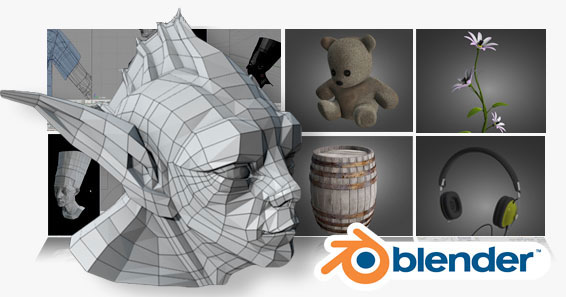 CGCookie have compiled a huge set of video tutorials and sample files by Jonathan Williamson.
In our first Blender Modeling Compilation bundle we are pleased to feature 3 of never before seen exclusive tutorials by Jonathan Williamson, plus the high resolution videos and source files of some of our most popular tutorials streamed on CG Cookie.
If you are looking to break into modeling in Blender, this is a great series to get your feet wet.
Included in this bundle:
- Creature Head (3 part series) EXCLUSIVE
- Create a plant EXCLUSIVE
- Model a set of headphones (2 part series)EXCLUSIVE
- Complete Head Modeling Series (6 Parts)
- Model a rope
- Create a burlap teddy bear (2 parts)
- Model a wooden barrel
- Create a telescope
- Learning the shrink-wrap modifier
- TIP: Create a wire render
- TIP: Using the mirror modifier
- TIP:Setting up a background image
- TIP:Splitting the workspace
- TIP: Using the loop cut tool
- Plus we threw in 4 timelapes videos
This bundle is HUGE. I mean it is 6GB huge. We have compressed it a bit with winZip so you will need this to unpack it. When you purchase this bundle and are simply unable to download the large single zip, contact us and we can work out a way to get the tutorials/files to you.
Cg Cookie is proud to have Montage Studio as a sponsor of this bundle. Montage Studio is a collaborative effort between three artists, Jonathan Williamson, Jean-Sébastian Guillemette and Ben Dansie. The three of us love what we do and show a real passion for it. To say that we have dedicated a lot of time to our art is an understatement… it would be more correct to say that we “live†in our art. It is what we do and who we are. Whether we are designing heart-pounding, war-machines or elegant, flowing figures we put forth the same intense focus in everything we do. We enjoy working on everything from game characters, to film animatics, to advertising.
You can order this instant download for $30 in the CGCookie shop.




Jonathan’s modeling and training appears quite good, but some of the videos have audio where “P’s” pop super loud (T’s to a lesser degree), such as in the samples modeling the female. Jonathan, if you’re monitoring this, I’ll assume you’re using a headpiece mic. Try getting a separate mic overhead on an boom and put one or two pop filters on the mic. You videos are great, but those pops are really distracting!
Not all the videos are so bad, some of the newer ones sound better, but it’s a simple enough fix. :-)
@vidrazor2,
You’re absolutely right in reference to the female head sample video, but based on most responses that is no longer an issue. That video is getting to be about three years old now and the audio was not nearly as good. Thank you for the heads up regardless :)
Hi Jonathan
The first tutorial i saw from you was on a low poly character… and it was very helpful.. so i checked out more tutorials on cg cookies…
Many cant download 6gb of content.. Would you publish it as a training dvd in future??
It would be really great IMO
Ankit Pruthi: If you read the paragraph in the blendernation post it clearly says: “When you purchase this bundle and are simply unable to download the large single zip, contact us and we can work out a way to get the tutorials/files to you.”
I guess CGCookie can burn 2 dvd and send it your way if you ask nicely! ;)
Great job, Jonathan and company! I can personally attest to the huge amount of effort it takes to plan, record, edit and produce all that material. Congratulations on bringing it to market, and I hope it sells very well.
You need to start sculpting tutorials too…
@fazillatheef, planning to do just that very soon here!
@everyone else, thank you for your comments :)
Nice price for the all the content include in this bundle! I can afford this!
Also, (off-topic) this kind of pic would fit perfectly for a 2.5 splash screen! ;) it’s truly awesome!