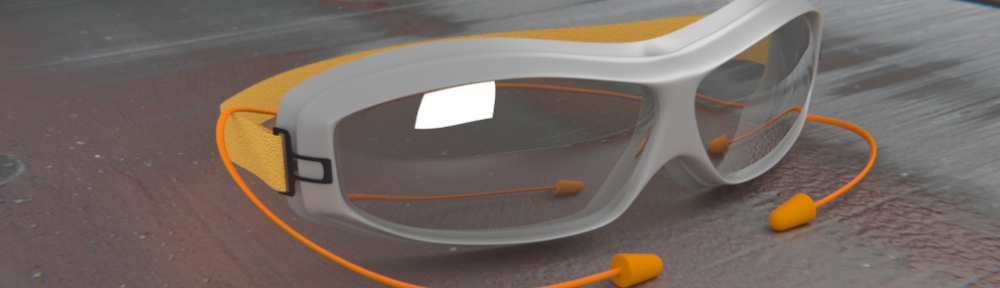

Indirect Lighting Tests from Durian!


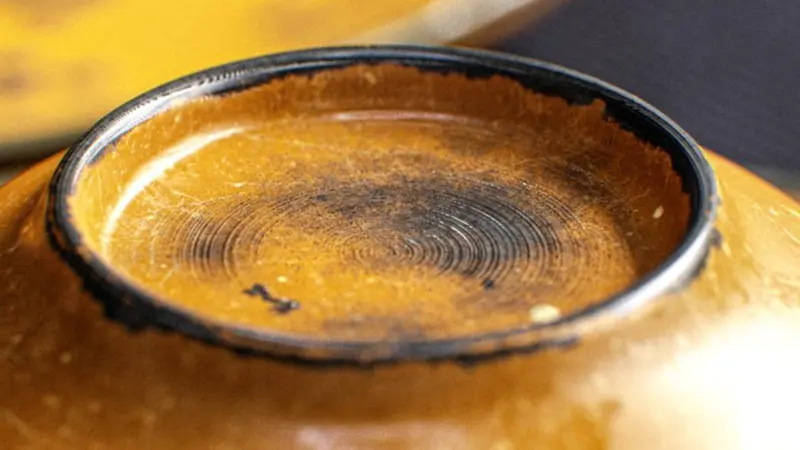
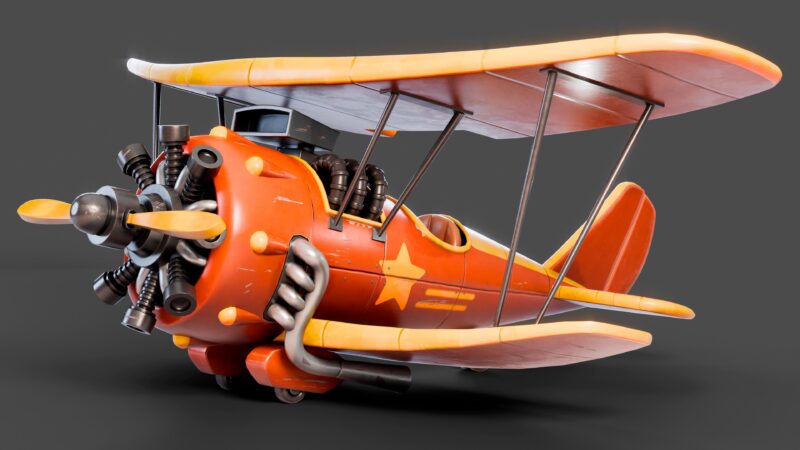
Durian’s newest member, Pablo (venomgfx) has just posted some jaw dropping “tests” on the production blog.
Making full use of indirect lighting, we now know exactly what can be achieved with this much anticipated feature.
See more amazing renders at the Durian Blog.


Looks amazing. Really looking forward to Sintel. Is this feature in Alpha 2?
No, AFAIK, rendering changes are still on a separate branch.
@Steve Cameron
Yes it is… even in Alpha 1 lol… you can set it under the Ambient Occlusion options to any mesh…
take a look at this post http://www.blendernation.com/demo-indirect-lighting-in-blender-2-5-alpha-1/
Again… it shouldn’t be called indirect lightning, maybe mesh lighting is a best term…
Yeah, render branch shows some real improvements to internal Blender render engine. I’m using it for a while, it’s really promissing!
Oh, btw. Durian team DOES SWITCH to Render Branch – according to what Pablo Vazquez says on blog.
Whoa, ACTUAL indirect lighting this time? Kickass.
melon: Yeah they do. But the question was, wether it’s in Alpha 2 which it isn’t.
It’ll most likely be in Alpha 3 or Beta 1, though. (Will there be another alpha or will the next one already be a beta?)
The indirect lighting looks amazing indeed :D
Those renders are great! Will this make the external GI renderers redundant?
Now time for Blender to leader in 3d world.
OMG!!! It’s wonderful!!! I’m already waiting for this one! Hope more of this teaser images.
Wow…everytime I learn how to use a brand new feature in the branches, it seems as if 2 more pop up to make life more difficult! I wouldn’t want it any other way, I guess…
I think (though not 100% sure) that you could call it indirect lighting since you can set the amout of light bounces (from the world menu/AO too).
Thanks everyone! :D
This is actual Indirect Lighting, since there is only one mesh Emitting light (a big blue plane at the back, can be seen on the screenshots on the blog), the rest is all bouncing, mostly coming from the strong Spot light shining over the bed, its red..ish material makes this light bounce everywhere.
Cheers!
I stand corrected… I thought the post was only about emitting meshes… I don’t think it can be called full GI just yet thou… not like in vray for example…
@JotaSolano What do you mean with ‘full GI’?
GI (http://en.wikipedia.org/wiki/Global_illumination) is generic term which not only takes the direct illumination (direct lighting, directly from the light source) but also reflected rays from the illuminated area (indirect illumination / indirect lighting) to render the image.
Well… if I’m wrong please correct me (again lol), but as far as I know you can only activate Indirect Lightning and set the number of bounces, but you can’t yet REALLY control the type of “algorithm” used…
For example in Vray, you can choose to use QMC, Irradiance Map, Photon Map, Light Cache, etc… whereas in Blender I don’t think that’s possible… Other software like Indigo which are based on unbiased physical rendering use Metropolis Light Transport and Bidirectional rendering.
When you select one of those algorithms, you SHOULD BE ABLE TO control lots of things, like bounces, but also the subdivisions, the phases, sample sizes, etc
When I think of a “full” GI engine, I ALSO mean that you can use multiple engines, for example, QMC + Light Cache… or MLT + Bidirectional… to get the best results as fast as you can, depending on your scene… in Blender the farthest you can go is activate Indirect Lightning + Raytraced A.O. (and maybe environmental lightning)
So, as I said, it’s GI, but not a “full” GI system… i guess “full” is not the correct term… yet i don’t know how to better explain myself…
Jota: I understand what you’re trying to say. And I think the word you’re looking for is “complete”. It is a basic GI system, but in terms of how many of the external renderers allow you to set more parameters, it is not yet a “complete” GI solution. I have to say though, this will surely elevate the ability of the Blender internal renderer to a new level. I’ve seen a lot of good faked renders in my time, but finally we’ll have a more accurate solution, which should allow for new faked techniques that can yield external renderer results in much less time. Or so I can only hope. This looks awesome, and has been a feature I’ve greatly wanted for so long in Blender, I’m excited to see it coming to fruition.
@JotaSolano, okay I understand what you mean. :)
Yep there’s lots of method to get the ‘GI effects’ (as mentioned in that wikipedia page which includes radiosity, ambient occlusion, [bounced] ray-tracing, mlt, photon mapping, ibl, etc). But it’s good to see what Blender’s internal renderer is going to be. Maybe we’ll just need more patients. ;)
In my opinion though, the ideal GI renderer should have no parameters. Just create the scene with correct proportion and materials, put the light sources, set the camera realisticly (like what you do with real-world cameras), hit render button, and I get the realistic renders ;)
I agree with both of you (the last two)…
Blender is taking a huge leap with this new features and it will surely make better renders. I’m sure that by the time we hit 2.6 we will have a much developed (I daresay “complete”) GI engine.
And yes, having a real camera would be so appreciated lol… just being able to control depth of field by just entering a distance would make it so much easier to use and to get more realistic results. Obviously controlling all of the exposure settings would contribute to more realistic renders…
Having said that, with this newly added features (and as soon as 2.5 is out of Alpha state), I think we, as blender users (and sometimes defenders lol) are going to enjoy A LOT more using this software and a lot of new people are going to start using it as well, just because it’s very complete and NOW easy to learn…
If it’s a full GI solution or a partial approximation is not a question of how many different GI algorithms are involved in the computation, nor how many are integrated in the renderer (to select from).
It’s more a question if all possible light paths are found, and if they are measured in the right way. This one bounce diffuse stuff is a very very rough approximation for GI. Even in purely diffuse settings, (strong) sun light can do 4-5 bounces and still generate noticable soft shadows in dark corners of the scene (well it can be faked by AO ;-).
An unbiased solution does not limit bounces, it just uses russian roulette, to kill inefficient light paths.
But the world is not purely diffuse. You have to mix up different kinds of light reflections (bounces):
– diffuse (D)
– specular (S)
– maybe even glossy (G) – well, it’s mostly implemented as just a bunch of specular rays
As every path starts a light source (L) and ends in the image plane (or eye -E) you have to find all different kind of light path:
– LS*DE for caustics
– LS*E for perfect reflections/refractions
– LD*E pure diffuse (what original “radiosity” algorithms do)
– L((DS*)|(S*))E basic Whitted ray tracing
– and any weird mix L(D|S|G)*E
There are algorithms that find only some kind light path: basic ray tracing, two-pass rendering (specular ray tracing and diffuse radiosity), basic ray tracing plus caustics by photon mapping …
This are GI solutions, but not full GI solutions.
If you mix different algorithms up (e.g. for different kind of light paths), it is hard to get it right (mix it in the right amount).
If you save a lot of per pixel computation by caching and interpolation (in screen space or world space), you often can’t be sure of the error bounds.
If you undersample maps (HDRI sky) or BRDFs or light sources (area lights) or do some kind of advanced importance sampling, you may do something wrong and get flickering animations (even if a still frame looks right).
Whenever you use some pseudo randomness in the algorithms (MC/QMC) you may get strange correlation artefacts….
So there is a lot to do wrong to get a GI solution that is not consistent and does not converge to a better or right solution if you increase effort.
And a word about “unbiased physically based ray tracing”: this trades (maybe invisible) errors against (mainly visible) noise. If done right it can slowly converge to a correct solution (if you ignore numeric inaccuracy of floating point math) of a still very limited physical model of light (ray optics, no wave properties, no polarisation, no fluorescence/phosphorescence, mostly RGB == color sampling in perceptional space, mostly no measured BRDFs/BTFs, etc.).
Nearly everyone who talks about “physically correct rendering” or tells stories like “ray tracing is physically correct while rasterization is a bunch of fakes” is just not trustworthy. Maybe he just don’t knows what he is talking about (marketing, fanboys) or he is plainly lying to you (developers, scientists, marketing).