
Hidden 3DS Max Display Mode Revealed

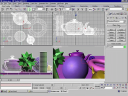 Blender’s interface has always been a hot topic of debate and as you can see in the new development roadmap for version 2.50, an overhaul is being planned. New features will be, among other things, customizable hotkeys and toolbars, icon redesign and redesign of the button windows. Still, this is not as radical as some people might wish for. Time to try something else!
Ton is notoriously difficult when it comes to changing the interface; he doesn’t always approve of our experiments so we had to fly this in under the radar. Many of us have long felt that the current Blender interface is no longer sufficient. We can spend years on improving on the current code-base, but let’s face it: it’s time to step away from the current implementation and start from scratch..
Hanging on to the current interface system despite all the problems it causes for new users is arrogant; even after ten years the basic system hasn’t really changed! Other packages, such as 3DS Max, have proven to be much easier to learn. Companies like Autodesk spend millions on their interface design and we can learn a lot from them!
It’s interesting that they were able to bypass the commit control on the sourcetree which makes me wonder: how easy would it be to slip less benevolent code into an open source project?
To access the new mode, go to the Anim panel in the Scene Buttons window (F10) and find the ‘RT’ widget. Determine your external IP address; you can use this site if you don’t know how. Add up the four numbers in the address and enter this value into the ‘RT’ field. Next, hit CTRL+SHIFT+F and you’ll be in for a surprise!


Nice try :p
But concidering the date it is today I don’t realy believe the 3D Max part
Thanks to all the coders for their hard work! I had heard about this on Tons secret mailing list (oops!) So beware he may have also coded a counter intrusion. Has nobody noticed that if you reverse the letters in Tons name it spells Not?
Do like this interface though. : )
I don´t think that making a clone of another app would be so wise, like me, there are thousands of other users that are happy with the current UI workflow …
ok, we all know there are things to be polished, but I also use maya, and it is no match for speed and clarity. but i never would want to make blender look like maya or other app,
just a comment…
Hummmm… nearly did it… I opened blender… and I thought about the files size… it would have been much bigger, if it had 3Dmax thingy…
so I looked at the date… :D nice try tho.
I have coded a maya interface tonight.
Just tried it now. Works great. Much better then Blender’s crappy old interface. I hope that this one replaces it. :)
DOH you got me! Man I was sitting in a loong time and thinking “hmm what does i do wrong?” argh! :P
Argh!! That’s the third time today!
“To access the new mode, go to the Anim panel in the Scene Buttons window (F10) and find the ‘RT’ widget. Determine your external IP address; you can use this site if you don’t know how. Add up the four numbers in the address and enter this value into the ‘RT’ field. Next, hit CTRL+SHIFT+F and you’ll be in for a surprise!”
This doesn’t work for me… Why do it RT base on my IP ??? This is sound strange… Please another describe how it enabled :).
Eeeeee… May be do it is 1 April joke ;) ?
maaaaaaaaaaaaaaaaan… D’OH!
LOL
Wow! This mode is awesome! I think I’ll stick to the old interface though, as I’m used to it.
(got me good guys!)
This is so much weaker than last year! lol
*shakes fist*
Dangit, you got me!!!
WTF .. nothing happens when I press CTRL-SHIFT-F :)
Had expected a render of Suzanna with an April’s fool hat or something.
Good one though.
You got me :s
Very funny… I searched for at least 15 min the RT Widget !!!
*slaps Bart*!!!!
GRR i am going to get you good next year bart!
You sure got me, I tried several times before I got it. LOLZ, nice one.
Anyhow, I really hope the interface will get the improvement it deserves.
tmr232.
lol I have thought to a joke as soon as I understood the link to the date : immediately :)
aarrgghh!! CTRL+SHIFT+F means control shift FOOL! yeah!! hahahaha! you got me. I knew it. Blendernation was gonna have another April Fools Joke haha!
Hmm i cant find it :D but i found nice hided feature I downloaded the latest build here
http://www.blender.org/forum/viewforum.php?f=18&sid=63f48c94db2e74baf9df69e3c9ac5ee6
and at Users Preferences panel – System and OpenGL section
seen this button!
here is the printScreen:
http://img61.imageshack.us/img61/9978/amazingmoviebuttonuq6.png
:)
lol, you had me, I started blender up, looked and though, hay I just read a april fools joke, what the heck is the rt thing… Oh …
nice
Dag Nabbit! Good one.
You had me for a minute… until my sister started telling me about the april fools joke she ran into. :D
I prefer the blender interface than the 3ds max one.
I’m used to both interfaces, but think blender one is more flexible and intuitive . For new users it’s perhaps difficult because they want a “windows like” one, but when they understood the philosophy of blender interface they like it …
It took me forever to find that RT field…………
didn’t remember what today was until i read these comments here……….
hmm……
NICE TRY, but I prefered last year prank,lol
OMG the hair on my arms just can’t get down.
****Don’t do that kind of joke!!!!!!****
For a moment I thought that Erwin Coumans’ project of using the game engine to integrate the UI into a real 3D environment (with the right ATI graphic card and glasses) compatible with the Playstation PS3 (imagine: cheap PS3 computer farms at home :) ) was iced. I swear that my heart stopped for a moment.
Bart, you’re working hard I know but ****find another way to amuse yourself!!!!****
Regards nonetheless
Jean
wow…. try pressing CTRL+SHIFT+F+W+ALT+F4+F5+F12+ESC and type “blender rulez” in OpenOffice at the same time! (and if you still have fingers, add a new spline in inkscape for better results)
look! you become a master of the universe!
I was just opening Blender and looked up for the date! The sentence about malicious code being introduced to the source made me think: this is weird…
very, very good joke.
jedihe
WEEWW.
Not only enables the 3DMax interface, but also starts to model by voice commands !!!
Now I’m trying to know how the nodes will function when I am completely drunk and continues speaking with Blender turned on with some potatoes…
8°)…
Excellent!!!! I had forgotten about the 1st of April… I thought oh my god, things have really changed in the blender world… What a relief hahaha
http://www.ip-adress.com is a nice ip address locator. thank you for this. didnt know the site.
Very funny. That’s seriously evil – I like it.
After hours of cursing away, had I not read this thread to see if other people had trouble doing the same, I would have completely recompiled Blender myself just to get it working.
BTW. what was last year’s prank?
Very inventive. Last year’s ‘Ton is selling out to Autodesk’ was better but this one was pretty funny. It reminds of when the New Times published an issue where they said they used ink that had a hallucinagenic affect that made you fell like you were a hundred feet tall. Needless to say many people had black tongues. Next year maybe you should do a fake stereographic of a naked Bea Arthur and see how many people are disappointed when it doesn’t work. That would be interesting!
(:|;)
Oh I know you enjoyed this one, Bart! Good one!
Haha, you got me on this one! Tried again and again, I couldn’t understand why it didn’t work… Man I feel stupid now, haha!
Grrrrrrrrr!!!
ok… second joke. Got it. Me iS A dUmB! :P
(PS: last year you frightened me!)
Me to… ;-D
should have seen this coming.
Haha!
Funny, exploring everyone’s wishes for a decent/logic/rational UI in this manner.
The need for a new interface is reality indeed, no lie. I agree with the “coder” entirely, even dow i don’t think 3DS Max is a good example of stelar UI design.
you got me too :P
Well, ya got me going there!! I should know by now not to trust you guys on this date!!
NIce one!
haha… You would have gotten me, but I was too lazy to actually go and change it……….
Very Nice(insert borat voice)
Weird, this didn’t bring up 3ds Max’s interface- it seems that I got fire simulation instead. Soooo much better than getting a new interface.
Yess, just tried out! Great work. I´ll use this from now on …;-)
d-oh, me damnd stupid, should have been looking the calendar today!
Happy blending to all
Bart,
You crack me up! LOL Good one!
lol nice one. :)
OMG, I was nearly getting angry and very worried! I couldn’t believe you were going to make Blender like Max. I’ve used Max for years and Blender is such a nice change, I was seriously upset!
Well Done. Just make sure that you ARE joking, please!!
Its a shame this is an April 1st gag, I’m not a fan of the Max interface, but I do think that Blender desperately needs a “Noob mode” interface for first time users. I have spoken to dozens of users who open the program, take one look at the ‘Space Shuttle control panel” interface and flee screaming.
I love Blenders UI at the moment as it is very fast to get things, done, but when I first opened the program, daunting was not the word I would have used.
You would need the ability to turn it on and off so that power users, when they got going, could switch over and get things done.
where is the RT widget, WHERE IS IT?? Arghhh ?
nice one, just note how many ppl tried looking for it…
you guy so funny….
Buh!? OH DAMMIT IT’S APRIL FOOLS DAY
I am the dumbest person alive…
you got me too… man
i adore blender, blender UI and adore anything related to blender.
It’s right here! :)
http://img520.imageshack.us/img520/6568/rtgc8.gif
piX: thnx man!
Ok.. so I entered the number in (259) and pressed crtl+shift+F… nothing happens!! is it april 2nd already??
really.. would be cool if for next year we’ll plant something in that works only in april 1st and has this weird combo of actions to get to.. this way we get both aprils fools joke and ppl will see we actually did something..
heh i’ve been wondering since friday what the april’s fool’s joke was gonna be this year. Wasn’t hard to guess this time though…
I got all excited, opened up blender, doo toot dee… “Oooh this is gonna be cool… hee hee” Click Click “Oh… son of a *****!; you mother******’s! Why I oughta’!!!!.”
I’m so gonna hack yalls site now. You just wait!
P.S. APRIL FOOLS!!! I’m not gonna’ hack your site.
Bill Gates called. He wants you guys, you Blender guys, to knock it off and get back to work.
He’s waiting in the wings for you to do the real work, then claim it’s his (the way he started Microsoft).
Signed the Bosses assistant
That’s kinda of already happening, lol, like the rest of the CG apps community who have all of a sudden got round to using python as a scripting language. Blender is years ahead in some areas ;)
xD
Funny to see, how many people don’t read, before they try it :P
But if you reverse the ip, you get the Maya interface, me yoda coded ;)
Very well done. That’s the second time I got fooled today. Darn.
Sigh. At first I thought you’d slipped an easter egg into the 2.43 release just for today.
Bart, nothing beats last years joke. Autodesk buying out Ton for $2.4 mil. wow.
owned.
Best april fools ever!!! :D
(I caught on after I couldn’t find an “RT” widget, then I looked at my computer clock :P)
http://www.google.com/tisp/notfound.html
http://www.google.com/tisp/
google does nice stuff, too xD
(try all the links ;))
LOL
By now half the reading blender community should have opened Blender, struggled for five minutes, looked at the calendar and hit themselves.
I love april fools :D
Cool, i read the comments before i tried that april joke…
But i did a little research.Try this:
CTRL+Space (Manipulator) -> Rotate
Enter 2 or 3 into RT widget and u will get easter egg :)
Actually it is not easter egg, but old looking rotate widget.
haha that’s great, try it!
Lol google has the best “Not Found URL” ever!
http://www.google.com/tisp/notfound.html
I hate Max Interface! I love blender interface!
I think blender interface can be improved, but don’t need to be completely changed!
@ TXRXFX: I posted that already :P
That Was a good one. I wouldn’t care though because i hate Max’s and Maya’s interfaces. they are terrible all those buttons that take up so much space and those windows that popup, ect…….
good joke…but where did screenshot\picture come from?
Damn, you caught me with that one. Saw right through last year’s, thought this year’s seemed odd, but had completely forgot the date. Who needs Max anyway!
Lol, the ip thing gave it away so fast.
I actually believed last years for quite some time.
Hi. I like april fools but, when will you guys start working on this super changes.
Damn Bart, you caugth me again, this is the second time.
It will be diferent next year.
Well, ok , you got me good on this one! Very good.
I put this one on the same level as years ago when
a popular linux web site claimed M. Torval planned to change linux icon from the known penguin to a pink poodle…
Many took the bait at the time…
I hope to god that the interface will still stay the same but work around for the use of the tools better. I’ve been religious with Maya for 7 years and came to blender with some problems of the interface, but mind you that was because i wasn’t very open minded about it. Since i gave it a chance I’ve seen the benefits of the UI being the way it is and commercial 3d software could learn a thing or two with blender. With my first day i sculpted a head like i was using blender for months. What still blows my mind is how its this powerful at an 8mb installer! So please keep it as it is cause that makes it unique. Cheers.
he he he he he.
you got me. I wish I could have seen last years.
This was a great april fools!
I honestly wish this never happens. I LOVE the blender UI. I hate using Maya any time I have to and 3dsMax (while bearable) is not near as nice as blender’s. Once Blender gets custom key bindings I will be 100% happy with the UI. Even then I don’t even know if I will be changing many (if any at all).
Just wanted to voice an (hopefully unneeded) opinion! Keep up the incredible work.
You got me there i completely forgot what the day was
just like last years prank this was a good one
i was starting to worry there a bit
i hope they dont change the interface
Looks like i need to pay more attention
hey what a community… more comments on an aprils fool than to the other, normal blender subjects…
Almost caught me. I went to the site n got my IPAddress. I even added the numbers. Something is wrong. Oh! Yeh! It’s April Fools Day. Almost got me. Good One!
Part of my mind is wondering, “What could my IP address have to do with it?”, while another part is composing a message in defense of Blender’s unique interface … Meanwhile, I’m adding up my IP anyway.
Ouch.
I forgot to say I hate Maya’s interface too.
Buttons for what? I need only shortcuts!
Got me too..
Actually, it worked on mine but apparently they’ve ditched the GUI altogether and replaced it with command line Python scripts. It’s gonna take me a while to get used to the new Blender Internal ASCII art renderer.
I try the 3ds part and it works sio gooooood!!!!
Almost got me… But I wonder what it would take to sneak an alternate interface under Ton’s nose?
You guys got me real good!!!!!!!
the best part was the ip address thing.
lol
Arrrgh! GOT ME!!
Here is a link to last years if you want it.
http://www.blendernation.com/2006/04/01/ton-roosendaal-leaves-blender-development-gets-offer-of-24m-from-autodesk/
You got me! WHAAAAAA!
;D
Have you ever tought about having a simultaneous version just to test the acceptance of the users ?
You should not need to have the full features in this new interface. For example : Give the modeling section, than the texturizing, than the render and just after have all these hardly tested by the community you should think about animation and game engine.
It is possible some users use these features as the preliminary part of their job, finishing it using the old interface until have all the features available.
It is just an opinion. I really do not know the impact of this in coding process.
Tio Ilmo
I loved it too much ;o)
i dun like Aprils fools :'(
I don’t believe it, I really fell for it. LOL
Je me suis fais avoir moi aussi. Meanwhile, an improvement of Blender interface would be a good new for my students. I’m a teacher and I’m trying to make them understand the intricaties of the soft and it is honestly a pain in the ….
Salut.
Ok, that was a good one. I took me 15 min. to find the “RT” widget, after that I added my IP address. Nothing happened, then I read something about “is it April 2nd?” So I changed my styem clock. What the H*LL, I’ve been had. LOL.
your wedge is coming… just know that..
I liked the one last year about Ton leaving Blender after being seduced by a ton of cash.
hahaha… I was catching up on older posts, I didn’t realize the date(not that we celebrate april fools day in Chile, but the internet has got me kind of used to it). Blast.
BLENDER’S UI ROCKS, btw. From a guy who started to learn 3D on Alias-Wavefront apps.
Instead of copying off of an ancient GUI like 3D Max, why don’t they look at beautifully simple Hexagon 3D?
dag it I was really looking forward to that until I realized .. it was a lie .. A LIIIEE!! I personally can’t stand the Blender GUI, which is why I haven’t dug into it much more than I have. I use 3DMax and ZBrush at work .. but dag if I can afford those for home use …
oh well, I”ll keep pretending like I”ll read the material ;)
Damn! Thats interesting! I checked out my ip with http://www.ip-adress.com and i saw my house from the sky. That was amazing. After that i followed your instructions ;-)
Finally!! the “Make-epic-motion-picture” button is here!!! and you even can edit its IPO!! Wow, we’ve yet to see its integration with composition nodes, but it’s looking good!
how about this?
http://img115.imageshack.us/my.php?image=blenderscreenshotfl3.jpg
It’s the 5th aprils.. but got pale when read the article… haven’t tried anything.. but was really dissapointed… then i’ve realises it was a 1st april fool joke :D
@pummeluv: hehe… but i never liked 3ds max… imho it’s a pos (piece of ….) software, hate it…
Well I would never say such a stup… thing…
Both 3ds max and Maya have great interfaces. I have used both and everyone has ad- and disadvantages.
In fact both are industry leading products and what is made with them is incredible.
Blender is not yet at that level but it is getting closer and closer. And thats very good. Because like everyone else here I love the software, too.
The whole thing is not about if you like a software or not. It is simply about how to make a good software even better. And I think an even more flexible interface will make blender more dangerous to commertial software like 3ds max as it already is. It is like a discussion about windows compared to linux. And we know how great linux is and how dangerous it has become to microsoft. And today in my opinion linux is in many many points better than windows.
If the development of blender goes on like in the last years it will sure become one of the industry leading products.
Sorry for my bad english (i’m german).
u got me, and I am theoretically way too old to be had by this. You could have at least given me a hint, like the developer’s had sold the code base to Autodesk…
Man that’s so horrible. I hope Blender never gets into that. Luckily it’s a joke… phew!
i like blender’s GUI the way it is right now, except that it doesn’t have scrollbars. the modifier list will benefit much from that
Did not appreciate this joke, Blenders gui looks terrible to me. Got all exited that finally blender could be used without a PHD. Turns out, it was an April 1st joke. Was going to actually give the new look a try.
this its the reason i dont use blender the interface its strange to me and not easy to learn thats why i use 3dsmax but maybe this changes soon :D
It isnt working for me :(
I did what you said and it does nothing.
I did not like this joke.
I hate Blenders UI, and love 3D Max’s. Err
i hate blender UI
hope “open source” means something to blender team
“open mind” maybe? im not a programmer so dont blame me to “make yourself your own UI” as happens in linux forums.
i just cant forward into blender UI.
: (
i am still amazed how many artists has downloaded this for 3dsmax ever since from 2007 just wow..!