

gWiggle Script

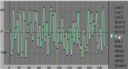 Have you ever needed an animation in which one object should make random moves? Well, there is a very nice script called gWiggle developed by g-LuL. But how it works?
[ev type=”youtube” data=”r6K2wxot8E4″][/ev]
It`s a lot easier than build this kind of animation frame by frame. To get the script file, visit sourceforge to download it. If you speak Portuguese, there is a tutorial about gWiggle here.

This looks like a quick and easy tool. Thanks g-LuL for taking the time.
If you know a thing or two about sound, I think the wav-to-IPO script could give you better results. volume could put an envelope on ipo aplitude, use white noise, and things like band-pass, echo, or reverb filters could do really interesting things to the randomness of the movement.
I think you could use IPO drivers to do something like this. Nice idea and script though!
I have problems running the script, a message appears saying that :
./blender:151: DeprecationWarning: integer argument expected, got float
�.�’,�L-
Nice!
Nice script. works great with arrays, you should try it out, it looks like there dancing.
Hmmm, also good for the good ole’ steadycam effect.
thank you so much :)
I was looking for something like this