

AniSculp technique – using the sculpt tool for animation

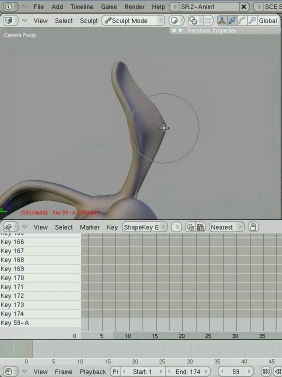 Daniel MArtinez Lara (psl/pepeland) has just uploaded a couple of videos showing how to use Blender’s sculpt tool for animation using blend shapes. The results look quite promising!
I’ve just upload a video about how to use sculp in animation (AniSculp), you can make squash & stretch, redefine a shape of a model or a face expression, fix skin problems and so on.
I made a couple of videos to explain It.
Take a look
(Make sure to read the text that appears on the blue bar at the bottom of the video.)
For those of you wondering how to convert your animation to vertex cache, see the video below (by pepeland/psl.)




Awesome! This will be an fantastic tool for blender users.. =) Thanks, Daniel!
Amazing, it’s great that Blenders main edge over the other pricy high-end apps are these powerful animation tools. The only other tool like this is LBrush, but that appears to only cover facial animation…
Great !!!
This is a really interesting idea!
This is an awesome approach daniel. Blender is just amazing. Way to go!
Brutal Pepe!
eso es sacar partido a las novedades Blenderianas, y lo demás es tonteria!
por cierto me he puesto tu interface y está mu chula si señor.
Un saludo y suerte.
Toni
lol.. I just discovered doing this the other day.. but for use with the GE.. I was wondering how you could use it with bones etc.. sweet vids.. thanks for posting them.
Awesome, thanks for the tutorial!
@AIUndergrad
Not to be the party pooper but Maya has basic sculpting too and this approach is fairly common, Blender doesn’t have an advantage in animation but seeing that the technique is at least up to par is great.
It would be nice if there was better handling for higher resolution models when sculpting, the main bottleneck appears to be memory usage, also dropping the detail level temporarily when rotating the model would help a bunch.
Wow wow wow! This is like achieving the details via a motion capture method. Awesome tool! ^_^
Ahh… I finally got it to work. ;) lol
I’ve only seen Maya’s sculpting tools used for modeling purposes, but not to push or exaggeerate a pose on ‘The Generi Rig’ or the ‘Moom’ rig, for example. Yet I won’t have to worry about building and rigging my own character to be able to take advantage of this technique through Blender!
genial…
yo hace tiempo usaba el modo escultura solo para modelar (sin agregar multi resolución)…
ya habÃa intentado usarlo con shapes pero me aparecÃa ese error; y con solo apretar un botón se solucionaba todo XD
bien por Daniel MArtinez…
saludos…
Thanks for the tutorial.
hi Daniel,
superb piece of work.
It would nice if you had a voice-over on top of the tutorial videos, reading the text and trying to read the menu choices are a thad difficult.
Otherwise, well done, great job.
– Dave
is it just me of is this guys face meant to be digitalized. his expressions are great.
Wow!!
Like the new animation techniques of Pixar!!