
Ambient Occlusion with the Node Editor Revisited

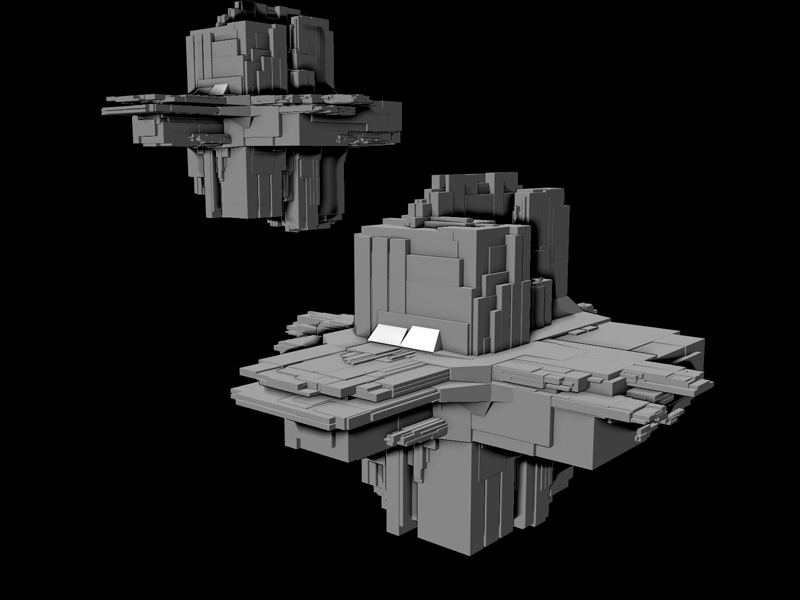 Blender’s ambient occlusion renderer produces wonderfully lighted scenes at the cost of LONG rendering times. Mike Pan has created a setup in the Blender node editor that will reduces rendering times by a factor of 60 while still giving very acceptable results.
Based on inspirations from matt ebb, crytek GmbH, and various papers, I manged to create a robust, easy-to-implement screenspace AO with blender, so here it is! My very own fake ambient occlusion using nothing but nodes!
This method, screen-space ambient occlusion with composite nodes, is also known as z buffer ambient occlusion, or depth buffer occlusion, or image based ambient occlusion, 2d shadow, and z-awesomeness!
Mike is not the first to do this; previously we reported on Matt Ebb’s method for creating an unsharp mask and ambient occlusion using the node editor. And while we’re talking about the node editor anyway, here’s also a trick to mimick Sub Surface Scattering effects.



Really, positively cool use of nodes, very helpful for my proyect IceQ. Since I changed my mind of working in my short clip code named “IceQ” in Yafray to the internal, due to noise problems and time consuming rendering…
This is what I needed…
Would be cool to see these nodes bundled as a new standard node in Blender.
The thing is… the new SVN builds of blender have some sort of not-yet-discussed fancy ambient occlusion that’s A: faster, and B: completely smooth.. :O
Well whether there’s a new hard-coded AO in the new Blender or not,
I can appreciate this method.
nice… I like it.. testing now….
well… meh… I have never had speed issues with the normal AO, while I compliment the effort, the quality loss for speed increase really does nothing for me.
I usually use AO around 2-6 on HD renders. Textures let you get away with this. When I need high settings, I bake it or use yafray (which tends to be way faster in skydome mode).
I am sure someone will find it useful so thanks for sharing!
—
KevinW
This is awesome! Even with its limitations, it can still be a tremendous time-saver for pre-vis. It should do fine in most cases, though. Thanks!!
Heh… it actually inspired me… and I spent whole day on just doing some abstract node animation. Node Animations – that’s an advantage in compare to mapzone. This technique is cool, nodes are cool. :)
A couple of notes for users who might be unfamiliar with nodes:
-The “subtract” node used is actually the mix node found in Add>Color… change “mix” to “subtract.”
–The “sharpen” node is actually the “filter” node in Add>Filter… change “soften” to “sharpen.”
Wow, truly impressive. First Vector blur and now ambient occlusion is simply amazing.
mh the shadows look very very dark.
not sure if that compares to AO?
I am curious why and how pixels3D was able to provide a lightning fast AO shader
with raytraced shadows and now NOISE in it. They use a REYES render engine.
it would be great in case Blenders AO could better use HDRI images.
for stills you could use bake to speed up rendering.
claas