
Shapeways: What’s new & Interview with Fabian Fricke

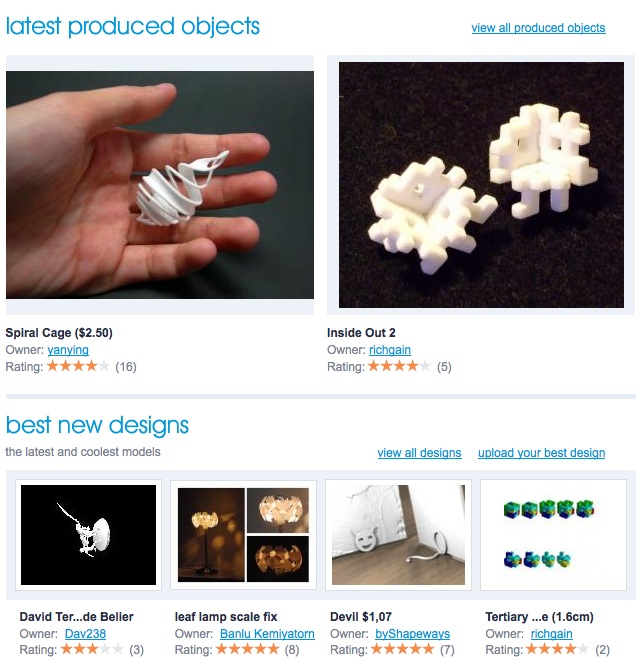 It’s been a while since I last wrote about my work for Shapeways. I don’t want to write about it too often, but there’s a lot of Blender activity going on here and I thought it would be fun to share the latest news. We’ve had busy times – I recently clocked in more Blender hours per week than ever before, fixing users’ models and preparing prototypes for our Creators (for the new Photoshaper I created more than 50 test models ;-).
Here’s a short update on what we’ve been up to. Also, I interviewed Blender user Fabian Fricke about his work and his impression of Shapeways.
Introduction: what is Shapeways?
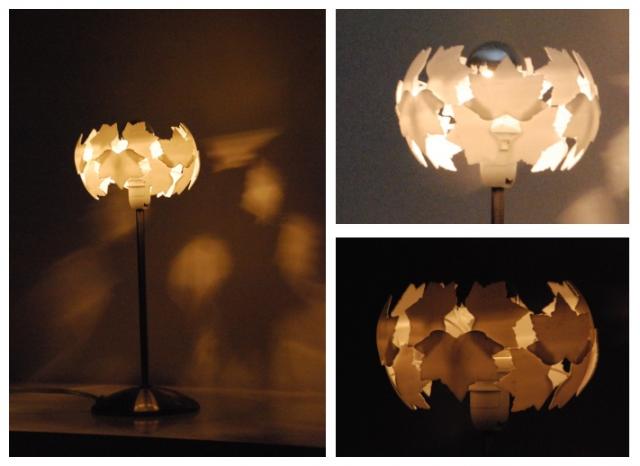 Shapeways is a 3D printing community. You can upload your own designs and have them created in full 3D in a variety of materials. You pay only for the actual printed volume (examples in the gallery). We also offer a bunch of ‘Creators‘ – ready to use object generators that you can tweak, by adding text or pictures for example.
There are a couple of ex-Not a Number people and Blender enthusiasts working here (some fun stuff: Shapeways sponsored the Blender Conference 2008 by printing out the Suzanne Awards, and printed a HUGE cornelius, just for the heck of it).
I work for Shapeways as a freelance 3D consultant. Yes, that means I can play with Blender all day :)
New Blender tutorials
 Designing for 3D printing takes some getting used to, and I’ve written a couple of tutorials on the issue. Some of them feature Blender:
- Yours truly appearing in a videotutorial on finding and fixing non-manifold parts in a model.
- A new tutorial on non-manifold types with lots of little Blender videos.
As a by-result of our tutorials, many people use Blender to clean up their models before uploading them to Shapeways. Most of this work includes checking for non-manifold (open) areas and fixing those. While not the most glamorous kind of work, it DOES introduce Blender to more people which is always good.
Shops: sell your work online
 Do you have some designs that you’d like to sell? You can now open your own shop, set the price for each model and let Shapeways handle the rest. Opening a shop is completely free and you can add as many objects as you like. I can’t give you the numbers, but some users are making a *very* nice bit of cash this way – without any extra work!
Metal Printing: Bronze
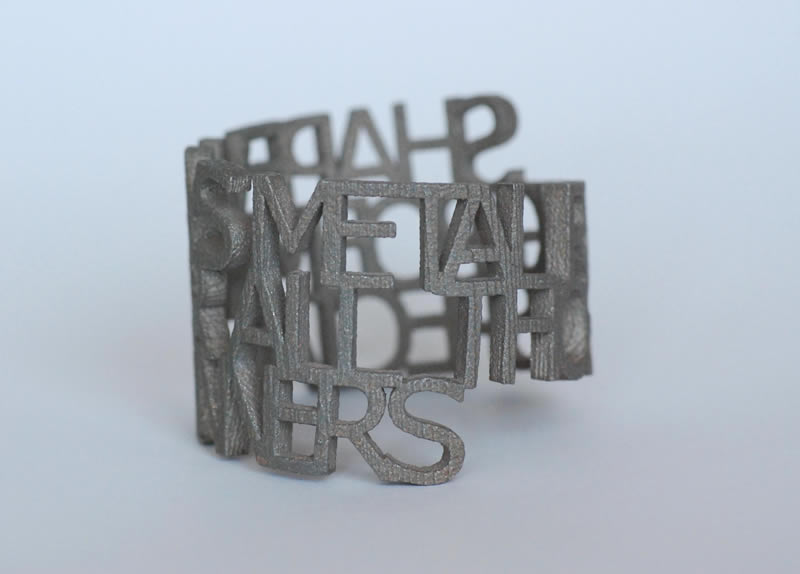 We’re currently doing some experiments with Bronze – the first test is allowing the Ring Poem to be ordered in bronze. These only cost around $40 per model which was quite a surprise. The Bronze Ringpoem is only available this week.
Price of ‘White Strong & Flexible’ material dropped by 10%
 We permanently dropped the price for the most popular material (‘White Strong & Flexible’) by 10% to $1.68/cm3 (you only pay for the printed volume; nothing else – also no shipping). White Strong & Flebixle is a great material to create moving parts – here’s a blog post I wrote about that which inludes .blend file samples.
Interview with Fabian Fricke
As we’re getting more and more Blender users on board, I was curious to learn more about how they use Shapeways. I talked to Fabian Fricke about his work. Visit his website for more samples of his work. Thanks, Fabian!
Q: Can you tell us a bit more about yourself?
A: My name is Fabian Fricke I’m a student and freelance artist from Germany. I’ve occasionally been dealing with brushes, pencils, clay and the wax from the dinner candle since I was knee-high to a grasshopper but a couple of years ago I decided to push this to a new, digital level. Whenever I saw a fascinating movie or played a good game I wanted to know how to create the things I saw on the screen and by starting off with programming I finally came across Blender where the serious part of the fun really began.
Q: How does Blender fit into your workflow?
A: I’m probably not what a lot of people might consider the typical Blender or open source software user. Primarily I choose software by the value it adds to my workflow. Everything that does the job the way I want it to gets a shot as long as it’s economically justifiable. So when I launched out into the world of 3D art Blender was the product that could perfectly handle my needs and I started to like it a lot because it grew with me and always served me well. One software package can not always live up to all your expectations though and each time this happened I reached out for helpful alternatives no matter if they are open source, freeware or commercial products. This way I have built up a system of several applications surrounding Blender which is acting as the main package and works as a gateway between all of them.
Q: How has 3D Printing changed your work?
A: I wouldn’t say that 3D printing has really changed my work or the way I work a lot so far but what it did was adding a whole lot of possibilities and opportunities. Some of my creations are now able to leave the solely digital domain and also enter reality in a whole different way. Even though I’m almost exclusively working digitally by now 3D printing allows me to hold my work in my own hands again. It’s great if you see your work being used for any sort of common print publications but having another dimension added is even more exciting and motivating. Additionally it allows the production of parts which would be very difficult or even impossible to produce with traditional methods and this way old ideas which you considered obnoxious might experience a revival.
Q: What kind of models did you print so far?
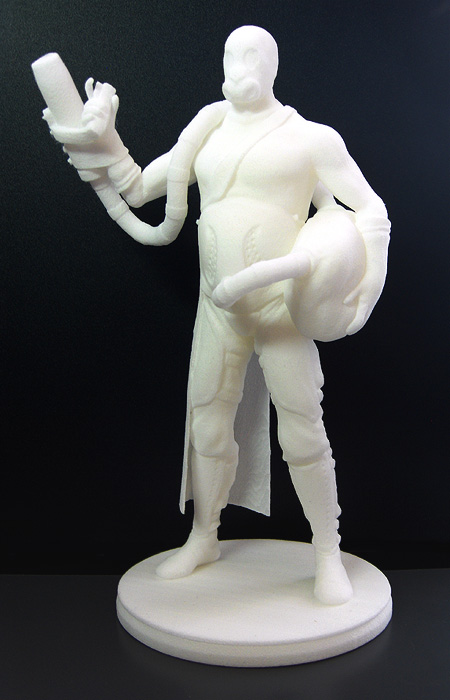 A: The first model that I ever got printed is “Gas Guy”, the main character of one of the larger projects that I’m currently working on. It all began last year as a random practice for a game art competition called Dominance War (www.dominancewar.com) and from there on the project grew almost restlessly. I sent it in for a contest held by the 3D printing company Shapeways and this way it made it to Siggraph in Los Angeles. The roughly 20cm/7.9inch tall model is now decorating my table where I am working on a demo game in the Blender Game Engine for him at the moment.
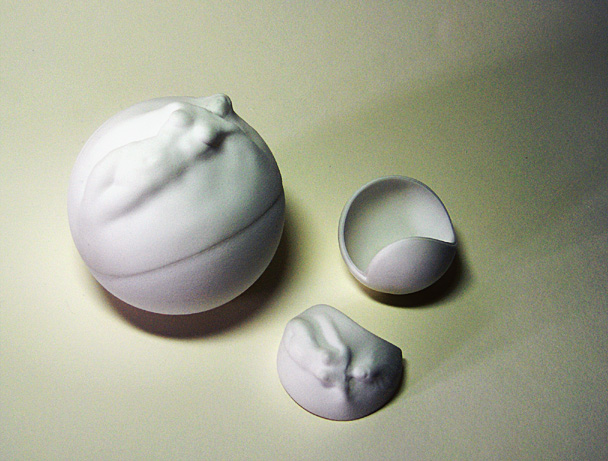
Another model that I got printed is a Christmas present for my sister. It’s a case in the shape of a ball with a life sculpting incorporated in the upper shell. I actually made two prints of this one, the second one with a different closing mechanism and some minor changes and improvements to make full use of the opportunities that this relatively uncommon shape offers (picture here – contains nudity). This is something that you can hardly detect as long as the model is still digital but having a prototype helps a lot.
Q: Is it difficult to prepare a model for 3D Printing in Blender? Do you have some tips and tricks for us?
 Blender offers a variety of useful tools in order to get your models printable but to avoid unnecessary trouble you should always obey to one rule: Work clean and organized. You yourself are responsible for how difficult it will be to export a printable file later on and no software can take that load off of you. It might still take some time to prepare very complex models but in general you just have to know the restrictions and possibilities of the technology and keep with them.
One of the biggest problems when preparing a model is the cost reduction. A lot of companies charge for the printed volume so properly hollowing out your model is vital. The solidify script that blender ships with has proven extremely useful for this task and should not be neglected.
Another tool that is often completely forgotten is the physics system: If you are not sure whether your model is able to stand on the desired pedestal because you fear that its center of gravity might be off, you can usually compute a satisfactory accurate approximation and even test what happens if the model gets hit from a certain direction. Intelligent hollowing of the model can again solve many problems in that area and make configurations possible that you would not have believed would be feasible.
Q: Any other thoughts on 3D printing that you’d like to share?
Earlier in this interview you asked me how 3D printing has changed my work but in fact I hope that my work also has its share in the development of 3D printing itself. This technique is still predominantly used for prototyping of industrial products and the like but as it is getting more and more accessible these days it’s starting to play a role for different business models as well. Sparking interest in new ideas at the several printing service suppliers is far from being an easy task in a lot of cases, but seeing e.g. some excellent fine art being brought to live by them can reward for the hassle and I really hope to see more of that in the future.


Wow. That looks cool!
great news when will these printers be available for in the home?
@ysvry: I wouldn’t expect that for another few years (depending on your budget, of course). The most promising one is Desktop Factory, who aim to have a $5000 printer. They just postponed the launch, though :(
http://www.fabbaloo.com/2009/03/desktop-factory-crunch.html
There’s an Irish company called MCor Technologies http://www.mcortechnologies.com/ that prints 3D shapes by pasting layers of paper together and cutting into 3D. Also worth a look.
@ ysvry, Have you ever heard of the RepRap:
http://reprap.org/bin/view/Main/WebHome
I believe these 3D printers are designed for home use.
Anyway, this is very cool stuff.
3d printing will prolly never be a cost effective home solution. With the cost of the printer and the materials the only way to be cost effective is mass sales. Think about the splash printer effect, when I was making lots of digital painting prints the only decent printing option for color representation was splash prints. Extremely expensive and kinda hard to maintain Splash printers remain a tool that is better handled by a large volume companie, and not well suited for home users. Also remember the cost of the autoclave, for cleaning your 3d prints, the cost of the support materials, The need for an extremely clean environment. I think the world of 3d printing is still best handled by a “make to spec. industry” and not a hobbyist.
Yeah! Shapeways should make custom wedding rings!!
@amar I believe 3D printers will become more popular. It depends on the technology that will land @home.
Selective sintering could be an option, but powders are dangerous…
Printers that require autoclave are excluded, I agree…
Fuse deposition modeling on the other hand is almost like a inkjet printer with a printhead depositing small amount of plastic layer by layer.
It’s not the most precise technique (yet) but with time it might get better… As you said now, all it has to do is become widespread, and it will become cheaper.
Oh. And I am very excited about metals coming to shapeways !
Its makes me to imaginate to have things made like this .
Like i send the virtual e-mailed 3D models ,and by magic “BANG!!!”
they send me back the little toy of it .
Yes !!
-what a female they are by made my kids !
-Do i have to pay for this ?
-wow its a factory ,how you made that ?
-What happen to my supose disposible er… 3D model ?
-Really? i Can see it !! But how it becomes real ? Not that it was not real before but …well..
-I see .Good and here it is ,thanks .
And thats a new idea for you 3D animators to have it done !!!
Damm ,and what about the marketing it made for your business !!!
There’s a spelling mistake at the top of the linked page on shapeway’s site. The title should read “Sculpt with words and create your own ringpoem”, ‘Sculpt’ is spelled ‘Sculp’.
Here’s the URL:
http://www.shapeways.com/creator/bronze_ringpoem
OOh… bronze! So… when can we order our models printed in metal? And is it really strong?
Good to see Shapeways making progress. One point about the website: is it just me, or is it very hard to find the rss feed for their blog? There are buttons to subscribe to each individual tag but I couldn’t find a link for the full feed. In the end I had to guess it based on the fact that they run a Serendipity blog:
http://www.shapeways.com/blog/rss.php
Am I missing something?
@gramma_nazi: thanks! We fixed it. (Shoudn’t that nick be ‘spelling_nazi’, by the way? ;-)
@macouno: no idea, but I think it would be a huge success :) I had one of these bronze models in my hand yesterday and they’re awesome! They’re not 100% bronze, by the way, but stainless steel with infused bronze. Just one hour ago, we were able to make a deal to offer polishing as a finish as well. Turns your poem into a mirror ;-)
@Paul: good point, I’ll ask our web guys.
Ooh! This just in: Loonsbury created a Python script for Blender to calculate volumes and Shapeways printing prices :)
http://www.shapeways.com/blog/archives/206-Shapeways-pricing-script-for-Blender.html
This stuff just keeps getting better.
Its amazing what things you can do really, you can pretty much make any objects you want, i can see it being very handy for making small props to use in short films etc. Not to mention custom parts for things than cannot be made by conventinal engineering techniques.
Seeing metal as a available material now is awesome, and the mirror polish sounds very nice indeed Bart.
The price script is great, handy to have for all us Blender users.
-Alex