
Mark IV Simulator using Blender for its graphics

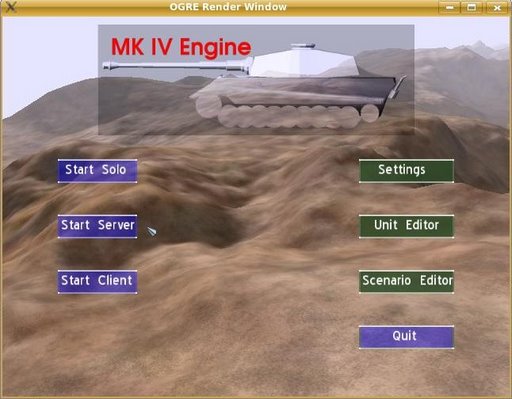 Anton Gerdelan is working alongside others to develop a 3D engine that can be used to simulate armoured warfare, with rules similar to those of traditional table-top war-games, but in real-time. And they have been using Blender to create the graphics and models for the engine.
We wrote Anton in hopes of learning more about the project. He gave us a rundown on the project and how Blender is utilized within it. I’ll let Anton take it from here:
I’m a researcher at Massey University in New Zealand, and together with a small group of contributors, I’m building the open-source Mark IV engine as a hobby project in my spare time. The aim of the project is to develop a 3D engine that can be used to simulate armoured warfare, with rules similar to those of traditional table-top war-games, but in real-time. I’m also using it as a test-bed to prove that some of the Artificial Intelligence algorithms that I have previously developed for robotics projects are also applicable to the field of computer games and simulation. I’m currently working on the networking engine to be used by the simulator, so that groups of human players can interact together.
Previous projects had fallen apart due to over-dependence on proprietary tools, so I was very interested in building this 3D engine with popular free tools, that were available to everyone that wanted to work on the project. I also wanted to make the simulator multi-platform, as there is no longer any need to develop strictly to Windows.
Right from the start I knew that Blender was the 3d modeling program to go for – free, just as powerful as commercial modelers, multi-platform, and easy to use. The perfect choice for hobbyists who want to jump into 3D-modeling quickly and get great results immediately. I actually chose the rest of the components of the 3D engine based on the criteria that they would be compatible with Blender models.

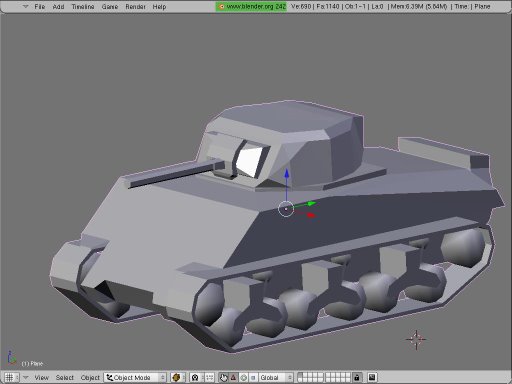
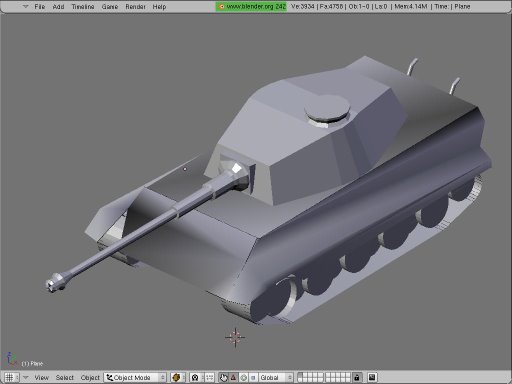
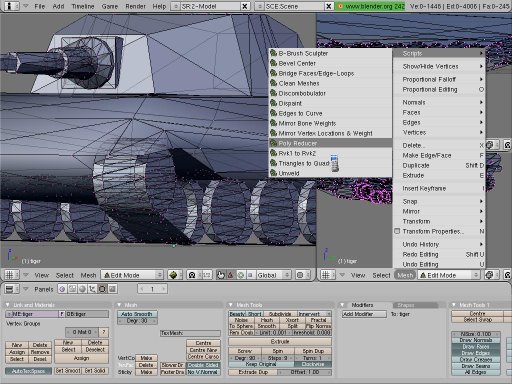
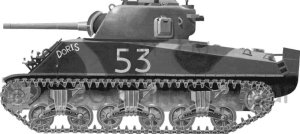
I ended up using OGRE 3D as my graphics library, which supplies some scripts to export Blender models into the OGRE 3D format. I found some beginner-level tutorials on making game models with Blender, and have used these to quickly educate myself and others (it takes about 2 hours to get up to speed) to a level where we can start producing the vehicles used in the simulator.We have perfected a little production process, that involves using blueprints or photos of real tanks and vehicles as a template for our Blender models. If you set the blueprints (which usually have a front, top and side projection) to the backgrounds in your different Blender windows, you can then design your model to real specifications (with a little bit of artistic license).
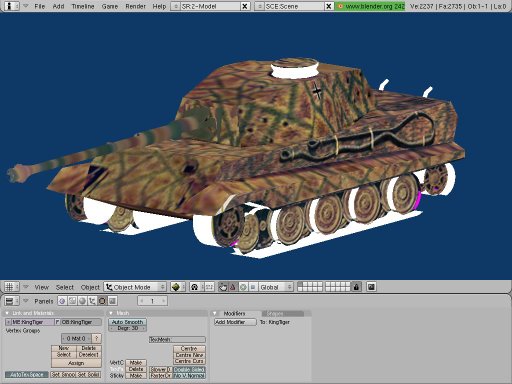
The other area where Blender is really nice to use is applying textures to the models. We don’t have time to do any original textures ourselves, so we have collected scraps of textures from photos, diagrams, drawings, and other places, which usually result in a motley collection of pictures of tanks taken at odd angles that we somehow have to make fit onto the model.
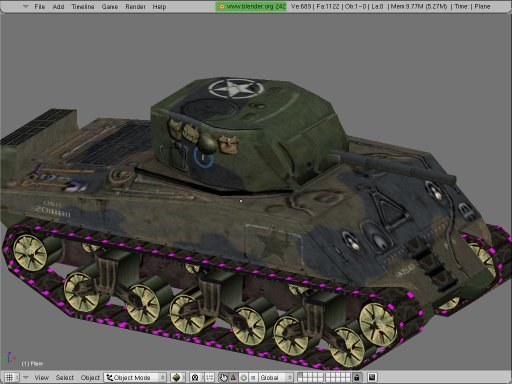
It’s actually really easy to do this with Blender, which lets you map the model to the picture, rather than have to painstakingly beat all of the textures into shape by hand. You can produce some models in this way that look very realistic. We’ve also grabbed textures from professional computer-game equivalents and stuck these on our models so we can see how much better they look on the models we’ve made in Blender in under 2 hours ;-).
The models are going to be viewed mostly from a moderately long distance, so we don’t need to worry too much about detail, but we will be adding some animations (moving turrets etc.), which are also quite easy to do in Blender, and compatible with OGRE 3D animations. We’ve thought about moving tracks, deforming tracks to match terrain, and other enhancements, but we would really rather reserve that CPU time for rendering more tanks onto the battlefield!
We are developing our Blender models on different workstations; Kubuntu Linux, and Windows XP, and have found Blender to work well on both platforms. Eventually we will be incorporating field artillery, aircraft, and infantry, which will all be built in Blender. The only problems we have had with Blender is keeping the scale and rotation of our models consistent between developers; there doesn’t appear to be an easy way to set the length of our vehicles to a particular size (i.e. in meters) to make sure that we are all building to a consistent scale.Regards Anton

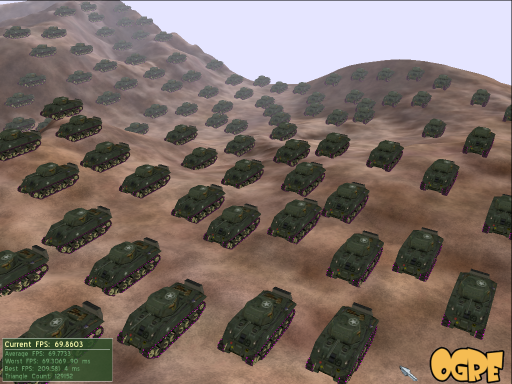
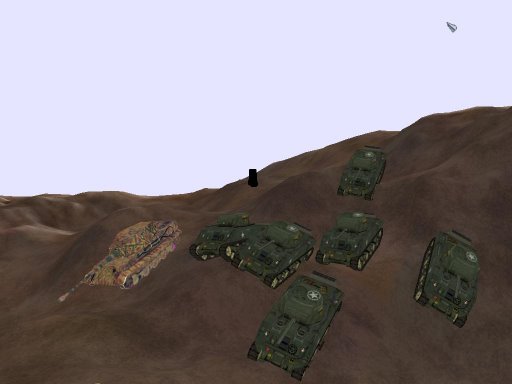
If you’d like to find out more about the Mark IV Simulator make sure to check out the development blog located here.
There is even a little tutorial on integrating a model into Mark IV, which can be found here.


Awesome! Can’t wait to hear more of this!
Neato!
My question is there a way to open a max file in Blender
not directly, convert it to obj or stl or 3ds or or, well loads of formats to choose from. .max can be opened only with max itself afaik.
I submit this new but I am not credited hehe, but it don’t worry me. I wanted to do another submit but the submit-form didn’t appear now, when it will work again?. Thanks
Wow. Now that’s cool. Anyone did some torture chamber sims?
I know some old buddies here in Germany who still have their
military WWII and WWI sim models mounted on huge tables
where I can sometimes play with. But having this in blender
wow. That’s future. Real sim 3-D Warfare. Boah, I cannot wait.
Really this is much much better than all this hard porn stuff
on the net. I sometimes felt I am a bit disturbed. But now I
know I am not. I am as healthy and good condition as you are.
I love you.
Interesting stuff! :)
@Jon : Maybe you will be interested in this:
http://www.battlefront.com/products/cmak/cmak.html
THE Real 3D battle sim.
*well i have learnt that peace is the hardest thing to simulate…simply because peace means all is quiet on all fronts???thne what will be the use of warfare???
you can’t either simulate war nor peace
You’re just wrong if you think you can simulate the shit of a war
I myself have wondered about building things to scale in Blender. I wonder if any plans for future releases will address the issue of scale. But anyway, sweet deal! This is looking cool. :)
Impressive work, Blender is bound to become a choice tool for real-time 3D development.
You can model your objects based on Blender Units and apply that scale consistently to every model you do. Check this page for a brief explanation about Blender Units. =) Great stuff by the way!
Santi beat me to the punch: the Combat Mission series are really great games and would probably be close to the holy grail of an open-source tank game.
By the way, is this project going to be WWII only, or are you going to do more modern stuff too?
@Freakydude well thanks, I have no MAX just a couple max files, oh well, I guess.
This game stuffs looking good.
I love the project. I’m a old table top war gamer from way back, and anything that can combined my love of that and my love of 3D modelling gets my vote.
I too would like something that could control dimensions and scaling in Blender a little bit more precisely. I come from a technical drawing background and have used serval types of CAD packages. One of my favourites is the program “Rhinoceros†(CAD and 3d modelling mixed into one). There has been talk about a CAD supplement for Blender in the past but the project seems to have died. I haven’t heard anything for awhile.
The only thing I have found that might be of help is this Caliper Script. Check it out it might be of use.
http://www.blendernation.com/2006/05/06/cad-tool-caliper-script/