

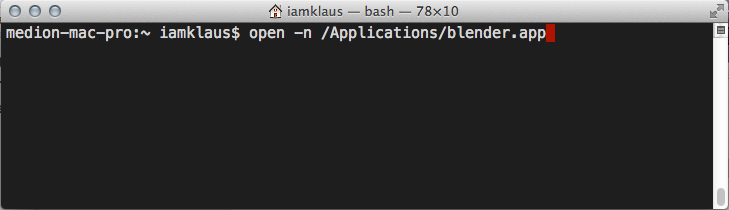
Iamklaus shows how to easily launch multiple Blenders on OSX.
iamklaus writes:
Coming from LInux or Windows, it is hard to understand why it is not possible having multiple Blender instances running, in order to work on different .blend files. There are different work arounds you can use. This is the one, which did work for me the best. So far I didn't have any problems.
In my short tutorial, I describe how to use a shell command and the Automator in order to have have the similar behavior like on Linux or Windows.
Link

8 Comments
Wait .. you can open multiple instances of Blender in Windows?! Dang it I'm missing something. I've wanted to do that for eons!!!
It's worked since 2.4 as far as I know, I've been doing it for a long time. Windows just works, funny that. :)
There's actually an easier method that doesn't require a shell command, using the Terminal or the Automator. Simply open Blender's package contents and find the blender unix executable in /MacOS and create a shortcut for it on your Dock. Click it multiple times to open multiple instances. Job done!
Laxy, that's a great tip! I'm gonna use it today.
Great! I will implement this trick into bBatch 1.05 !
I find it an architecturally poor design to run multiple instances of any application, when the app should spawn separate instances within the application to manage your need for multiple .blend projects running simultaneously.
So... you are in favour of multiple instances, but you'd like to have a shortcut within Blender itself to launch another instance, is that it?
Or just do Cmd-D on the blender.app