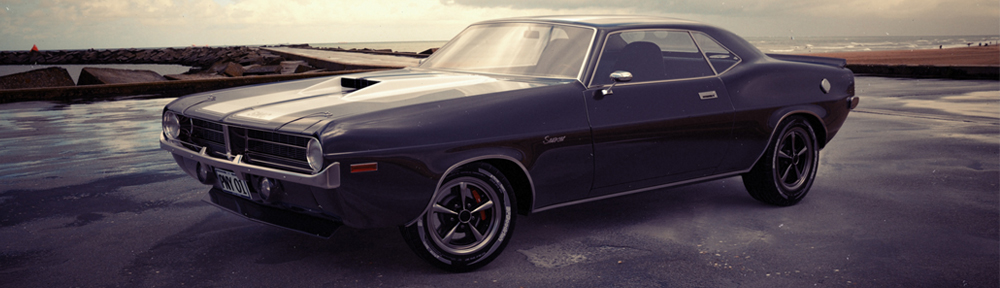

Blender Mesh Level of Detail Test


Reynante Martinez creates Level of Detail, shows the results and shares his files.
Reynante Martinez writes:Hi, Blender community! A couple of weeks ago I’ve had a conversation with my friend Brett Hartshorn, also a fellow Blenderhead and a developer, regarding LoDs (Level of Detail) in computer graphics and game engines. The idea struck me that out of my own curiosity, I wanted to try to deliver the same results inside Blender, and the simplest way that I thought of achieving this effect was to use Blender’s flexible drivers.
This can be useful on large scenes where you want to optimize objects and meshes, where the nearer objects are to the viewing camera, the more detailed and densed they get, and the farther they are from the camera, the lighter they are, to reduce overhead and load on your computer.
I was lucky to achieve some decent results with Mesh Dynamic LoDs using Blender’s drivers. And I just couldn’t let this test and the files sit on my hard drive, so I wanted to share it to the community as well. I’m now just left with the challenge of creating LoDs with textures as well. If you have some clever thoughts and workarounds on how to achieve this, I would love to hear your thoughts.
Here are short videos demonstrating this effect:
And for more info and for the .blend download link, you can visit my post at http://reynantem.blogspot.com/2011/11/blender-mesh-lod-test.html


This would drastically reduce rendertime for very complex scenes… I love it
Is there a version that does individual face tessellation, or is it only capable of applying the level of detail to the entire mesh of the object at once?
Because he’s basically just turning the subsurf/sculpt level up and down, I’d say no. It would be cool if different levels could be present across the same model though.
It would be cool if you could assign different mesh data for different distances yourself manually. Would be great in the game engine.
*Ding!* I think that’s actually the germ of the answer right there… tessellation needs to make it into the trunk of the game engine itself, and then maybe that code could be retrofitted for use with the main Blender engine. It works best as a transparent core-level feature.
wasn’t something like this being developed a long time ago?
http://www.blendernation.com/2008/04/04/adaptive-subdivision-modifier-in-development/
it’s basically the same thing, you can see the meshes flicker a little bit when zooming in.
Yeah, low detail for background models and far distance NPCs must be great for fps rate. Main objects can be much more detailed! :D If the process of reducing/ increasing the detail of the objects doesn’t hurt frame rate too much, every game engine should have this. But if it does… well, i wonder if it’s still good or not in a game.
Pixar developed a scaling algorithm that (as is obvious from their films) is essentially undetectable:
http://graphics.pixar.com/library/StochasticSimplification/
Perhaps, since this is clearly something the community is interested in, it’d be worthwhile making a bigger project of it?
Jude Jackson: Thanks for the link. Brett and I also thought that what if there will just be an LoD option (probably a check box or something) for all modifiers in Blender, where you can also set the amount of LoD an object will get with relevance to the viewing camera or distance parameters.
If possible, this can be useful for major modifiers like SubSurf, Multires, Hair Particles, Bevel, or even Armature in that case.
-Reyn
I find it interesting how the paradigms for LoD have changed over the years. I recall an early version of Team Fortress 2 optimized for low memory usage, while the final release ultimately used a higher-memory solution to save on processor time. I look forward to seeing these types of features make their way into Blender; perhaps dual solutions might be necessary to deal with both real-time editing needs as well as full-scale rendering needs. That would make an interesting paper.
Guys I have a question regarding the topic but not strictly connected to it :). I use Blender a lot in my game projects and I have one big pain with that. It’s creating LoDs from existing mid-res or high-res models (for example from ZBrush sculpts and so on – models that you get from someone and you’re unable to create a low poly version first). The problem is mainly with no option to preserve UVs while merging edges / vertices inside one UV island. It’s possible in 3d MAX to move edges, merge them and so on without the changing current UV layout. That is a huge time saver when you’re trying to make LoD models from existing meshes. Does anybody know a solution for that?
Personally I have always retopolgised my models separately from the high res for each LOD. I find that merging verts etc is far more time consuming and constricting. It’s preference I guess but I think the time taken to unwrap each model will more than be made up for in the time saved in creating it. Also, since you’re following the same basic unwrap layout unwrapping becomes a bit monotonous but very quick.
Yep! LOD is Definitely one of the exciting developments in real time rendering! Good to see people experimenting with it here.
You can also use drivers to turn other modifiers off/on/up/down. e.g. solidify may only be necessary when you’re close enough to notice the inside of a helmet, or mask can hide some details.
Drivers can also affect object visibility, which I use to hide eyes, rivets and other small parts that don’t always attach nicely to the base mesh (needing a gazillion extra faces for what amounts to a barely noticeable bump, except up close).
Unfortunately materials and textures don’t update realtime (yet???), to remove or resize detail textures or skip costly effects like occlusion when it’s hardly noticeable, if at all.
And drivers don’t do anything in the game engine (yet???), but it makes baking less of a hassle.
@google-e0c381fbffa1e92d9d7eb34f60e4a16e:disqus snik: The best solution will be BMesh, which is coming soon (but I don’t know how soon). It maintains connectivity data, meaning UVs, vert colors, weights and everything else will be easy to blend together, having immediate and persistent access to the properties of neighboring geometry. I don’t know if the BMesh builds on Graphicall have good decimate tools yet though.
Prehistoric Blender (2.49) has a script that decimates and keeps UVs. It’s not compatible with Blender 2.6 but if you’re importing meshes then it’s just another step in the pipeline.
Great work with the LOD system in blender!I’ve done a tweak to your work and I wanted to share it with you. The LOD is applied over the SubSurf (the level is limited with the python equation used in the driver).Also the object (Monkey) has 3 custom properties:LOD influence: Is the same multiplicator you hardcoded into the Driver curve. 0.3 in your file. So now the Driver curve is 1:1, and there is no need to worry about it.LOD max level: The maximum level for the display and render values in the SubSurf.LOD start: The maximun distance for the maximum detail. This means, if this value is set to 5 the camera can be betwen 0 and 5 blender units and you will get the maximun subsuf level.Above 5, the subsubf level will decrease.Using properties the user doesn’t need to use the (hard) driver editor.To try the file just move the camera (there is no empty in this scenario). The movement is limited to X axis, but I’ve tested it in all axes with proper results.Anyway I see 3 problems here:The implementation is absurdly complicated (or tedious) for a large set of objects. Maybe an add-on could automatize the process of creating (or deleting) the driver with just one switch button.I suspect the subsurf level 0 should not be used, cause the gap between level 0 and 1 is always too much evident. So 1 should be the lowest level.The “distance” between objects is really bad calculated in blender. I’m afraid it’s calculating the distance between object origins. We should be able to calculate the distance between the camera (its origin) and the closer point of the object or, if that’s too cpu consuming, the closer point of the bounding box.Also I just have though one thing: The driver should be flexible enough to detect which camera is the active one and then use it for calculating the distance.Here the file: http://www.pasteall.org/blend/9783
Hi People! Great work
Please don’t forget to check Eskil Steenberg’s approach. His modeller, LoqAirou, and his game, Love, both implements dynamically the algorithm proposed by him according to the distance:
http://www.quelsolaar.com/technology/CRoCCLSS.pdf
I already started a post inside Blender.org about Steenberg’s algorithm:
http://www.blender.org/forum/viewtopic.php?t=17298&highlight=
Yours,
Ortiz
I was hoping this would be a subdivision remover addon, like if you have a mesh with a collapsed subdivision in it; you could undo it with an add-on. That would be cool!
I was doing a ocean scene thanks to the Blender Cookie tutorial but it crashed on me so many times and I had to adjust the res for each ocean plane. This would be perfect for the ocean sim right?