
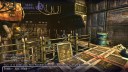
 Endre Baráth (Endi) has released the first installment of his Dead Cyborg game, a free to play Sci-Fi adventure game. The game uses blender game engine and is avaliable on Windows, with Mac and Linux versions on their way. You can download the game and play for free, and if you like it the next episode (currently in development) will be released when enough donations are recieved.
Dead Cyborg Trailer on Youtube
24 Comments
endi is my idol, such amazing game art, love the texturing especially
The webpage says the mac and linux version are "coming soon".. has this changed?
I like his usage of the Blender game engine.
the models and textures looks great...
and i like it even more, that you use the blender game engine... :D
forgive my distrust/skepticism, but how many donations are enough for episode II?
on the webpage is only a progressbar in % units... that means nothing... (3% of 1.000.000.000Bugs?)
and what happends with the donations, if there are not enough to "continue" development of the next episode? in the FAQ is written, if there are not enough donations, you will not give that next episode for free / noncommercial...
ok... also freelancer needs some money to live...
please don't take me wrong, but i mean the premise for donating looks a littke bit wrong for me...
donating for the work you already done is ok. but to sugest the next episode depending on donation (where is no mark how many is enough) with a very big "maybe" makes not a really serious impression on me...
"maybe" i have had a only a bad day today... sorry.
Nice! let's see :D
Hahaha "No action, no fear".
Looking very good. Waiting for the OS X version now. :)
Benjy
please change the text: it is only there for windows to download
as Endi states on his website:
Here you can download the Dead Cyborg Episode 1.
(Windows version only, but Mac and Linux versions coming soon.)
So, the download link (Windows version): Click here (Version number: v001.)
Remove the link to the Youtube video so it shown correctly.
Waiting for the Linux Version... It seems really interesting. Such a good game made with Blender. Unfortunately I have not Windows to try it... Please coders... :)
The name is wrong, its Endre Baráth.
Looks very interesting! Until the linux version comes out I'll try it with wine, may work. :)
It seems only Bart cares about the accuracy of information posted here. Please check your posts before you post them!
I tested it on mac OS X without problem, it's made with blender so I just opened it with the mac blender player,
it should be the same for Linux. He probably just didn't had time to write the batch files.
Very good art, very nice modeling and light, it's a great work.
Thanks. It plays a bit slowly with the keys haveing too long a delay.Perhaps its my computer being very slow with windows. Its space bar to start but you have to hold it and then not always.
Veri nice game, but the controls are terrible!
How do you start the game? Can't find the start_game.bat referenced on the downloads page, and it hangs on loading if I try to run it from within Blender.
@Matt
I think you hit the space bar key when it says start. But the keys are sort of weighted so there might be some confused delay.
Humm mu first post didn't appear.. any way, I just wanted to say that the game looks very nice, I'm not a fan of thins (genre) kind of games but looks nice as I said before, and haven't too much time to take a more in dept look, but good work! congrats endi :)
The .blend in the folder can be opened directly with blender under OSX and Linux.
On my Ubuntu with Blender 2.58.1 it load well and I can use the main menu.
But when I try to launch the game, I get the loading screen and nothing else...
Somebody get more under Linux?
Here's what I did for OS X, it's probably similar for Linux :
- Copy BlenderPlayer in the data/ directory (where the windows one is)
- Create a batch (where the windows .bat is)
OS X batch is :
#!/bin/bash
cd "`dirname "$0"`"
cd data
./blenderplayer.app/Contents/MacOS/blenderplayer -w 1280 720 32 60 levels/episode_01/episode_01.blend
Amazing graphics! And it's BGE!!!
@Endi: congrats on getting the first episode out. Been following your work for a while ... looks awesome.
The whole feel of this game takes me back to the days of infocom games like: zork and hitchikers guide to the galaxy.
thank you everybody
For linux users
download the static version blender 2.49b from here (with newer version will not work)
http://download.blender.org/release/Blender2.49b/
1 create a text file named it start_linux.sh and put it where the blenderplayer is:
2 put this command in the file :
#!/bin/sh
./blenderplayer -w 1280 720 32 60 ./levels/episode_01/episode_01.blend
3 copy the the levels folder form data folder where the blenderplayer is.
4. Allow executing file as a program and start the game with start_linux.sh and have fun!
btw: nice game! thanks endi.
Hell, nice gfx and all.
But PLEASE make a mouse control for the looking. No fun to play it this way.
CArsten
What do i do with the second cobweb!! i am stuck..playing episode 1 just started..