
Paolo Ciccone writes:
For years the integration of 3D in the post-processing pipeline has been dominated by commercials applications. Today there is an alternative that I think can compete with the "big guys". I just released the After Effects Exporter for Blender.
[...]
The exporter, nicknamed AEE, is released as Open Source Software and I hope to have it included in the final release of Blender 2.5. While other solutions have been tried before, I believe this is the first time that Blender has such complete support for After Effects.
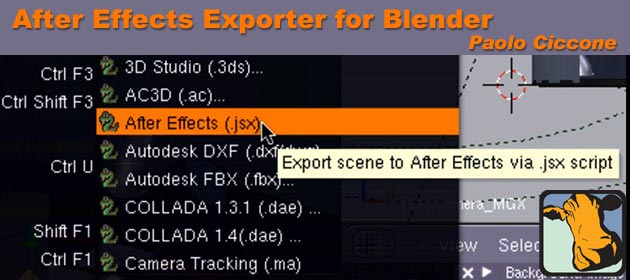
This program integrates in the File/Export menu of Blender and it allows you to export an entire animation from Blender to After Effects, including the camera, lights, 3D meshes, planes, all of which will create corresponding After Effects 3D solids, and footage. The Exporter even supports multiple passes.
Paolo has prepared a 20-minute video tutorial on how to use the exporter, and supplied a link to download the projects files, which includes the exporter, a Blender Python program, a manual, and the blender file shown in the tutorial.
(Also thank you to Mitch Klein for reporting that Creative Cow has just recently added a Blender forum!)
43 Comments
Nice
Amazing
This is perfect! I used the old exporter for 2.49, but this is much, much better.
Now we only need a Nuke exporter and we would be ready to work!
This is great but i'd really appreciate them fixing the multilayer exr erporter, it's been broken for ages now! is simply makes a dent in your workflow.
that said, i can't wait to see this for nuke!
let me tell this to my friends using maya and max. go blender...
this is great news. well almost all blender news is good news...
awesome news!!
I work with blender 3dsmax and AE, an exporter will save my life!
This is great, since I'm using both tools. Thanks, Paolo!
OH, please let it work... Don't toy with me. Can't wait to try it out.
That was awesome! I was looking for exactly this kind of tutorial for some time. And now I know|!
P.S.: He forgot to mention that Serious Magic was bought by Adobe and that Ultra 2 is actually incorporated into CS3.
Oh wow,
not only an exporter but also fabulous documentation. That's how it should be!
Nice Work!!!!
I can't wait to use this!
This looks like it could offer up many great possibilities, well done and thank you very much!
Excellent!
Congratulations on a job well done and thanks for the tutorial!
Rock and roll!
Wow - really looking forward to this.
- J
Does any one know a program like after effects but open source?
Thanks
FINALY!!! THANX
For exporting to Nuke, see this thread,
http://blenderartists.org/forum/showthread.php?t=124035
LetterRip
@DABUTI:
http://ramenhdr.sourceforge.net/
Is in development, but progressing fast.
Ironically Blender seems to be the best free compositing app right now, but having an exporter to commercial apps is a nice thing.
For those that need NUKE export, could you please test a current Blender 2.50 svn build and try the FBX export and report what is not working correctly for you?
According to the Nuke Manual, Nuke uses FBX for importing camera and other data (it can also use .chan for camera only, and bojour for camera only).
LetterRip
I recently bought the whole masters collection, so this is now the icing on that cake :-D Now I also need to learn After Effects. Ok. :)
Such an essential addition. Congratulations. I would dearly love to see a similar exporter for Apple Motion 4
So incredibly cool.
Oh this is just fantastic
nice>>>>>>>>>>
Thats good news
thats Amazing, really amazing, thanks, it would be nice if there will be for Nuke too.
Just wanted to say thanks to all for the great feedback. I don't use Motion or Nuke so other exporters will need to be done by other people but the .MGX tag was selected to be non AE-specific so hopefully it will be adopted by others.
If you have any issues with the exporter please post in the Creative COW Blender forum or at my website.
Best!
@Paolo,
I'm sure that Motion and other exporter variants will appear over time, as 2.5 moves towards being production-ready, and as the take-up of Blender broadens. I have colleagues who use AE extensively, and they (and many others) will really value your very valuable and generous solution.
All the best,
Martin
Great one!
Wow,
I saw the Video about AEE yesterday. At the moment I can´t believe that it is so easy to export my Blender Files to AE. - I quickly finish my coment and check it out myself ;-)
I´m pretty shure it will work out great...
Paolo, thanks a million times. Fantastic idea.
Thanx again
Frank B. from Berlin
Hey Frank.
You're very welcome. Let me know how it works for you. We have a great Blender forum on Creative COW, dedicated to the Motion Graphics artists who use Blender. Suggestions are welcome. I'm also going to add an email notification feature from my website to keep people updated automatically of the new developments of the AEE, like the Blender 2.5 version. It will be ready later today at http://www.preta3d.com
Best.
Hi Paolo,
I tried this in AE 4 and took me a while to get it right.
In the end it worked out allright. It's great !!
But....take notice of the fact that you HAVE to make a PLANE in Blender
I was so foolish to make it from a cube and scaled that one ; with a bad result in AE.
Took me hours and looking at the video-tut over and over again to finally realize that I
made a mistake in the beginning by not using a PLANE. So be aware of that folks !!
Cheers,
Olav
Hi Olav.
Yes, the usual method of duplicating the face from a cube will result into a "plane" that is 90 degrees rotated in the X axis. Now, to fix it in the AE comp you can simply open the rotation parameters (press r), Alt-Click on the stopwatch for the X rotation. AE will show you the expression for that parameter. To the end that add "+90" and the rotation should be corrected for all keyframes.
quite nice website, great perform, great to examine.
Really useful. Thanks for your efforts. Appriciated.
Hello! Quick question that's totally off topic. Do you know how to make your site mobile friendly? My blog looks weird when viewing from my iphone 4. I'm trying to find a theme or plugin that might be able to fix this problem. If you have any recommendations, please share. Thanks!
Its like you read my mind! You seem to know so much about this, like you wrote the book in it or something. I think that you could do with some pics to drive the message home a little bit, but other than that, this is magnificent blog. A great read. I’ll certainly be back.
I must convey my gratitude for your kindness in support of those individuals that need guidance on in this niche. Your special dedication to getting the solution all around came to be extremely productive and has surely empowered those like me to attain their goals. Your entire useful report means a lot to me and even further to my mates. Warm regards; from each one of us.
AEE does not show up as an export option. Blender 2.6.3 OS X "User Preferences/File/Scripts" is where I set the script folder. "Python Scripts" is not an option in 2.6.3 that I'm looking at. I copied 'export_ae.py' to '/Users/[user]/Documents/Blender Scripts/' and set that as the Scripts folder, but no love. I've restarted a number of times. Any tips or ideas?
I'm dealing with the same issue. Looks like I have to continue looking for a converter --unless you've had some luck since your last post?