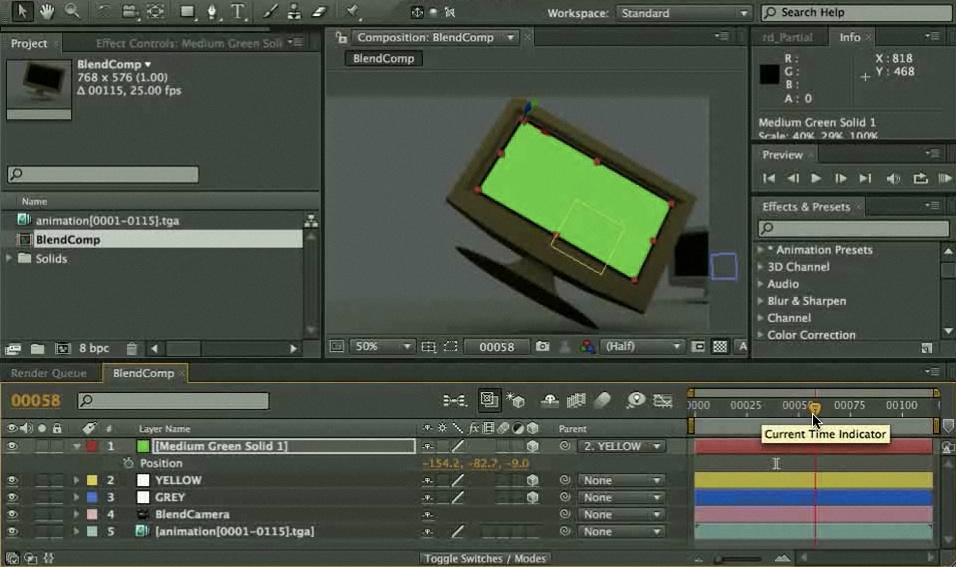
 Here's a script that exports Blender animation information to Adobe After Effects. It comes with a videotutorial.
Rounin wrote:
Just wanted to give a heads up to an updated version of Thomas Volkmann script. Bartek Skorupa update his script. It so much easier and works with both AE CS3 & CS4. Bartek has a video up of how the script works.
This I mention it's a tutorial too. You can download an even updated version of his new script (without a tracker/null) here.
This I'm sure is gonna help everyone for sure.
Links

25 Comments
Grate! Yeah!
Dzięki !
Pozdrawiam!
really really REALLY cool news for me :D
Great work, Bartek!
Yeeeeaaaaah! It is second best information today! Dzięki Bart!
Just made my day :)
excellent the kind of script which should be by default :)
Sweet. I use AE with Blender quite a bit. This will be a huge help.
~ J
Just need to learn AE. Or at least Wax.
YYYEEEEEEEEAAAAAAAA!!!!!!!!!! Finally!!! My brother and I are using AF and Blender in our video class and we were having a hard time doing them together THANK YOU!!!
aahh...finally after two years a short moment of fame and glory on blendernation :)
cool improvements Bartek!
O.o This is gonna be interesting
Thank.Your script & tutorial makes hard things easy.I like blender camera.
From the bottom of my heart if Blender internal render have GI now let go to rule the world.
A very useful script and great tutorials, thanks for this efforts.
I've been waiting for this for like EVER. I cannot wait to use it. I will probably have a use for this today. and every other day forever and ever.
You are made of awesome.
Very cool initiative. This will help a lot of people, and even take on the great Cinema 4D!
FANTASTIC work and excellent tutorial.
Thank you SO much, Bartek!!
simply elegant and useful script! thank you for sharing your time and talents with the blender world
Great. This is very useful.
Very nice script. This will allow you to put footage into a blender-render mapped to any position.
I do have a workflow question, though.
First take a look at this: http://www.fnordware.com/OpenEXR/
Does blender save the id and uv data when using openEXR format ?
If it does you should be able to simply retexture the needed parts in AE using the free plugin from above.
I did this a couple of times using Lightwave and DigitalFusion and the result were great.
No need to map any camera or Object
Just found a blendernation thread here:
http://blenderartists.org/forum/showthread.php?t=140040
Sheer awesomeness! So cool, thanks!
Now can someone please do a Monet or Mocha to Blender using XML export. That would be a huge step into the commercial/ pro world. :) That being said... After Effects integration is awesome- oh what about an export to layers for GIMP! Kinda like export to PSD in layers! And so on and so on...
Great script.. I just tested with AE7 which I have running at home... works great.
mthoenes
Yes! Now we don't have to go through motion tracking!
Though one question: Is it fully compatible with 2.5?
EDIT:
I just tested it and no. It isn't. That sucks.
Version for blender 2.5 available on my site.