

Review: Modeling a Female Body

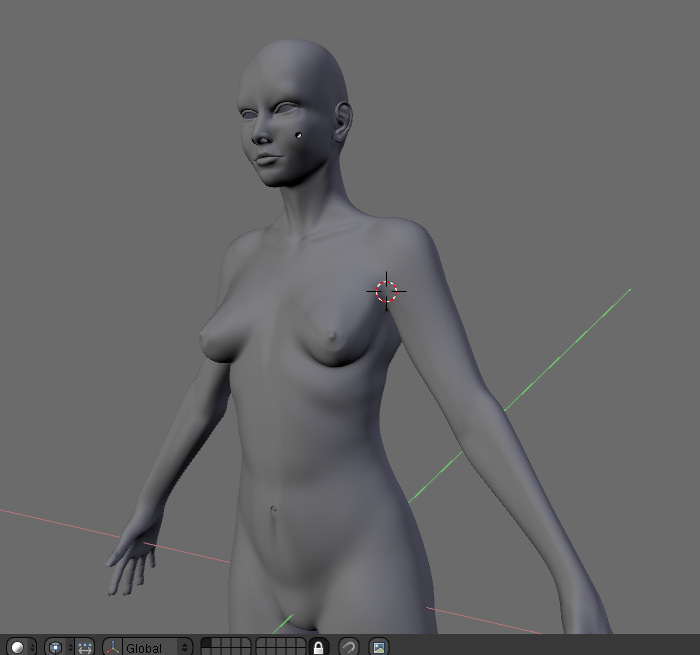
This post is a review of the Body modeling DVD created by Jonathan Williamson of Montage Studio. If you don’t know about Jonathan Williamson or Montage Studio I recommend browsing our past posts here at Blendernation or checking out montagestudio.org. They have a blog they keep up to date on the latest happenings at the studio.
In this review, I’ll do my best to touch on each topic covered on the DVD, so the reader can get an understanding on whether or not this DVD is for them, as well as describe the quality of the content.
The Body modeling DVD is a continuation from the previously released Head modeling DVD. Once again Jonathan is kind enough to provide copies of Blender 2.45 and VLC. VLC is an excellent open source cross-platform media player and along with Blender it means that you are ready to view videos and model along with Jonathan.
The completed models are included in progression on the DVD, so one could pick up the lessons at any point. The final model is included as well. The models are available in both .blend and .obj file formats for ease of use within other applications. And yes I’d say that these video tutorials could be easily translated to work with virtually any application with comparable tools.
The DVD doesn’t have actual structure to how the videos should be viewed, but we will go through them in a logical way. This lack of an order is something I’d like to see changed with the next DVD like this produced by Montage Studio. It would be nice to have some sort of menu structure similar to what the Blender Institute has done for its DVD’s.
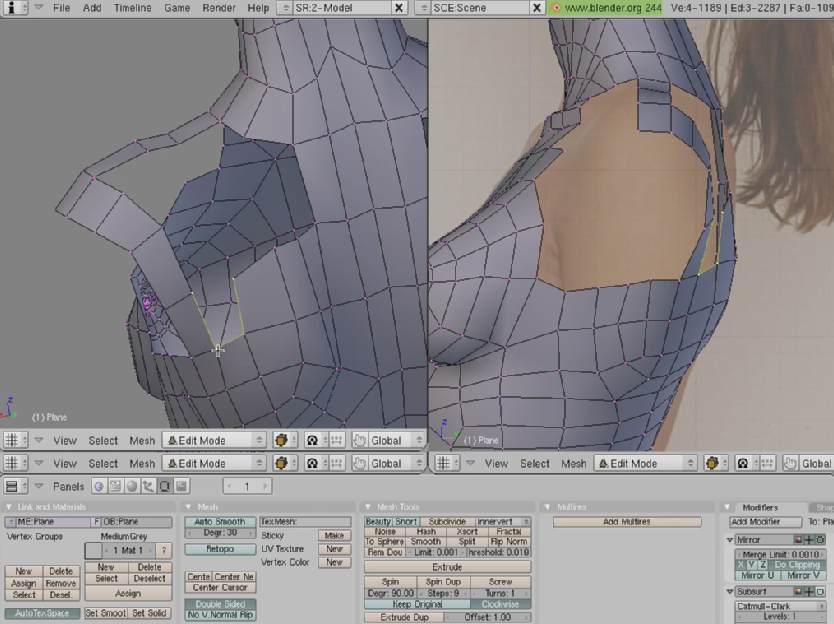
The chest and neck are the first logical place to start. Jonathan goes into detail on how the torso connects to the neck and goes through the process on creating geometry to fit the model anatomically correct. Its worth noting at this point that again I’m impressed with how Jonathan is able to explain the detailed process of creating the model without being overly repetitive and losing the viewers interest. He is very clear on where and why he creates the geometry he does.

The stomach video is full of interesting techniques. His method of scaling and translating the mesh to maintain the meshes shape is a very useful tip and something I’ve utilized myself a few times since. He explains some of the benefits of the loop cut tool. The navel portion of the video was fun to follow along with because of how it demonstrated how small geometry tweaks can mean a lot in the final effect. And Jonathan pays close attention to what he calls “subtle detail” and how important it can be.
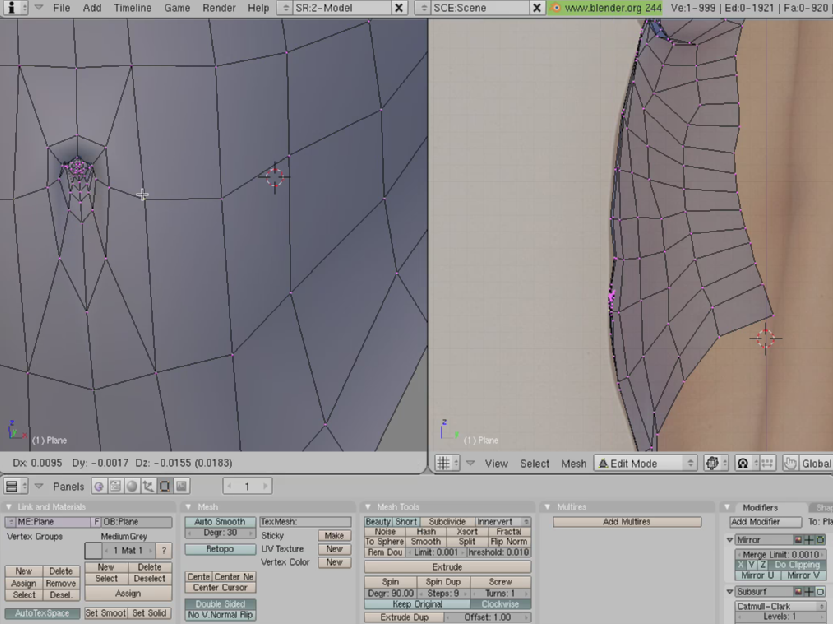
The lower and upper back were interesting to follow. The upper-back video does a great job of demonstrating how to create shoulder blades. The lower-back video again illustrated how simple techniques can go a long way. Jonathan clearly has a good grasp on muscular anatomy.
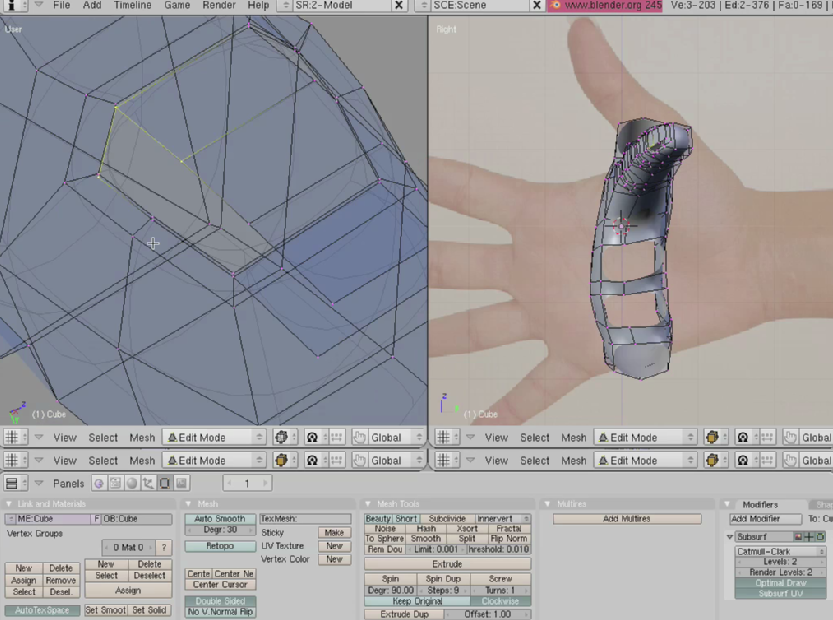
Hands are always a difficult thing for any new modeler to master. The hand’s need to be a balance of geometry where its needed and not adding too much geometry so its too difficult to attach the hand to the arm. This is something Jonathan does a good job of doing and explaining. I’d say the DVD is worth it for this video alone.
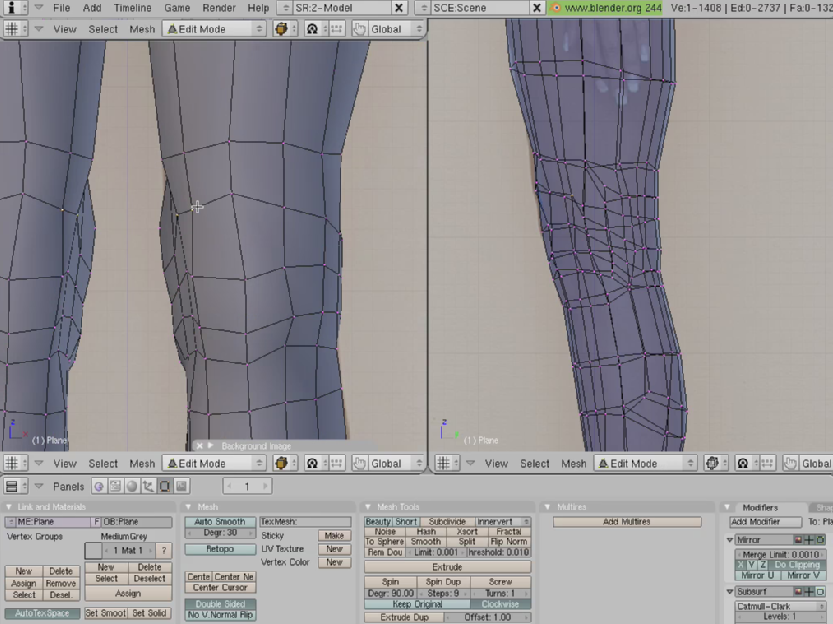
Legs and feet are the last videos that involve actual modeling. The most interesting thing about the leg’s video is the technique Jonathan used to create the knee joint. I will say in the entire series of videos this one was the hardest to follow. Mainly because it involves a lot of geometry cutting and editing. But just watch that portion of the video a few times and you’ll be able to follow along. It really is a good example on how to use the knife tools in Blender.
The final video goes into tweaking the mesh for that final detail. How to pose the model better if need be and uses the proportional editing tool a lot. A good look into using the tool.
I hope I’ve given all of you a good look at the videos and that I’ve provided enough information so you can make an educated decision on whether or not the DVD is for you. The only other negative comment I’d like to make along with those few others that I’ve listed is the variation in sound volume from one video to the next. If watched in sequence it can be a bit annoying having to adjust the volume between videos when he is harder to hear in one video, but not in the next. I do think that everyone will be pleased with the video quality though its very clear and crisp.
More information about the DVD, including how to purchase, can be found here.




I wonder how he’s work flow will change with support of ngons.
@Aka
umm it wont, quads are the way to go for organic topology.
Well. I had something different on my mind. Your way of modeling is different in max or maya and different in blender, because there are other ways to achieve same result.
Not another quad vs ngon argument please… Ngons can be useful in the modeling process and all quads are the desired outcome… Argument over… :)
“Ngons can be useful in the modeling process” – and this is what i mean. Don’t you cal that work flow?
I swear, somebody at BlenderNation is in my head. I accidentally opened my web browser instead of my music player, preparing to practice modeling a female body. That’s just creepy.
Thank you again, BlenderNation, for providing news at frighteningly opportune times.
Just wanted to add my own recommendation – I think these DVDs (head and body) are a MUST for anyone trying to get started in creating a realistic human model. After years of (occasionally) trying to get my head around Blender, these DVDs finally made it all come together for me, and turned me into a total Blender junkie.
VERY highly recommended!!!
Aka, I’m curious of this too, actually. I don’t forsee my workflow changing too much as I’ve never been a real big fan of ngons. Time will tell.
Gryphon, creepy how that happens isn’t it…
Whitefort, thank you for the kind words :)
Really, it’s not a matter of being a fan or not, but way of modeling in some situations is a little bit different. Either ways it’s all about modeling, isn’t it?
Whatever floats your boat and gets the job done. I own a copy of the DVD and have finished every tutorial – it floats my boat. :)
I find with n-gons it is easier to make a basic shape and then go back and edit it to quads later on, whereas in blender currently you have to sometimes go out of your way to make quads because it is more difficult to just come back and start doing cuts.
true
When it comes to a hobbist, its not practical to create front view and side view reference of a model before modeling.
Take the example of a real artist working with clay… do you see him making eyes,nose,mouth,hands,legs seperatly and then fit them together.. Now see whats happening right now in the world of modeling…zbrush …mudbox… blender sculpt… why do some many people support this kind of modeling… it all because they all start modeling in these packages using a holistic view of the model..they create the form then the detail…
I will never argue that Jonthan’s DVD is not good or his modeling method is bad… Its just that his method is the best to use for a software like blender that only supports quads and tris atleast for now..
But when you start using other modeling softwares like silo,maya etc… you can see that they all support ngons…and the final model(in case of organic models created by people who want to animate it) created in these softwares tend to have only quads in the final result.But they use ngons in the intermediate steps to achieve it.
Box modeling allows the artist to work on both topology and tweaking together very easily.When I model in wings 3d ,i find that its really good to see the final result right from the begining.You create a form ,then add more and more details into it.
Again its always the interest of the individual that matters.So before buying this DVD expecially beginners,should atleast try the free Wings3d to try out box modeling..after all its also open software like blender…then if you dont like it you can go with poly by poly method..
The one thing I miss most from the Wings / Mirai type workflow is the ability to “Connect”
Its that an open licence? like Mancandy and Teaser?
@Rangiz – no. U have 2 buy it.
/me cannot wait to see people’s results with this!
count me out on n-gons. I prefer working with quads and tris
@anomalous_underdog – u realize that this will change soon?
Aka, Blender may be getting NGon support soon but that doesn’t mean you have to use them.
@Jonathan Williamson – would be really great 2 be able 2 turn them on and off, if i understand u correctly.
@cracker – yeah, modeling with reference planes is like copying the image through the tracing paper – you learn to use pencil and tracing paper, and you get nothing from the things that matter – proportions, shapes etc. I have yet to see a good human body modeling tutorial for blender that is NOT based on tracing image planes.
As for quads/ngons discussion this is so irrelevant – ngons simply allow you to model without constantly worrying about keeping all quads or else. bringing the mesh to quads in the end is so easy. try wings all you quad junkies youll see what a real polymodeling should look like :)
Khm, khm!
The face still doesnt look like Aneta Keys.
I’ve never been very good at modelling human bodies. At best, I can create low poly (game quality) models that would probably would only have been considered passable during the late days of the PS1/early days of the PS2 (and even that would be a stretch). I’m hopin that this tutorial will change that rather undesirable circumstance.