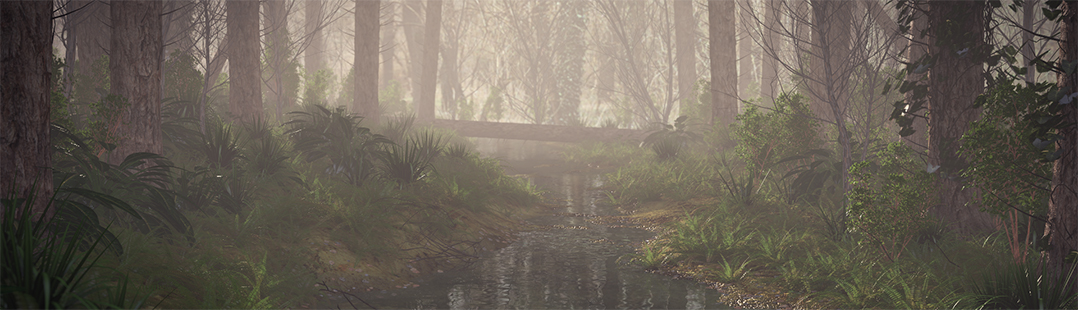

Tree from Curves video tutorial

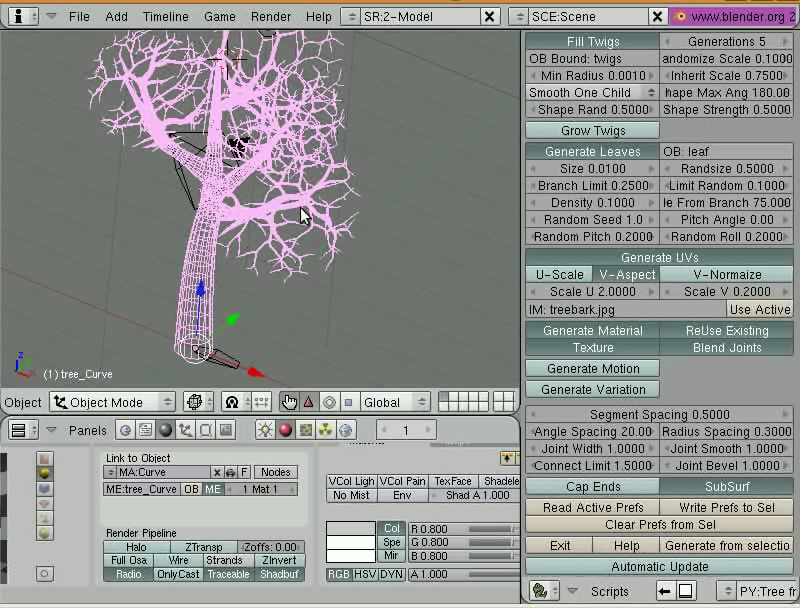 One of the coolest scripts that came along with Blender 2.46, is the Trees From Curves. This script was developed for the Peach Project, to create trees and brushes. If you want to know the basics of how this script works, Ideasman42 has produced a video tutorial, showing the basics to create a tree model.
The link for the video is available at the Blender Wiki, together with the documentation of the script. So, go there and start to make your own trees!




NEAT! Looks very useful!
I imagined the following:
Blender says to the Blenderhead: “Ok, just give me the basic shape, and let me fill in the rest for you!”
We’re one step closer from the magical “make an awesome movie about ” button (;
Haven’t checked the new scripts yet. Guess it’s time to give them a look.
Thanks for developing this script, and for pointing it out!
Ah finally , we will understand how this script works …
Thanks guys !
Peace :-).
hehe brushes (sic!) – look above – so the characters are able to annoy each other with strokes.
This is so great. I like it better than relying on some other program to create this kind of thing, even though many of the tree-plant programs I’ve seen are cool too. This is good because you don’t need to go elsewhere, rely on a certain OS for another app and you can depend on the settings to be what you need / can handle. PLus a library could be made pretty consistently for this kind of object. Love it.
Nice Tutorial !
Campbell is very relaxed, doesn’t rush through the manipulations.
Excellent script ! The man knows what he’s doing…
I also likes the way he hesitates with the orientation of the leaves : very reassuring !
I wondered what that was… thanks Allan and Ideasman!
Help, where do I download the script?
As a Crysis modder this is very awesome! Thank you!
I mean wow this is just awesome guys the more i look at this script the more INCREDIBLY awesome I find it.
Thanks!
IAN3D It is in the script menu of blender. included in 2.46
I have tried this script several times and I keep getting this error
Curve2Tree, starting…
reading blenders curves…
Traceback (most recent call last):
File “”, line 3627, in do_tree_generate
File “”, line 3608, in do_tree_generate__real
File “”, line 3276, in buildTree
File “”, line 269, in fromCurve
TypeError: sort() takes no keyword arguments.
System Version: Mac OS X 10.4.11
Kernel Version: Darwin 8.11.0
Can someone help me figure out what I am doing wrong.
Thank You
@zogdog, looks like your need python 2.4 or newer for this script, I didn’t test with an older python so my bad :/
Next release of blender will probably not support py 2.3 since its getting a bit old.
Thank You.
I do have the older version installed.
That tutorial was fantastic.
Such a nice looking tree at the end.
I would of liked it if he had zoomed out at the end and showed us a render, but still, a very easy to understand tutorial.
I’m gonna give it a bash now.
ZOGDOG, where did you download the script, can’t find the link? PLEASE CAN ANYBODY HELP
Yes I have 2.46, searched everywhere in blender trees from curves script, CAN’T find it, please can somebody tell me how to find it?
Perfect for my current project! So many lovely surprises hidden in Blender.
@IAN 3D : normally it should be under wizards in the scripts window
Peace :-).
@IAN3D
Yea! I also can’t find it and it isn’t under wizards :/
We must have srew up something during the instal or something like that :(
I have windows XPx64, what is yours OS?
This script is amazing!
I’ve been fooling around with it today, and here’s my result (complete with BBB-esque grass):
http://www.ironbarkstudios.com.au/misc/tree_test.jpg
The blender dev team just keep on closing the flaws in Blender. :) I was considering getting Vue 6 just for the trees, but it looks like I won’t need to anymore!
@IAN 3D: I had this problem as well. You will need to reinstall Blender, and when the question comes up as, “Where do you want to install the application data (with 3 options to choose from), choose the second option – install in Blender directory. That worked for me.
I think it has something to do with it using the scripts from the previous versions stored in your windows directory.
Anyway hope that works. Let me know if you’re still having issues.
It worked for me, thanks Andrew! ^_~
Nice tree btw :)
The script only comes with the pre-compiled packages. If you are running Linux find an RPM, windows download the installer. There should be a bundle download though, for those of us running stuff from Graphicall.org.
O_O This is way cool! One can make a tree in less then 1 minute!
Real thanks for this excelent tool Campbell as also for the great video tuturial!
Moi non plus je ne trouve pas le script, d’ailleurs le menu wizards (version 2.46) des scripts est vide !
J’ai essayé ce que préconise Andrew et… ça marche, merci beaucoup. Désolée pour le dérangement.
I have the same problem of zogdog on MAC.
What can i do ?
OK, the script is not on my blender 2.46, can I download it from the web, can anybody help?
http://projects.blender.org/plugins/scmsvn/viewcvs.php/trunk/blender/release/scripts/wizard_curve2tree.py?root=bf-blender&view=log
IAN 3D–
I found it here:
http://projects.blender.org/plugins/scmsvn/viewcvs.php/trunk/blender/release/scripts/wizard_curve2tree.py?root=bf-blender&view=log
then had to edit out the surrounding html code and moved it to my .blender directory
–Frank
very nice! :)
hey i cant use the scale thing wats up with that it scales if both arms are sel but not if only one is sel is scale still the s key in the new 2.46
Great ,i will give a try .
I guess that can be used for build characters and other stuff .
One problem I’m having! What key/click combination is he using to add the branches to the main trunk? I’ve tried left click to no avail. How do you add arbitrary points to the curve like that??
Thanks for any help!
Great tutorial and I can now make trees in a really speedy fashion.
One problem though, I can see the leafs in the GE. I can see the object, but not the duplifamed leaf. Can this be corrected?
Thanks.
@Bishofftep: He is using the L key for linking the extruded points to make the branches.
One question what is he doing when the trunk/curve splits into several pieces? Maybe shortcut keys could be added to the sides of the textpoints on what to do?
I know he said link key for the branches but how did he scale the trunk and get the seperate branches?
@jojoe: the scaling of the bezier vertex is done with ALT-S
see http://blenderartists.org/forum/showthread.php?t=109760&page=2
great tut and script gives good control to the artis.
i saw the tutorial..it great
but i have a problem
when i bevel depth extrude my curve doesnt becoma like a wire
its taking a pyramid form
can anyone help me and tell my why is that happening and how to fix it