

Two Quick and Cool Video Tutorials

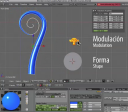 Wanna learn two very cool things with two short video tutorials?
- Pablo Lizardo has made a video showing how you can animate the very cool effect of ‘growing curves’ in Blender:
- And Kernon, from BlenderNewbies, shows how we can get a nice studio-style rendering to showcase our models.
Thanks, guys, for these cool resources.




Neat, I would’ve used the same technique. Not sure if I’d figured it out that well though. Thanks :)
(Sry Im new to Blender)
I dont have those Auto/Vector/Align/Free buttons in my Transform Properties windows. Is he using a new version of Blender or so? :|
\
VERY NICE! I wonder if thats how they did it in Elephants Dream?
Very nice and useful tutorial! Especially for animation beginners.
Great tutorial but I get lost and I don’t understand what’s going on from 2:00 until the end. Can someone explain please.
Rad!
yo both videos are well done
and the ideas are very good
thanks to the both of you Pablo and Kernon
and to Virgilio for posting this
Both are really nice tutorials. I liked the one on curves but will have to watch it a few more times as it was too quick for me to follow. The one on backgrounds was also nicely done and very useful. Thanks to both of you.
Heh, I always wondered how I could do this. Now I know. Thank you. :)
@Shadox:
The buttons are there in Blender 2.46 RC1
Shadox, I don’t have those buttons either. (?) I don’t know if it is a newer version or what.
Thanks,Volant!
Ok, thanks Volant. But isnt that a test build or so? :|
@Shadox: Yes, this is not the stable version of Blender. The buttons are not available on the current stable version (2.45), but you can achieve the same result if you press “V” instead. =)
I got lost during the editing of the taper object at 2:20 in the video.
I think its a cool video, but youtube isn’t really good for this.
The second tutorial is much better, higher res.
thanks
Excellent! Ever since I moved from Max to Blender I’ve longed for the Loft object that Max had… This made my day!
Very nice ! Thanks :)
@Dusty: Yes.
When Elephants Dream came out, Matt Ebb replied to a question I had about that. Check comment 37 and 41 at
http://orange.blender.org/blog/elephants-dream-released/
His simplified example file is still online, if you want to check out:
http://mke3.net/projects/tests/curves.blend.zip
this is quite cool when you also animate the cross section profile.
claas
hmm I get it so the curve grows but I can’t seem to get the curve to be fully disappeared when shrunk. any thoughts?
The second one is worth it!
But the first one is youtube-stuff! Buuuh!!
(hey, a brand new technique!! Never known before!! -> I mean it ironically!)
Behave!
Hey, thanks for noting my quick little rendering tutorial! I’m happy if it helps anyone.
I found the second one most helpfull, especially about amb occ and the shadows.
Hi,
Very cool tutorials!!
I noticed an animated effect whenever the viewport was changed from camera to top, or top to left view…
Is that visual effect something new at blender? How can I do the same with my Blender
Thanks in advance,
Guz
@Guzman: nothing so new…
just go to settings/View & Controls/Smooth View and set a value for it.
—-
Anyway, the “showcase tutorial” is a bit disappointing for me because it’s not using an official version xD
I used Blender 2.46 RC1 for the showcase tutorial. The only “new” feature used in the tutorial is the AAO. That feature is used in the Peach movie so it’s pretty official.
Well, then I can’t believe I did almost the exact same thing for a render show case. I guess it won’t be displayed on BlenderNation then. :(
Amazing! Absolutely Genius! I don’t know if you created this method, but I will certainly add this to my favs.
Couldn’t you also animate other things with this method? just wondering…