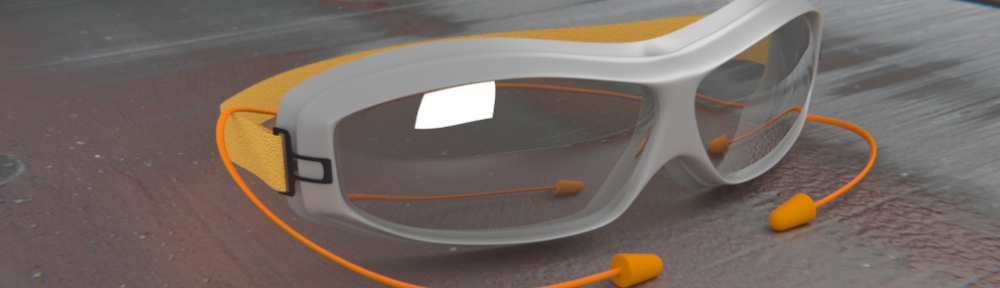

BlenderArt magazine #14 is available – “Cartoon & GE”

 If you haven’t yet played with Blender’s Game Engine, here is your chance to learn about some of the fun and interesting possibilities available. As well as some of the latest tips, techniques and “behind the scenes†looks at cartoon modeling.
Table of Contents:
- Modeling & Rigging a Cartoon-looking Spider
- Making a Low Poly Character from High Poly
- Material Retouching using Node & Vertex Color
- Creating a Cartoony animation with Blender
- Learning the Blender Game Engine
- Blender Game Networking
- Making of Orion Tear
- Making of Teenage Duck
- Making of Monkey Game Project
- Case Study Blender Realtime Engine
Get more information and download your copy, here.


A great volume!
AWESOME!
Downloaded – looking forward to reading. I actually got all your issues downloaded (as of today) and will have to go back and read from the start .. hopefully really start understanding this wild world of Blender!
Tadd, welcome to our reader base. We hope you enjoy it immensely.
Hello
still no “donate” button in the nice web site, for such useful magazine ( and big work)?!
Incredible! :)
Big thank you for all the “team”!
Bye
Hi Sandra,
The article on starting out with the GE was excellent! :)
Seriously though, I hope that the GE article in this latest version shows regular Blender users how easy the GE can be to use.
As they will already have existing modelling / animation / texturing skills, making their content interactive should be a very straightforward step – and more artists using the GE means even cooler content!
( btw thanks to Ton etc for running the BSoD, which encouraged me to do the original article )
Mal
LoL, I pay my staff in praise and fleeting fame.
Looks really cool. I have to say that I picked up the article even before the BN announcement. The cartoon articles look really interesting.
Mal: I have always loved playing with the GE, so I share your desire for others to discover how easy it is to use.
This publication is not only very good from a content perspective, but I find it very encouraging in terms of staying engaged with Blender in a number of ways.
Creating a community around an application like Blender takes a lot of communication… and this is a positive contribution to a learning curve.
Thanks. Very useful as always.
Wow, this issue sounds very very interesting. Now Blender just have to run on Leopard
Awesome work & thanks for this magazine!
woah that dead of night piece in the gallery thing is incredible!
Wow,thank you Sander Gilbert,its good issue
and thanks of all the people of magazine.
all of issue is useful
Wow,thank you Sander Gilbert,its good issue
and thanks of all the people of magazine.
all of issue is useful.
For those intereted in the potential of compositon, as mentioned in the first lines of this issue, my first ever micro tutorial on how to make the grid of the rule of thirds, for your own cam in blender 3d Window.
1. Make a plain 2. Select the plane, shift select the cam (in object mode) press CTRL C and select rotation. This make the plain with the same orientation as the cam. 3. make it closer to the cam, and make it the same size as your cam view. 4.In edit mode select two parallel edges, press K then select “knife (multicut)” then 2 for the “number of cuts”. 5. Do the same with the 2 other parallel edges. 6.Select all the faces of your plane and press X then “Only faces” to only have the edges. 7. In object mode select first the grid you created then the cam and press CTRL P to make the grid son of the cam (so if you move the cam the grid stays with it!) 8. Use it in your images composition and enjoy! (Dont worry, it wont appear in your renders)
Here is reference image: http://www.ivanegues.frih.net/iearchivos/composition_blender.jpg
Happy composition!
Ps. Thanks for a great magazine!
Tons of gratitude and a small request!
Thanks a lot for the whole team and to Sandra Gilbert in particular for making this fantastic magazine available to the community. You have my undying gratitude for a lot of very useful material. I believe I have been downloading the mags from issue 1.
Maybe this request is too early, but the whole thing of using Crystal Space combined with Blender is very mysterious (as is taking place in the Apricot project) and makes me want to learn how to do it too. Of course I will buy the DVD, but a nice ‘beginners’ tutorial will be really appreciated by many people, I guess.
Just a small suggestion for a future magazine issue.
I have often wondered about how to use Crystal Space myself. If someone who is knowledgeable about that would like to write an article, I will definitely publish it.
It’s definitely something we want to do soon from the apricot project.