

LEGO Construction Manual

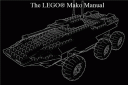 An artist called Gregor Lamche just used Blender to make a manual, on how to build a LEGO Mako model. But what is a Mako? It’s a vehicle from the Mass Effect game, from Bioware.
I got blender for around 2 years now, but I never made any big picture, now vid with it.
But just recently I made a little manual with it. Its nothing big, just a construction manual of a LEGO Mako (Mako = a vehicle of the coming game Mass Effect (www.masseffect.com))I build a model of the Mako in real live and thought that may some others on the world would like to build one too, so I just made a manual.
If you want to check out the manual, visit this link.




more lego-models:
http://flickr.com/search/?q=blender+lego
http://youtube.com/results?search_query=blender+lego
Really interesting topic. I worked some times ago on a similar project, please see a related post on my website http://www.thomasbaron.net/posts/view/lego_modeling_in_blender_and_rendering_with_yafray
With simple settings, realistic renders can be achieved pretty easily. Modeling is easy for some parts, as there is plenty of repetitions, but some parts are much more difficult.
Hi, great tut but it also would be nice to have some tips about modeling the pieces.
Season greetings,
Jorge
In the past I’ve used MLCAD to make schematics for Lego models on the computer in 3D. It’s a very good program, which is gratis but unfortunately not libre.
It is based on the LDraw models though, which are sort-of-libre, but forbid charging money for the content (and thus are not FSF-approved).
To James Hales : yes, but as there is an importer LDRAW => Blender, you can use the LDRAW model as a blueprint to model detailed Lego pieces. And it’s really necessary to achieve realistic models, because LDRAW shapes are too simple : no bevels, for example.
I’ve done it this way to achieve the start of the #8448 I tried. I can post my base library if necessary.
Alternatively, if anyone just wants to build some lego models, Lego’s own Lego Digital Designer Program is fun and easy, though not as robust as LDraw.
http://ldd.lego.com It even lets you upload your models to their site and purchase the parts needed. Only drawback is it seems like half the parts you can build your models with you can’t actually buy. But it’s still fun, has nice realtime GL graphics, and lets you print a manual as to the models construction.
Is there a way to import LDraw models into Blender? Given LDraw can export to a format Povray can read, I can’t imagine it’d be that difficult?
I had no luck with the ldraw importer, BUT I found leocad http://leocad.org/ which reads and writes the same ldraw files lcad does, but also exports to obj and 3ds.
I have only tried the 3ds but it is flawless as long as you unclick the ‘image search’ option and set ‘size constrain’ to zero.
Then when you have lego bricks in your Blender scene, scale them by 1.25 in all dimensions and they will line up perfectly on the grid.
I would also suggest converting all tris to quads for easier editing and cleanup. Many of the bricks need a little bit of work to make the geometry nicer to work on and render. A next step would be to use an edge split modifer to make the stud sides smooth while letting the non-cylindrical edges stay sharp.
I find it MUCH easier to use blender on imported bricks than trying to use the limited viewing and manipulation tools in lcad or leocad.
I used Leocad, but some easy search can brought you this link : http://www.geocities.com/zerog_studios/ldraw.html
Dimensions of Lego bricks in Blender are easy to deal with : use 1 Blender unit as base width and depth, and 1.2 Blender unit as basic height.
Mass Effect is amazing! Go Mako!
Or … you just take a guide and size it all by yourself with 1 blender unit = 1 cm
That leafs more control of the final brick.
My bricks a high detailed but because of the easy geometry lowres (see the studs)
I don’t know about the ldraw thing, but I real thougth a days of making the ‘LEGO’ simbol on the studs …
Greg the Mad
That’s pretty neat. I find it very easy to make LEGO models in blender using the LDRAW -> Lightwave converter found on the ldraw website and then importing the .lwo into blender.
Good Job!
Maybe there are more blender/LEGO fans than I thought. =)
puta puta puta puta a se me olbido mas puta
Great articles and blog content. I will bookmark.
An effective design is worth a hundred words. That’s how they say. And it’s true, indeed …