

BLenses: Real-World Camera and Scene Matching in Blender

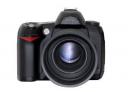 What do you think about cameras in Blender? Well, for K. G. Nyman the camera could be better, so he started to develop a script called BLenses, and now the script is available for download. This script makes the process of matching the actual lens focal length of a real scene, with a virtual scene in Blender, a lot easier. And it works for animations too!

Very cool!
wow, haven’t used it yet but looks impressive
Fantastic, another tool for producing professional quality results with Blender. This is also something I will need in the new year, and I was expecting to have to compile my own sets of tables to do it manually, so to see someone doing most of the work for me is a great pleasure indeed!
Wow! Nyman has really done his homework on this!
Quite impressive. So I guess this means we can now easily simulate things like DOF and fish-eye lenses in Blender? I’ve been waiting for this!
This looks like a very useful script, I think this would be a good script to replace the existing camera settings in Blender. Maybe the author should submit it to Blender Foundation :)
Markus
That EXACTLY what I need! (shame, I’m not able to make stuff like that myself, but one day I wil:)
would be cool to have this script bundled with blender.. :)
looking very good i wall try it thanks
Sexy – please add onto list of stuff that should be built into Blender :)
I think that this tool will be very useful for matchmoving !
Thanks a lot !
Thanks a lot for the heads up, and for K. G. Nyman for this priceless script. I’m sure I’ll be using it a lot! =)
Very interesting and well done. It would be great to have a .blend to go along with the web pages. Thanks K. G. Nyman and blendernation for this informative thread.
“Nyman has really done his homework on this!”
Except he misunderstands what an aperture is. It is NOT the sensor area. The aperture is a variable sized hole placed between the lens and the sensor to restrict the amount of light reaching the sensor and control what parts of the lens light can reach the sensor from. It mainly affects the exposure and the depth of focus.
The sensor size is known as the ‘sensor size’.
However, it’s still great that he took the initiative and time to do create this. Its something that more of us should do. A bit of mixed up terminology doesn’t make it work any less well.
“This script makes the process of matching the actual lens focal length of a real scene, with a virtual scene in Blender, a lot easier.”
Funny thing is I actually just did a tutorial on something like this recently. On how to basically do the same thing manually by hand. Except my tutorial was about using this to do camera-mapping. So if this does it automatically then I’ll be checking it out for sure!!
Almost scared to put the link to my tutorial here, for fear that my site gets Blendernationed! lol
Oh well, my tutorial isn’t that good anyway so I probably don’t have anything to worry about:
http://www.mindinsomnia.com/tutorials/image_2_3d/
If this script works as well as it looks then I reckon it should be apart Blender.
@Robert: Well Robert if you know more about the terminology he should of used, then maybe you can help him. Just need to find his email address (searched a little bit on his site but I can’t find it). Just email him with suggestions for improvements to the article or corrections. He’d probably appreciate it.
The US inch was redefined to be PRECISELY 25.4 mm in 1958. Before that, it was slightly OVER 25.4 mm. I don’t know where Mr. Nyman got 24.98mm from — maybe the inch in Great Britain? And there are several other technical errors (the use of the term aperture was mentioned already). Nevertheless, the script does a pretty good job of producing a perspective that matches the camera’s view.
Thanks for all the comments, folks. I really hope BLenses can be useful to you all. It’s my first Blender script of any significance, so please be patient with any glitches, and let me know about them (see bottom of this post).
Regarding some of the more critical comments (appreciated, let me assure you!):
I use the term “Image Aperture” (not “Aperture” or “Lens Aperture”) as a means of identifying the area in a camera where the usable image (that which is recorded by film or sensor) is formed. In motion picture technology, that is called the “gate aperture,” formed by an “aperture mask”. The word aperture denotes a defined opening to admit light. It isn’t restricted to that area formed by a lens’ iris. It also helps avoid terms like “film width” that can be rather vague.
“Sensor size” is another one of those terms that as far as I can tell is rather vague. Does it denote the physical dimensions of a sensor chip? That’s my assumption, but I could find no firm documentation. Nor could I find any data about the actual portion of a sensor chip used to form the recorded digital image — is some portion at the edges not used? Given the nature of microchip technology, it seems unlikely that the usable sensing area would extend to the absolute edges of the chip. Some number-crunching I did seemed to confirm this, although the bottom line is that the unused area of a sensor chip may be fairly negligible. But with the lack of confirming data, I wasn’t going to assume that.
Regarding the millimeter/inch conversion: Yes, the “international inch” = 25.4 mm. However, part of my career has been as a technical illustrator, and I’ve read countless blueprints, schematics, and data/spec sheets that show the conversion factor to be 1″ = 25.38 mm (not 24.98 — where did you get that figure, Dave?). There’s an example at http://pdf.directindustry.com/pdf/woodhead/profibus-products/11614-22832-_34.html . I’ve always considered this to be the “engineering accuracy” conversion (and it’s used in film gauge conversions as well), so that’s why it appears on the BLenses site. I suppose in the long (or even short) run, either 25.4 or 25.38 will work just fine.
Re: fisheye lenses and other optical distortion-type lens emulations. No, BLenses does not do this. It’s meant to provide more accurate field of view settings for Blender, based on the field of view a camera and lens combination would provide. Optical lens simulations are incredibly complex, and would require basing the sim on a particular model of lens, since all lens components affect the final imaging characteristics. BLenses uses a much simpler abstract “thin lens” model and is most useful for perspective-matching Blender and real-camera imagery. As such, there will always be some difference — one of my examples on the site show how lens barrel distortion can affect the matching process.
I’ll leave it to others to decide about integrating BLenses into Blender. One problem is that using the improved math formula may “break” scenes made with the less accurate original math. This was an issue with another 3D app I wrote a lens/FOV-matching script for. So having it as an optional feature seems more flexible.
The BLenses script header has contact info, btw. I don’t usually publish an email address overtly because of spammage. Whatta world! Whatta world! I also post frequently on the blenderartists.org site, as chipmasque. You can find the BLenses release announcement thread in that site’s Python section an post bugreports there, too.
Again, thanks for the kind words. Keep on Blenderin’!
Karl “Chip” Nyman
I’m on windows with 2.47 and copied the files to …\Application Data\Blender Foundation\Blender\.blender\scripts and …\Application Data\Blender Foundation\Blender\.blender\scripts\bpydata\config respectively.
Then I restarted blender, set a window to type “scripts window”, but in scripts->wizards only “tree from curves” can be found.
The camera is selected. I could not find the term “current camera” anywhere in the documentation as you suggest on your site, so I don’t know what is going wrong.
Help appreciated.
As everyone else has already said, many thanks for the work! Minor quibbles: pace Robert, “aperture” has multiple meanings, including lens aperture, focal plane aperture (e.g. “Academy aperture” in film work), and electron gun scanning aperture in CRT-based television imagers and displays. Dave Wallace is more correct that he realizes: The inch has been exactly 25.4 by definition in the U.S. and British Commonwealth since normalization in 1958, and even prior to that it was off by only about two parts in a million. Karl is correct that the ridiculous “25.38” figure appears many places, but it’s the engineering equivalent of an urban legend and appears never to have been correct. But as he says, for practical purposes it hardly makes a difference.
Thanks for the Greet Information!