

Guide on Blender Fluid Simulator’s Parameters

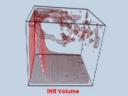 A Blender artist called Antonio Gessi, has published a very cool guide about the Fluid Simulator options. To make this guide even more interesting, all parameters are illustrated with animations. For instance, when he explains how the Domain option works, there is an animation showing how the fluid will behave at different resolutions.
Update (24/11/07): Antonio has moved his site; the link is working again.



Awesome. Couldn’t stop watching until I’d seen all the vids ;-)
Very well done! I learned a lot. This seems like an excellent idea for other areas of blender too. For example particles and softbodies.
Can you create clouds with the fluid simulator? Everyone seems to be making videos of liquids, but I have yet to see it used to create clouds or other gases.
Grazie!
Very interesting examples! However, I have to say that the fluid animations I have seen so far move more like jello or cement, than like water. Is this just a question of the resolution setting, and no one uses “realistic” resolution levels due to the processing time needed? There is one exception, the case of individual particles floating on the fluid surface appear quite realistic. I guess it’s rendering the fluid surface itself that gives it away as too “blobby”.
It cannot render gases. It can only simulate non-compressible fluids. Hence, it is only for liquids.
or for uncompressible gaz… but you’ll require a rendering farm if the fluid is too turbulent
Quite informative.
This is a very good explanation of the basics. Thanks a million :)
suurepärane! superb! very nice! bravo! etc. :D
Thank you Antonio, it is beautiful as well as instructive. I have watched all the videos several times.
Argh! I think it must have gone over the data limit! :(
LOL!!! Wow, it did. Bye bye, data transfer! Guess he shouldn’t have advertised here =) Either that, or Bart should have stopped before “watching all the vids” ;)
Or simply said:
The link is down, too bad, would have loved to see this.
Hmmm, seems thw server where this guide is hosted ran out of bandwidth
Heh, target has been destroyed! :P.
Too bad I didn’t get to see it before it was killed :(.
Haha! Well, it does seem over the limit.
Many people are familiar with a website getting ‘dugg’.
Maybe we should invent a word for when websites get ‘blendernationed’ :D
yeah, his site has definitely been “blender-nationed”
I saw it the other day though just before this and I have to agree it was amazing.
Traffico temporaneamente bloccato
Blendernation effect indeed
link is down, anybody have a copy?
So does anyone have a copy of this stuff? Love to see it?
Thankyou for appreciating my animated guide to Blender’s fluid simulator.
Unfortunately altervista is blocking the acces to the site but you’ll find my guide soon on a dedicated new one.
Thankyou to blendernation for mentioning me!
Pkblender
(Best Nelson voice immitation) “Ha ha!”
I got to see it in time and it was indeed very informative. This should go into the Wiki or other oficial doc asap. I’d love having an offline copy of the lot. Great work!!
If anybody want it, i’ve downloaded all. Really good and detailed work! Thanks! Another important step to learn Blender.
Traffico temporaneamente bloccato
Il traffico verso questo sito web è stato temporaneamente bloccato perchè è stata superata la quota mensile assegnata all’account pkblender pari a 10 GBytes, il sito sarà nuovamente accessibile a partire dal primo giorno del prossimo mese.
I’ve updated the link to a Coral Cache link. It won’t display immediately, but once Coral can fetch it the website should survive again. My apologies to Antonio!
It’s hears cool but presently it seems the site is down because it has exceeded its 10GB limit. Any other links?
I’m happy You’d like to visit my site, I can’t do anything to unblock the site (yes, I reached the 10GB limit and I don’t have more credits to unblock it).
But it will come up very soon (bu this tim NOT on altervista!) with more updates (first of all on fluid’s particles as I received a lot of requests)
Thanks again!
PK
“Impossible Accedere”
mh
too bad they did not put it onto youtube.
web server bandwith is used up …
claas
Yeah, put it on Youtube as a series of video answers!
I wanted to inform You that the site is now up.
The new url is:
http://www.pkblender.it/
I’m now working on more examples about fluid’s particles, soon on the site.
Best regards
PkBlender
You sir…..are my hero
Well done please PLEASE keep up the great work! =D
Thanks for these practical demonstrations. It enabled me to update the wiki http://wiki.blender.org/index.php/Manual/Fluid_Simulation
Awesome….i’d welcome more of those Kind of Guides, because i am frequently looking at my controls thinking “what the heck is this button for” just to find out it’d strenghten up my workflow that much…
Thanyou to all, I’m just beginning to work to another ‘animated guide’, on softbodies of course… I hope soon on my site.
Antonio
Only a precisation for Roger:
Active
When Active transitions from 0.0 to 1.0, the domain is created and the fluid sim starts. Crossing down to 0.0 and then at some point, back up to 1.0 re-establishes the domain and the resulting fluid sim. Use this for dripping, or any kind of intermittent flow.
IpoActive doesn’t work for Domain Object. It works for Outflow, Obstacle (I’have to try the others).
The transition can be from 0 to 0.1 (or any >0) not only from 0 to 1
0 the object is active
I prefere to use +1 and -1 for active and inactive, it’s only a preference…
Antonio
Great comparison renders, very good!
I realized now that in my last message I wrote: “0 the object is active” but i wanted to say “0 the object is INactive”. This results also from the previous line: The transition can be from 0 to 0.1 (or any >0) …
Best regards
Antonio