

Modifier Video Tutorials

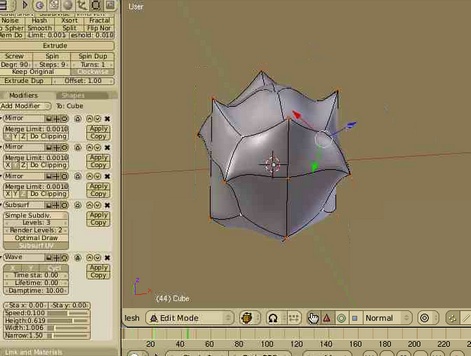 This may be a look into the past for some. But for others I’m sure these videos will be new and insightful.
For 2.43 ZanQdo created 2 video tutorials demonstrating the modifier stack functionality with the new modifiers. They really are a great demonstration of the flexibility available within the stack.
The tutorials are about the array modifier and the wave modifier. Its great to watch over someone’s shoulder, the pace is steady and being someone who hasn’t used the wave modifier it was pretty neat to see the flexibility. Its something I’ll have to work into a future project.
Each video is available at graphicall. The array video can be found here. And the wave video can be found here.
And it might not hurt to take a look at the 2.43 release notes.




he he nice to see them in here after all this months :)
Great tuts!
I’m happy to see a person, that found out the same beveling-trick :D
(Simple SubDiv + Catmul Clark SubDiv)
Yeah.. that beveling trick is niiice. And these videos are too!
Downloaded now. They are quite informative. Always good to have ressouces when you once need them.
Hi!
Wathing this types of videos take a lot of RAM, (more than 600MB)
Is this problem appering by others?
Im using winxp and firefox.
//Sorry for my bad english! :)
> (Simple SubDiv + Catmul Clark SubDiv)
Ha! That’s nice, thanks for mentioning, Kram1032.
Very interesting – i didnt know you could do so much with those modifiers…
Inspiring me to want to experiment. Very good work in these, nice and clear.
Szentirmai-Schön Ãdám
Do you have the latest version of flash player? If you don’t, here is a link to the latest version.
http://fpdownload.macromedia.com/get/flashplayer/current/install_flash_player.exe
Video Tutorials is here
http://3dblender.jeeran.com/viedio.html
:( It is impossible to see these movies. Using XP and firefox or IE even with the latest flash player version. The RAM just keeps on going up until system crash (if no virtual memory)
Wow great stuff, its given me lots of new ideas
Wow, great stuff! Inspiring!
… but, can someone please tell me how to download these tutorials?
My browser (IE6) does not store them as .swf files.
First, I must say that you did a great job on the tutorial, and thanks for making it fast :D
Next I should point out that I’m on blender 2.44
And lastly, I would like help on some problems I have w/ the tutorial:
In the Array and Curve Modifiers tutorial, how did you make the shape at 0:19?
What I saw (I might be wrong)
Subdivide cube
Face select
Select corner pieces
EKEY
RMB
Shrink/Flatten
Scale
This is where it gets weird for me. Your scale is even, while mine is really creepy. One face scales evenly, the others are distorted. Ex: http://img103.imageshack.us/img103/7642/weirdop8.jpg
How can I fix this?
At 3:43, you add a curve modifier to our spiny thing, and it adjusts to the curve. On mine, I can only bind to the X, Y, or Z. If I make 3 curve modifiers then it totally screws the whole thing up. How can this be fixed?
ader10 at gmail*com
Thank you =D