

Penguin Modeling Videotutorial

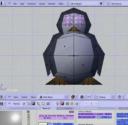 There is no better way to learn Blender than stepping into a simple project. And this tutorial will let you do just that.
This simple video tutorial is by IzE_Design and its a rather enjoyable video to watch. Despite the simplicity of the penguin character you can’t help but love the final result and want to follow along to duplicate it.
Its IzE_Design’s first video tutorial and its a good one. Lots of introductory pieces of information and its at the perfect speed.




It’s a nice little demonstration but i think it is way to fast to be really helpful to begginers
Eoh Brian – lol, that was amusing* – thanks alot!
hehe, the one thing that made me wondering – what does this pic of an eye/iris do there! happy, that this mystery was dissolved at last =)
*(2x looks like the old movies *gg )
btw – there’s something similar like snagIt and for free (open source):
CamStudio (http://sourceforge.net/projects/camstudio/)
This is a good one in written form: http://en.wikibooks.org/wiki/Blender_3D:_Noob_to_Pro/Penguins_from_spheres
Lets make Happy blender Feet. About a program that was not able to conform with the others and send away, but came back and changes everything…
>>It’s a nice little demonstration but i think it is way to fast to be really helpful to begginers
I found it a steady pace. But remember you can easily download the high rez. And then slow it down in VLC. (or an equivalent)
>>Eoh Brian – lol, that was amusing* – thanks alot!
>>hehe, the one thing that made me wondering – what does this pic of an eye/iris do there! happy, that this mystery was dissolved at last =)
Yeah. That actually kept me watching it until the end. I was wondering why a big eye texture was just sitting in the image window. I mean I figured thats what it was for…..
It was very fast but quite interesting to watch.
Only one thing i noticed:
as he switches the views top/front/side he always used the menu.
Everything possible with Hotkeys he does, he uses the Buttons only when necessary.
But changing the view always via menu…. pain…
(Hint for Laptop-Users: you can ’emulate numpad’ in the user-preferences, find out where this nice menu is hidden ;)
je voudrai que vous m offrer un logiciel sofistiquer
WoW…
Hi…
I dont have idea that this my “stupid” videotutorial :D , a test, have this successfully :D
For the view… i know that there are other way, and i have on my keyboard the key FN for the numpad… sometime i use an external keyboard wireless with numpad, but i’m accustomed to use a menu :D and for the video, if i use too Short key without a speech comment you dont understand what i’m doing ;)