
December / January CVS Report: CVS Frozen and Many Improvements

 I’ve been really busy lately, but still managed to take some time to keep you all updated with the latest CVS changes.
I waited till Ton officially said that CVS was in Freeze state to write this article. What this really means is, no more features are getting included and the team is entering the Bug Fixing state.
Since we were so close to the release and had Christmas and New Year along the way I really thought that my job of compiling the latest CVS report would be easier, I was wrong…Well, a lot has changed, big things have happened and we should all be really happy with it, seems like the developers put on an extra time during the holidays to make the 2.43 release something even better then expected.
Additionally, at BlenderBuilds we got some troubles with the Server and compiling the sources, which led me to move to a new professional hoster and to improve our building workflow too. With all that happened the team also got more connected, everyone helping one another made us all grow as a team.
But without further delay here are the CVS changes till now.
General stuff
- Really BIG change, Blender hotkey for exit is now ‘CTRL+Q’ instead of ‘Q’. Future release event refactor will remove these restrictions.
- It is now possible to (re)center armatures like you can do with meshes and curves.
- Dynamic icon file loading and themeability.
- Lots of translation updates, Romanian language addition and arabic.
- Disabled fly mode for objects with constraints, would do weird stuff.
Action Editor and NLA
- Possibility to protect action and constraint channels.
- Strips under an object’s strip in the NLA editor can now get collapsed.
- Long KeyFrames.
- Removed double confirmation for deleting keys in action editor.
- Auto-Snapping.
- Workflow tweak, add New Empty Action as New Action Strip.
Mesh
- Removed SlowerDraw and FasterDraw from the Mesh Panel.
- Hotkeys for Mirror operations got correct to Shift M, not Ctrl M.
- Re-added the BKey hotkeys to sculpt mode.
- Transform snapping (still WIP). Different snapping target methods.
- Snapping, Grid and Snap exclusively controlled by the Control key.
- Rotation snapping also made possible.
- Added two menu items to sculpt mode for controlling how much tablet pressure affects brush strength and brush size.
- Improvements on the triangle conversion tool, its now slower but more consistent and tweakeable.
- Added Ctrl+FKey shortcut for rotating the brush texture.
Animation
- Contraints on bones working in ‘local’ mode.
- Now, it is possible to add action constraints to the last selected bone from the Add Constraint Menu (Ctrl Alt C)
- Record while in fly mode when record is enabled from the timeline.
- More useful Armature Ghost and Path Drawing.
Render and Compositing
- Additional stuff on Render Layers and Passes control. Passes are now also on the Outliner.
- New button next to the threads button to disable texture processing in a render.
- Composite and Pass render goodies. UV and Rad(iosity) passes and UV Map and Index Mask nodes.
- The incredible Defocus Composite Node.
- And a really cool new Displace Node.
- Added X/Y Offset to Split Viewer node.
- Math node ported from shader nodes to composite nodes.
- Updated luminance node to work in all color spaces.
- Added panel for Bake render (tabbed now in ‘anim’ panel).
Image, Materials, Shadow and Lighting
- Lightgroups.
- New Material LightGroup option, “Always”.
- Removed the insertion of convertor nodes in Node Shaders, when a link is created by non-matching sockets.
- Multiple UV and vertex color layers (still WIP).
- New really cool UV-Calculation tool.
- The Big Image refactor. Multilayer Image support and more. With proper documentation.
- The old “image properties” panel now is available in pulldown menu as “Real-time Properties”.
- Added names to UV and vertex color layers, and support for multiple UVs in the render engine.
- Added Vertex Color material node.
- New script added for UV Calculation, Follow active coordinates, with ‘Loop Average’.
Physics, Game Engine
- Upgrade of bullet to the latest 2.x version.
- Added drawing of rigidbody constraint pivots, and allow passing of full constraint frame.
- Enabled ‘show physics visualization’ in the Game Menu.
- Multi-UV/Lightmap generation available in the game engine.
Python
- Weight Paint Envelope assignment script was rewritten.
- Big goodie, Example Python scripts, really good.
- Initial python support for dealing with multires meshes.
- SVG import updated to the latest version.
- Script blender2cal3d.py was removed (reason was that no one was able to maintain it).
- 3DS export now exports Texface UV images to 3ds’s materials and supports material images.
- Better DXF import, superior import for many files.
- Updates on the Collada script, including a rigid body patch.
- Removed nendo import/export and tex2uvbaker scripts.
Hope you enjoyed the list and if you want to test some of the things head up to our BlenderBuilds and download our latest release.
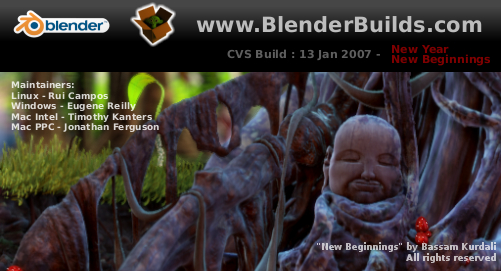
This month Bassam Kurdali was our Splash artist.
Have fun.


Sweet, looking forward to release (not that I compile from CVS anyways, but always good to have stable code). There’s been a lot going into Blender that I need to take about a days worth of catching up.
Great build!
I will test now!
Once again it seems got alot of toys to tinker with before the release is made, Good work DEVS
Here are a few armature-related fixes/features from these two months that were missed off the list:
* Armature joining should now work correctly (preserving constraints, ik limits, etc.)
http://projects.blender.org/pipermail/bf-blender-cvs/2007-January/009025.html
* Armatures can now be recentered (center/centre new/center cursor)
http://projects.blender.org/pipermail/bf-blender-cvs/2006-December/008731.html
* Bones can now get snapped to locations correctly in pose-mode
http://projects.blender.org/pipermail/bf-blender-cvs/2006-December/008652.html
* Snapping bones in editmode now moves the whole bone to the new location instead of moving both points.
http://projects.blender.org/pipermail/bf-blender-cvs/2006-December/008721.html
These improvements fix several of the more restricting annoyances from previous versions.
Is the cloth modifier not released? Seems to me very useful.
Great new.
(What a pitty that CTRL-Q is jsut beside CTRL-W) :-(
Jogai:
Not at this time, but Softbodies got improved and allow some better control for cloth.
JiriH:
For release after 2.43 there will be the Event Refactor, bringing the ability to define your own hotkeys.
Wow! Great improvements, as always.
Well done Blender Coders, and thank you !
Just a wish for the next release, about something I beg for at least 2 years : Allowing Negative constraints for Copy Rotation and Copy Location would be great for the poor clumsy users hopeless with Python! Please, just 3 more buttons : -X-Y-Z.
I believe that the code to convert the constraints to negative will not be more complicated than adding a – character somewhere… but unfortunately I’m not able to do it myself.
Please, think about this for the next time ! Thanks in advance.
Philippe.
I have to say thanks for all blender team and special big thanks for Tom .
Allot of Arabic peoples love blender and we wait any new
To taka look to arab community and video tut for blender
http://maxforums.net/showthread.php?t=81804
Thanks
Samran abed alsalam Syria
Hi Aligorith:
Check well ;) ,
This is mentioned in the General area, I thought it could have to do with center (Transform) and armature (Object itself), not just animation, that’s why I put it there, but I can move it if you think its in the wrong place:
* Armatures can now be recentered (center/centre new/center cursor)
Since there were lots of changes related to snap I didn’t mention the bug fixes, like this (specially since this report has to do with changes from 6 December to 18 January, fixes to functionality that wasn’t on CVS before December 6th should not make it in the report, not meaning this wasn’t there before it, just pointing out my criteria):
* Bones can now get snapped to locations correctly in pose-mode
* Snapping bones in editmode now moves the whole bone to the new location instead of moving both points.
This one does make sense though, sorry I missed it:
* Armature joining should now work correctly (preserving constraints, ik limits, etc.)
I still think its worth for you to mention this.
Anyway, bug fixing is also something expected.
Everyone should test everything again, to make sure things got fixed.
Additionally, if someone reported a bug on the tracker, it will be notified when it gets fixed ;) .
Thanks for the heads up, I still need to improve a bit the reports and any ideas are welcome.
As requested in the committers mailing list, I already ditched the “here” links and made some better phrasing on the items that have changed.
What I would really like to see is all the devs putting what that specific log is all about in the header, more devs started doing this, but the better the logs, the better my reports will be.
Cheerz,
— Rui —
This next release when is ready it will be a port to 64 bits?
ZOMG!
There are so many features here I have been waiting for! Another great release it would appear, surely worth the wait.
To Samuel:
Please read what Ton pointed out just a couple of hours ago on 64 Bits:
http://projects.blender.org/pipermail/bf-committers/2007-January/017258.html
As long as you use the files only on 64 Bit environments it should be ok, but when you use a mix of 32 Bits and 64 Bits your files will get messed up.
— Rui —
This looks a really good release, but does anyone know if keyframe animation will be available in the Composite Nodes soon?
To Mikhail:
Asked the same thing to Ton and he said he needs more developers :) .
He did point me out the Time Node as some sort of workaround for basic needs.
— Rui —
Sorry about the off topic but this image from Bassam to Blenderbuilds is very very beautyfull. Is there a place where we can download it bigger to use it as a wallpaper?
Thanks a lot
ChicO
rcas: The time node is good in some cases, but it only spans the range of 0 to 1 so it can’t be used as input for things like the tranlation node very well.
If only Blender Developers grew on trees…
That was exhausting to read.. I can’t wait to see the fully bloomed docs for all these features. I felt just a little lost without pictures for some things.
Just a note on the new DXF importer: It is more comprehensive than the builtin importer, but by no means faster.
So many amazing things happening with Blender, it’s hard to keep up ;)
I think all this hub-bub is also making me curious how I could go about adding my own feature to blender? Could we have an article about that? I’ve gotten too intimidated to ever try just building Blender from a working source..
Then maybe I can do things like add more color pickers (wheel, color1/color2 gradient, L.a.b., etc…) without having to ask for them.
To ChicOrtiz:
Go to Bassams website: http://freefactory.org/posts/happy-newyear
To Bmud:
At BlenderBuilds we are working on some articles on how to compile Blender for each platform.
Additionally you now have some Python examples in the sources, might be a nice way to start doing some development…
— Rui —
thanks both. it’s there a prevision about that? I’m to anxious about how blender will be port on 64 bits if in 32 it already rocks :D. hehehehe
see ya
Thanks for the info Rui!
I’m confussed.
An “all rights reserved” splash?
This makes it illegal for me to compile and distribute blender…. ???
To Joeri:
Hum, that one hit me too now :| .
Guess I will have to update the splash.
Sorry about that, never thought on it like that, just wanted to point out that the image was property of the owner, but since its a c file and is compiled against the source it might be wrong.
Confused too.
— Rui —
rcas: Well, the point probably is that unless the creator of the image has agreed to one of those Stallman-communist-licenses, you are simply not allowed to use it in a splash ;)
Bassam agreed on doing it for usage on the Splash…
I will see what I can do with the team, this was actually my fault, so I’m the one to blame.
We will probably re-build all builds to correct this…
Sorry about that, I just wasn’t thinking.
— Rui —
Boolean modifier crashes Blender (SSE version) anyone else have this problem?
however, great work on all the new features.
It’s Romanian… :^)
Thanks for the update
About fly mode…
fly mode has been modified a lot more then disabling for track constraints.
– Serves me right for doing this in bite sized commits ;)
* Fly mode can be recorded to IPO’s!
* Smooth Dynamics when changing direction.
* Middle click will Pan now (more usefull then mouse look)
* If the camera starts off with Z-Up, zrotation correction will start enabled.
To Bogdan Oancea:
Updated ;) , typo when writting.
To Campbell Barton:
Could you also provide the links to the logs like Aligorith did ?
Thanks.
— Rui —
Things I will improve in next report and builds:
– No “All rights reserved” mention on the splash, sorry about that.
– Send a preview report to the Committers mailing-list so the devs can report on it and say if its ok.
— Rui —
mikhail Schalk: You feed the output of the time node to the Map Value node to multiply the value to whatever you want. See the wiki http://mediawiki.blender.org/index.php/Manual/Compositing_Nodes_Vector#Example:_Using_Map_Value_to_Multiply_values
I wrote that specifically to show everyone how to multiply the time value output. enjoy! Also see the Time value node for more examples, and the Mix node used in conjunction with time node to do all sorts of splices.
I’d like to thank all the developers to put their time and talent into this release – it has some great stuff!